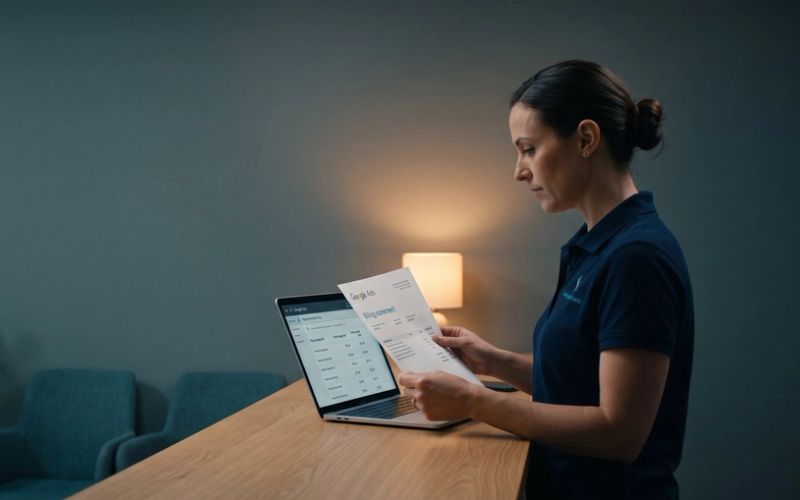
A hardwood floor installer got a call through their Local Services ad. The caller wanted carpet. The owner explained that they only install and refinish hardwood, the caller said thanks, and the call ended. Google charged over $100 for it.
Carpet was not one of the job types in their account. They rated the lead as irrelevant, explained exactly why, and waited for the credit. It never came. When they went looking for the form to formally dispute the charge, they posted the question in Google's own help community in January 2026, and the answer they got back from another advertiser was blunt: there is no formal dispute or appeal process for Local Services Ads leads anymore.
If you have been running Local Services Ads for a few years, that probably does not match what you remember. You used to be able to flag a bad lead, give a reason, and get your money back. That process is gone, and the rules that replaced it have one gap that matters more than the rest: Google no longer credits you for a lead that asks for a job you don't do, or that comes from outside the area you serve. Those calls are now simply part of your bill.
So the only protection left is the one that works before the phone rings. This is how the new system decides what you pay for, where it leaves you exposed, and which settings actually close the gap.
There Is No Dispute Button Anymore. There Is a Survey.
Under the old system, you were the one who decided a lead was bad. You opened it, picked a reason from a list, and Google reviewed your claim. Under the current system, Google decides, and it decides twice.
The first decision happens the moment the customer gets in touch. Google's systems look at the call, message or booking and either charge it or don't. Spam and duplicate contacts are supposed to be filtered out here, before they ever cost you anything.
The second decision happens over the following weeks. Charged leads keep getting reassessed, and if Google's models later decide one was low quality, it credits you automatically. Google says that in most cases the credit lands in your account balance within 30 days. One detail catches people out: the original charge still appears on your invoice. The credit shows up separately, so a quick look at the invoice will make it seem like nothing came back.
You can see where each lead stands in the Charge Status column on your Leads page. There are four statuses:
- Not charged: Google sent you the lead and never billed it.
- Charged: Google billed it from the start.
- In review: Google is still looking at it. If it decides the lead was not a good match, a credit follows.
- Credited: you were charged, then credited, either automatically or as a bonus for leaving feedback.
If your account has already moved into Google Ads, which started in August 2026 for plumbing, HVAC, electrical, roofing, cleaning, lawn care and several other home services, the Leads page now lives under Goals, then Conversions, then Leads. We covered what else changed in that move separately. The lead table, the charge status and the feedback form came across intact.
What you no longer have is a way to make a claim. What you have instead is a feedback survey, which Google describes as a way to help it send you better leads, not as a refund request. More on what that survey can and can't do near the end.
Two more things worth knowing before you build any routine around credits. First, Google's own help center contradicts itself: one older page still says you "can immediately dispute a lead," while the page that explains automated credits describes the current process, and the owners posting in Google's community are living the current one. Trust the newer page. Second, some businesses get no credits at all. Google lists health care businesses and tax specialists in the US as ineligible for lead credits, along with every advertiser in Europe, the Middle East and Africa. If you are in one of those categories, everything in the rest of this article about prevention matters twice as much, because nothing comes back.
A Wrong-Service Call Counts as a Valid Lead. So It's Your Bill.
To understand what you will and won't get back, start with what Google calls a valid lead. According to its help page on how leads work, you are charged when:
- You answer a call, or call the customer back and speak with them.
- You miss a call during your business hours and the caller stays on the line for more than 20 seconds.
- You receive a voicemail, a text message or an email from the customer.
- You receive a booking request (US and Canada only).
Notice what that list does not ask: whether the person wanted something you sell. A caller who asks for carpet installation, speaks to you for forty seconds, and hangs up satisfied that you can't help them has met every condition on it.
Under the old dispute system, that call was exactly what disputes were for. Under the current one, Google's help page says it plainly: Google "no longer supports credits for 'job type not serviced' and 'geo not serviced' leads." In plain English, the two most common complaints a service business has about its leads, wrong job and wrong town, are the two reasons Google has stopped accepting.
What still gets credited is the stuff Google itself can recognize as junk: spam, duplicate contacts, invalid activity, and leads its models judge to be low quality. Those are real savings, and you should not ignore them. But they are Google's call, made by Google's models, and they are not the leads that hurt most. The leads that hurt most are real people asking for real work you don't do.
There is one piece of genuinely good news on the billing side. If the same customer contacts you again from the same phone number or email within 15 days of a charged lead, you are not charged again. A customer who calls, texts a photo of the job, then calls back to book is one lead, not three. After 15 days of silence, a new contact from them counts as a new lead.
Google Tells You to Cast a Wide Net. Then It Bills You for the Catch.
Here is where the new rules get uncomfortable. Google's help page on improving your Local Services Ads performance gives this advice: "Select all job types you perform and set your service areas broadly. For example, your whole county, rather than specific postal codes."
Google's page on lead credits, meanwhile, says that if you are receiving unwanted leads, you should "revisit your service areas, job types, and categories," and warns that "any changes you make to these settings could reduce the number of leads you receive."
Both pages are right. They are just right about different things. A wider net catches more calls, including more of the ones you want. It also catches more of the ones you don't, and since Google stopped crediting out-of-area leads, you are the one paying for those. Google's advice to go broad was written for a world where the bad catch could be thrown back. That world ended.
So the question is not "wide or narrow." It is whether the extra good jobs from the edge of your area pay for the extra bad calls from beyond it. Work it through with numbers from your own business. Here is an illustrative example, not a real account, to show the shape of it.
Say a plumber pays about $60 a lead, and a typical booked job is worth $400. Their service area covers their own county and two neighboring ones. Looking at the last three months of leads, they find that the outer county produced 30 leads. Eight of those were from towns they won't drive to, and twelve turned into booked jobs.
Those eight wasted leads cost about $480. The twelve booked jobs brought in about $4,800. On those numbers, the outer county pays for its bad calls many times over, and pulling it back would be a mistake.
Now change one number. Say the outer county produced 30 leads, but only three became jobs, because the drive makes the plumber's quotes uncompetitive there. Now $1,800 in lead costs, including the $480 wasted on towns they won't serve, bought $1,200 of work. Narrowing that area stops being a volume sacrifice and becomes a clear saving.
You can't make that call from a gut feeling about "too many out-of-town calls." You need the tally: leads by area, how many were outside the line, and how many turned into work. Your Leads page lets you download your leads, which gives you the raw list. An hour in a spreadsheet tells you which edge of your map is earning its keep.
Job Types Narrow the Calls. They Don't Stop Them.
Job types are the services you switch on inside each business category, things like "install shower." When someone searches for one of them, your ad becomes eligible to show. Switching off a job type you don't do is the right move, and it is the first place to look if a particular kind of wrong call keeps coming in.
But it has a limit, and the flooring installer ran straight into it. Google's own help page says that "deselecting all job types won't stop you from getting leads on the overall category." Your ad can also show when someone searches the general category your business sits in, the "plumber" or "flooring contractor" search, without naming a specific job at all.
That is how a hardwood-only business gets a carpet call. The customer searched for a flooring contractor, your listing was eligible for that search, and the job type settings never came into it. The caller only told you what they wanted once you picked up, and by then the lead was valid.
So job types are a filter on the specific searches, not a wall around your business. What actually reduces wrong-service calls is a combination of things:
- Check your categories as well as your job types. If you are listed in a broad category that covers a lot of work you don't do, that category is where most of your wrong calls are coming from. Make sure every category on your account is one you genuinely want calls for.
- Switch off every job type you don't do, even the ones that seem harmless. They are the cheap part of the fix.
- Say what you do on the listing itself. Google's ranking page says it judges how relevant you are to a search partly from the services you provide and your business bio. Your listing can also carry business photos and callouts. A bio that opens with "hardwood installation and refinishing," photos of finished hardwood floors and a callout that names your specialty won't stop every wrong call, but a caller who can see at a glance that you are a hardwood specialist is less likely to call you about carpet.
None of these guarantee anything, and you should expect some wrong-service calls to keep coming through. The aim is fewer, not zero, because every one that does come through is now paid for.
Your Business Hours Decide Which Missed Calls You Pay For.
Missed calls have their own rules, and they are some of the most useful rules in the system, because they are written down in detail and almost nobody reads them.
An unanswered call becomes a charged lead only if the caller stays on the line for more than 20 seconds, and only if it happens during your business hours. Those hours are the ones set on your Google Business Profile. If you also run an ad schedule that differs from those hours, a missed call is only charged when it falls inside both: your active ad schedule and your business hours.
That has two practical consequences.
Your Business Profile hours are part of your ad settings now. More of your calls may already be arriving through ads, since Google moved the call button off some map listings and onto paid ads. If your profile says you are open until 8 p.m. but nobody answers after 5, every missed call between 5 and 8 where the caller stays on the line past 20 seconds is a charge. If the profile hours are honest, those calls aren't. After the move into Google Ads, your business hours sync one way from your Business Profile, so that is the place to fix them, not the ad account. We wrote about the bigger question of what happens to the customer who calls after you close in a separate piece.
Voicemail counts, whether or not anyone leaves a message. During business hours, a call that reaches your voicemail or an automated greeting is treated as connected. It is charged if the caller stays on the line for more than 20 seconds, message or no message. A long greeting can turn a caller who was always going to hang up into a billed lead.
There is also a rule about phone menus. If your phone system asks the caller to press a key, and they hang up without pressing anything, you are not charged, however long the menu played. Once they press a key, a fresh 20-second clock starts, and further key presses in a multi-level menu don't reset it again.
You could use that. A short opening menu, "Press 1 for hardwood installation and refinishing," gives a carpet shopper a reason to hang up before they cost you anything. It also adds a step for every genuine customer, and Google ranks Local Services listings partly on how reliably you respond to the people who contact you, which we covered in how Local Services Ads decide who shows first. For most businesses, a fast human answer is worth more than a filter. A menu earns its place when wrong-service calls are a large, measured share of your leads, not a guess.
The Feedback Survey Is the Last Place You Can Ask for Money Back.
Every lead on your Leads page has a feedback survey, labeled "Rate this lead." Google is careful about how it describes it. The survey exists, it says, to help it understand your preferences and send you more of the leads you want. It adds that it "may also occasionally credit leads you report as poor quality through this survey," and that some credits are issued "as a bonus credit for leaving feedback."
That is not a dispute. Nothing tells you a credit is coming, and owners are clearly frustrated by that. One owner wrote in Google's community in September 2026 that after rating a lead, there was "no status change, no email confirmation, and no way to track if a credit is being processed," and that the support line repeated the same script. That is the system working as designed, not a fault in their account.
It is still worth doing, every time, because it costs you a minute and it is the only lever left. In the January thread, an advertiser who manages several Local Services accounts gave the flooring installer the same advice they had seen work: rate it, explain it, archive it. Turned into a routine, that looks like this:
- Rate it honestly and specifically. "Very dissatisfied" on its own tells Google very little. A note that says the caller wanted carpet installation, and you only install and refinish hardwood, tells it exactly what kind of lead not to send.
- Archive it so your own lead list stays clean and the bad leads don't get mixed in with real ones when you export.
- Do it as a routine. Once a week, go through the new leads, rate every one, and note the reason on the bad ones. It takes fifteen minutes and builds the record you need for the next step.
That next step is your own tally, because Google won't give you one. At the end of each month, download your leads and count four numbers: leads charged, leads credited, leads that were wrong-service, and leads that were out of area. Those last two are the ones that will never be credited, so they are the true cost of your settings. If they are climbing, go back to your categories and your service area. If they are steady and small, your settings are doing their job.
The Cheapest Bad Lead Is the One You Never Get.
The old way of running Local Services Ads tolerated sloppy settings, because you could clean up afterward. A broad category, a county-wide service area and a long voicemail greeting were all fine as long as you disputed the junk on Friday. That safety net is gone for the two kinds of junk that cost the most.
What replaces it is settings work done up front: categories you actually want calls for, job types trimmed to the work you do, a service area set by your own numbers rather than Google's default advice, honest business hours, and a monthly count of what got through. Every one of those trades a little volume for a lot less waste, and the count tells you whether the trade is paying.
If you would rather spend your week doing the work than counting the calls, this is the kind of account cleanup we do for local service businesses all the time as part of our Google Ads management. And if you would rather run it yourself, you now know exactly where the money goes.