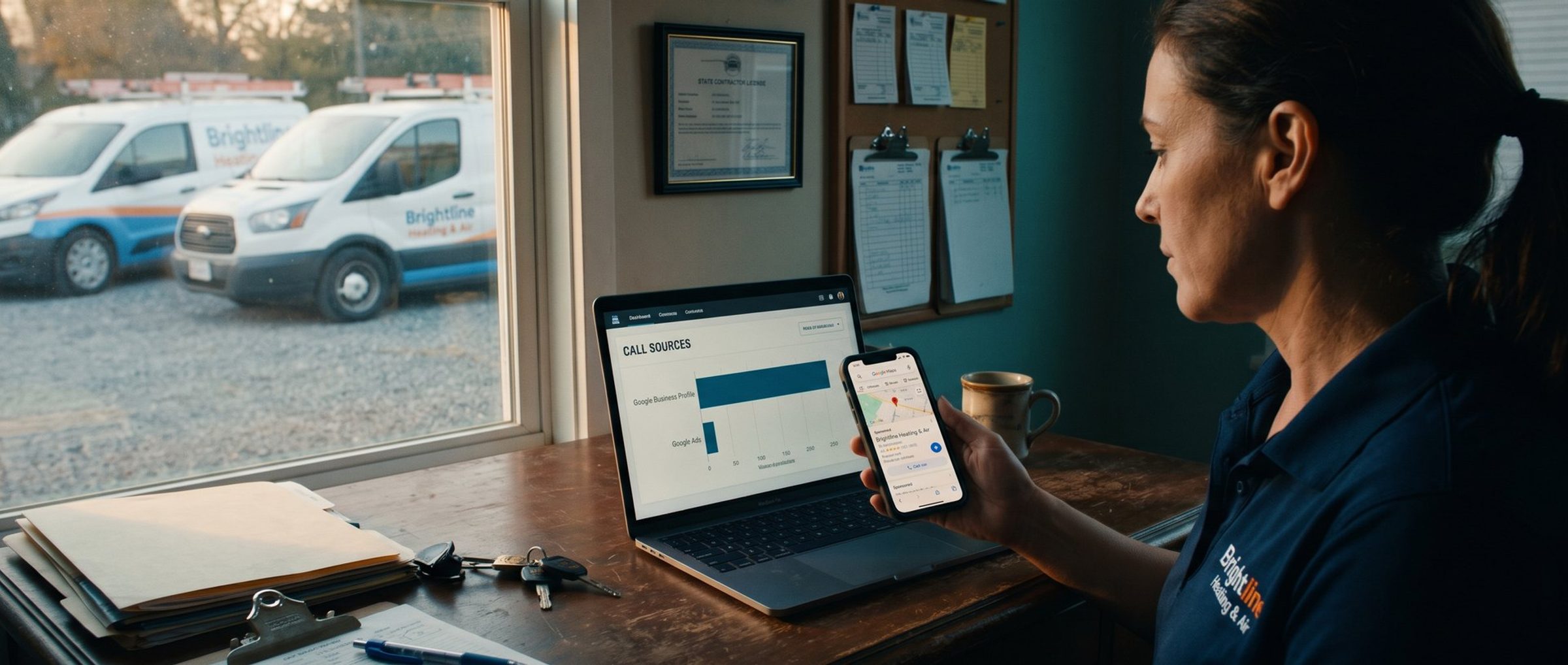
An HVAC company owner opens the monthly call tracking report the way she always does, on the first Monday of the month. The answer looks clear. Her free Google Business Profile is the top source of phone calls by a wide margin. The Google Ads campaign she pays $2,000 a month for shows a handful. She starts to wonder whether she should cut the ads and put the money into reviews and photos instead. (This is an illustration, not a client, but we see the pattern in real accounts.)
Before she does, she should know that some of those "free" calls came from an ad she paid for. When your Business Profile is attached to your Google Ads account, Google can show it as a sponsored listing in the map results, and that sponsored listing uses the same phone number as your free one. Google Ads counts the call. Your call tracking software sees your Business Profile number ring and files the call under organic. Two reports, one phone call, two different stories.
There is a fix, and it takes about ten minutes: give the ad its own tracking number in a setting most owners have never opened. It is not airtight, and we will be honest about where it leaks. But without it, you are judging your map ads on a report that cannot see them.
Your Paid Map Listing Borrows Your Free Listing's Phone Number
Google calls these ads Local Ads, and most owners know them as the "Sponsored" listing that sits at the top of the map results with stars, photos and a call button. We covered why that call button moved from the free listings onto the ad in Google Moved the Call Button Off Your Map Listing and Onto a Paid Ad. This piece is about what happens after someone taps it.
The ad is not something you write. It is built from your Business Profile. When you link the profile to your ad account, Google creates what it calls a location asset, and its help page on location assets is plain about where the details come from: your address, phone number, hours and photos are pulled from your Business Profile and Google Maps.
That is convenient, and it creates the problem. Unless you tell Google otherwise, the phone number on your sponsored map listing is the same number that appears on your free listing. If that number is a call tracking number, which is a common way to measure how many calls your profile brings in, your tracking software has no way to know whether the caller found you in the free results or in the ad above them. Both arrive on the same line.
Google Ads Counts the Call. Your Call Tracker Files It Under Organic.
Here is what happens when someone on a phone taps Call on your sponsored map listing, as the local search agency Sterling Sky walked through in a recent video comparing Google Ads and CallRail call counts.
Google does not let the call go straight to the number on your profile. It quietly puts one of its own forwarding numbers in front of it. The caller dials Google's number, Google's number rings the number on your profile, and that number rings your office. Sterling Sky's description was "a phone number that calls a phone number that calls a phone number." The forwarding number is how Google knows the call came from the ad, so it can record it as a conversion. Google's own help page adds one condition: you need call reporting turned on at the account level to see calls from location assets at all.
So Google Ads gets its answer. Your call tracking software does not. All it sees is the number on your Business Profile ringing, and that number is the one you set up to measure organic calls. CallRail, CallTrackingMetrics and the rest do exactly what you told them to do and credit the call to your Business Profile.
The result is a report that is wrong in both directions at once. Your ads look weaker than they are, and your free listing looks stronger. If you have ever wondered why your SEO numbers looked suspiciously good the same month you started running map ads, this is a likely reason.
This matters because of the decisions people make from that report. An owner who believes the ads produce eight calls a month and the free listing produces forty will cut the ads and spend more on the listing. If twelve of those forty were ad calls, the ads produced twenty, and cutting them takes twenty calls off the phone, not eight. Nobody notices for weeks, because the free listing's number drops at the same time and looks like a slow month.
If your Business Profile shows your real office number instead of a tracking number, the problem looks different but is no better. Your call tracking software never sees those calls at all, and the only record of them is the count inside Google Ads.
The Google Ads Phone Number Field Gives Your Map Ad a Line of Its Own
Google built a setting for exactly this, and then hid it. Its Business Profile help page describes it in one line: the Google Ads phone number setting "allows you to display a different phone number in the location asset from the number shown on your Business Profile." Your free listing keeps its number. Your ad gets a different one. Your call tracker can finally tell them apart.
Setting it up takes four steps.
- Create a new tracking number used for nothing else. In CallRail, CallTrackingMetrics or whatever you use, make a fresh number that forwards to your office. Do not put it on your website, your free listing, your trucks or anywhere else. Its only job is the ad. Brandon Ewing, a Google Ads trainer who walks through the same setup, notes that a separate number costs only a few dollars a month, and it is the only way to see the ad's calls cleanly.
- Give it a name you will understand in a year. Something like "Google Maps Ads" or "Business Profile ads number." Whoever reads this report next spring, maybe you, should not have to guess where the calls came from.
- Put it in the field. Open your Business Profile, select the three-dot More menu, choose Business Profile settings, then Advanced settings, and find Google Ads phone number. Enter the new number and save.
- Confirm call reporting is on in Google Ads. You will find it in Google Ads under Admin, then Account settings, then the Call ads section. When it is off, Google cannot count the calls from your map ad, and your campaign will look like it produced nothing.
There is one more thing worth knowing before you rely on Google's own count. When you link a Business Profile, Google automatically creates a conversion called Clicks to call for taps on the call button in your local ads. You cannot set it as a primary or secondary goal the way you can with conversions you create yourself, and Ewing points out that it often reads lower than the calls his clients see in CallRail. As we explained in the map call button piece, it can only steer bidding in Performance Max, not in a regular Search campaign. That is one more reason to have a number of your own.
Google Stopped Honoring That Setting in September. Check It on Your Own Phone.
Here is the part most guides on this setting leave out. For a stretch of September 2026, Google showed the Business Profile number on local ads even when advertisers had filled in the Google Ads phone number field.
Search Engine Roundtable reported it on September 25 after an agency owner, Anthony Higman, had been raising the problem since the start of the month. Google replied publicly on its official X account that "if you are utilizing both location and call assets, ads featuring specific business locations may direct calls to the phone numbers associated with those locations rather than those set within your call assets." By late September, Higman was reporting that the setting was working again on his accounts, though he added there were "def still wonky things going on."
So the setting is real, Google documents it, and it usually works. But Google can change how it is honored without telling anyone, and if it does, your ads-only number goes quiet while your Business Profile number picks up the slack. The report will look perfectly normal.
The check is simple and costs nothing:
- Watch the ads-only number. Within the first week or two of setting it up, it should start receiving calls. If Google Ads is reporting calls from your map ad and your ads-only number has received none, the setting is not being honored.
- Do not test it by tapping your own ad over and over. Every tap is a paid click, and it pollutes the data you are trying to clean up. Sterling Sky made the same warning: a few test calls to confirm the setup is plenty.
- Look again every month. Make it part of the same monthly review described below. A setting that worked in August is not proof it works in November.
Even With Its Own Number, Your Map Ad Loses Some Calls to Organic
Even when the setting works perfectly, not every call that started with your ad will land on your ads-only number. Being clear about this is what keeps you from overcorrecting in the other direction.
CallRail's own help documentation lays out the cases. A person who taps Call directly on your ad reaches your ads number, and CallRail credits Google Ads. A person who taps through to your website sees whatever number your website shows, and CallRail can credit Google Ads if its website tracking is set up. But a person who taps your business name, the headline or View in Maps first, browses your profile, and then calls, is treated as Business Profile traffic, and CallRail reports it that way. The ad got them there. The organic listing gets the credit.
Sterling Sky raised a second possibility on computers. On a desktop, the sponsored listing shows the ad's tracking number at first, but once someone clicks it to open the full profile, the number shown switches to the regular Business Profile number. If they call from there, the call looks organic. Sterling Sky was careful to call this a theory, not a finding: every map-ad call it examined came from a phone, and every one matched across both systems. We would treat it the same way. It is possible, unproven, and probably small for most local businesses, since these ads are built for phones.
What this means in practice is that your map ad's true call count sits in a range:
- The floor is the calls on your ads-only number. Those definitely came from the ad.
- The ceiling is the floor plus some share of the calls credited to your Business Profile. You cannot know exactly what share.
- The tell is whether your Business Profile calls move with your ad spend. If they rise when the map ads are running and fall when they are paused, some of those calls belong to the ads.
Google Ads and Your Call Tracker Will Never Match. The Gap Shows Where the Ad Calls Went.
None of this will ever reconcile to the exact call. That is fine. The goal is to stop making budget decisions from a report that cannot see the ads, and that takes about fifteen minutes a month with one sheet of paper or one tab in a spreadsheet.
Each month, write down five numbers:
- Google Ads, calls from ads. The Call details report in Google Ads lists each call from your ads with its time and length. You can also segment your campaign by click type to see how many interactions came through the map.
- Your ads-only number. Calls received, from your call tracker.
- Your Business Profile number. Calls received, from your call tracker.
- Your Business Profile's own call count. Its performance report shows calls from the profile. Expect it to differ from your tracker. It is a third opinion, not the answer.
- Jobs booked from phone calls. From your calendar, your booking software or your front desk. This is the only number on the list that pays the bills.
Then read the sheet with three questions. Does the Google Ads call count roughly match the ads-only number? If Google reports twenty and the ads number shows two, the setting is probably not being honored. Did your Business Profile calls jump when the ads started? Then some of them were never organic. And did booked jobs follow the total, or just one line?
One warning if your call tracker also sends calls into Google Ads as conversions. Make sure only one call conversion is counted as primary for the same calls, or Smart Bidding learns from a number twice the truth. We cover that, and how Google now grades ad calls by recording them, in Google Now Listens to Your Ad Calls and Decides Which Ones Count. One detail from that piece matters here: calls from your map listing are not recorded or graded by Google's AI. They are still counted by call length, so set a sensible minimum, 30 seconds in our accounts, to keep voicemails in.
If two dashboards disagreeing feels familiar, it should. It is the same problem behind GA4 Says 40 Conversions. Google Ads Says 61. Both Are Right., and the deeper version of it is why you will never know exactly which ad made the sale. Every system counts what it can see. Your job is to know what each one is blind to.
A Month With Zero Map Ad Calls Often Means Google Stopped Showing the Ad
Once your tracking is set up properly, you will eventually have a month where the map ad goes quiet, and the instinct will be to blame the numbers you just fixed. Check the page first.
Sterling Sky described a law firm whose map ads produced no calls for about six weeks. Nothing was wrong with the tracking. Google had stopped showing the sponsored map listing for its searches, pushing the map results down the page or replacing them with Local Services Ads and AI Overviews. When Google brought the format back, the ads went straight back to producing about a click a day. The firm was not in a big city, and the searches that worked best were high-intent ones, with words like "best" and "near me" in them.
The lesson cuts two ways. Before you decide your tracking broke, look at the campaign's impressions for the map. If they fell off a cliff, Google changed the page, not your setup. And do not build your phone line on a single placement. Google owns the results page and rearranges it whenever it likes. The businesses that keep the phone ringing through those changes show up in several places at once: the free listing, the sponsored map listing, regular search ads, and Local Services Ads where they make sense.
Your Map Ad Calls Need Their Own Number Before You Judge the Ad
If you run Google Ads with your Business Profile attached and you measure calls with a tracking number, the to-do list is short:
- Create a tracking number used only for the ad.
- Put it in your Business Profile under Advanced settings, then Google Ads phone number.
- Confirm call reporting is on in Google Ads.
- Watch the ads-only number for calls in the first two weeks, and every month after.
- Read your Business Profile calls as a mix of free and paid, not as pure organic.
- Fill in the five-line sheet monthly, and judge everything against booked jobs.
Your free listing is worth building, and nothing here argues otherwise. But a map ad you cannot measure is a map ad you will eventually cut for the wrong reason. Keeping call tracking honest across Google Ads and your Business Profile is a regular part of what our Google Ads management team does. If you'd rather hand it off and get back to running jobs, we're glad to help. If you'd rather do it yourself, everything you need is above.