Open almost any guide to Google Ads and read closely, and you'll notice something: it was written for an online store. Sell more units, ship them anywhere, optimize your return on ad spend across a whole country. That advice is everywhere, and if you're a plumber, a dentist, a locksmith, or a law firm serving one city, you've probably been following it, wondering why your budget keeps vanishing with so little to show for it.
It's not that you're bad at this. It's that you've been running the wrong playbook. A local service business plays a genuinely different game than a national ecommerce brand, and several of the most important rules flip completely. Your customer isn't anywhere; they're right here. They don't add to cart; they call. And your budget is small while your clicks are expensive, which changes everything about how you should spend. Get the local rules right and Google Ads becomes one of the best lead sources you have. Get them wrong and it quietly drains money. Here's what actually changes.
Rule One: Geography Is the Whole Game, and the Default Setting Is Bleeding You
For an online store, location barely matters. For you, it's almost everything, because a customer thirty miles outside your service area is worthless no matter how perfect their search. And this is where local businesses lose money without ever realizing it, because of one buried setting most people never touch.
When you target a location in Google Ads, Google quietly defaults to showing your ad to people who are in your area or who have merely shown interest in it. That second part is the leak. "Interest" means someone searching about your city from another state, someone who once looked up your town, someone just passing through the topic. So a plumber who thinks they're advertising to their metro is actually paying for clicks from people who will never, ever become customers, because they don't live anywhere near you. The fix takes ten seconds: change the location setting from the default to the option that targets people actually in your area, and tighten your radius to the area you truly serve. For a local business, where your ad shows is more important than any clever keyword trick. Nail the geography first, because every dollar spent outside your service area is simply gone.
Rule Two: The Call Is the Conversion, Not the Click or the Form
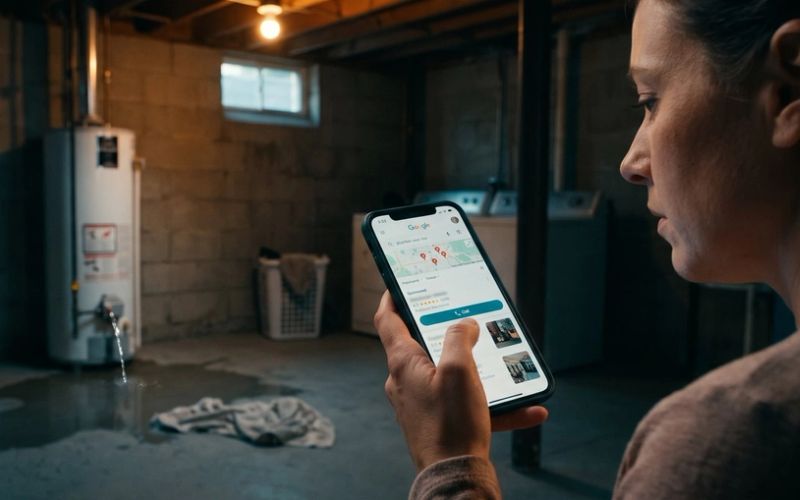
An ecommerce brand measures success in online checkouts. You almost never will, because of how local buyers actually behave. Someone with a burst pipe, a locked door, or a toothache does not fill out a contact form and wait for an email. They call, right now, and they hire whoever answers and sounds trustworthy. The phone is your cash register.
This changes what your entire account should be optimizing toward. If Google is trying to get you clicks or form fills, it's chasing the wrong outcome, because your real conversion is a qualified phone call. So make calling effortless: use the call features that put a tap-to-call button right in your ad, and set up call tracking so that a genuine phone inquiry is counted and reported back to Google as the conversion. This matters more than any other single fix, because most local accounts are flying blind. They never set up call tracking, so Google has no idea which clicks turned into actual phone calls, which means it's optimizing toward the wrong thing and you're judging the whole channel on incomplete information. Tell Google that a good call is the goal, and it gets dramatically better at finding you more of them.
Rule Three: Your Clicks Are Expensive, So Pre-Qualify in the Ad
Here's a tension an ecommerce brand rarely feels as sharply. Local service clicks are expensive, sometimes fifty dollars or more for a single click in trades like plumbing or legal, and your budget is usually modest. That combination means a wasted click genuinely hurts. You cannot afford to pay premium prices for people who were never going to hire you.
So the counterintuitive move is to write ads that get you fewer clicks on purpose, as long as the ones you lose are the wrong ones. The way you do that is to pre-qualify people right in the ad copy. If you're a premium provider, put a price signal in the ad, something like "repairs from $399," so the bargain hunters see it and don't click, sparing you from paying for a click that would only end in "that's too expensive." If you serve one specific town, say so in the ad, so the person outside it self-selects out. If you specialize, name the specialty. Every one of those lines is a filter that turns away the clicks you'd have to pay for and regret. An ecommerce brand wants the widest possible net; a local business on a tight budget wants the opposite, a smaller net aimed only at the people who can actually become customers. Speak to your ideal customer, not the masses, and let everyone else scroll past for free.
Rule Four: There's an Ad Type Built Just for You, and Most Local Businesses Never Turn It On
This is the one that surprises people most, because it barely applies to ecommerce at all. Google has an entire ad product designed specifically for local service businesses, and it works on completely different rules from the regular search ads everyone knows. It's called Local Services Ads, and it's worth understanding even if you never touch anything else in this article.
Three things make it different, and all three favor you. First, it appears at the very top of the results, above the normal text ads, in a little pack with your photo, your reviews, and a badge. Second, you don't pay per click; you pay per lead. You're only charged when someone actually calls or messages you through the ad, not when they merely click, which eliminates the wasted-click problem entirely. And third, Google screens out spam and duplicate contacts before it charges you, and credits leads it later judges to be low quality. It no longer credits a call for a job you don't do or from outside your area, so your settings do that work instead (here is how to keep those calls away). On top of all that, you earn a trust badge for passing Google's screening: "Google Guaranteed" for home-service trades, which even backs the job up to a limit, or "Google Screened" for professional services like law and real estate, which shows you've passed background and license checks. To a nervous customer choosing between strangers, that green badge is a powerful reason to pick you.
There are catches worth knowing. Local Services Ads aren't available in every category or every area yet, so you have to check that your business type and location qualify. Getting the badge requires passing Google's verification, license, insurance, identity, the works. And your results lean heavily on your reviews: the more strong reviews you have, the more leads Google sends you. But for an eligible local business with a solid reputation, it's often the single highest-intent lead source available, and a startling number of local businesses have simply never turned it on.
Use Both, in the Right Order
None of this is an either-or choice, and the smart approach uses the pieces together in sequence. Start with regular Search ads, because that's where you get real control, over your keywords, your copy, your service areas, and your budget, and it's the foundation everything else builds on. Get your geography dialed in, your call tracking working, and your ad copy pre-qualifying, and you'll have a lead source you understand and can steer.
Then, if you're eligible and you've built up your reviews, add Local Services Ads on top to capture the ready-to-call customers right at the top of the page for a price per lead instead of per click. The two work beautifully together: Local Services Ads skim the highest-intent leads, and your Search campaigns give you control, reach, and the ability to show up for the many searches Local Services Ads don't cover.
You Were Playing the Wrong Game. Now You're Not.
If Google Ads has felt like a money pit, it probably isn't because the channel doesn't work for businesses like yours. It's because you were handed a strategy built for an online store and asked to win a local fight with it. The fixes are not complicated. Aim your spending at the geography you actually serve instead of half the country. Treat the phone call as the conversion it really is, and track it. Use your ad copy to turn away the clicks you can't afford. And take advantage of the ad type Google built specifically for local service businesses. That's the core of what we do when we run Google Ads for local businesses, and it pairs directly with the truth that you haven't been priced out of Google Ads and that when leads dry up, you should diagnose the cause before blaming the channel. Play the local game by the local rules, and the phone starts ringing.