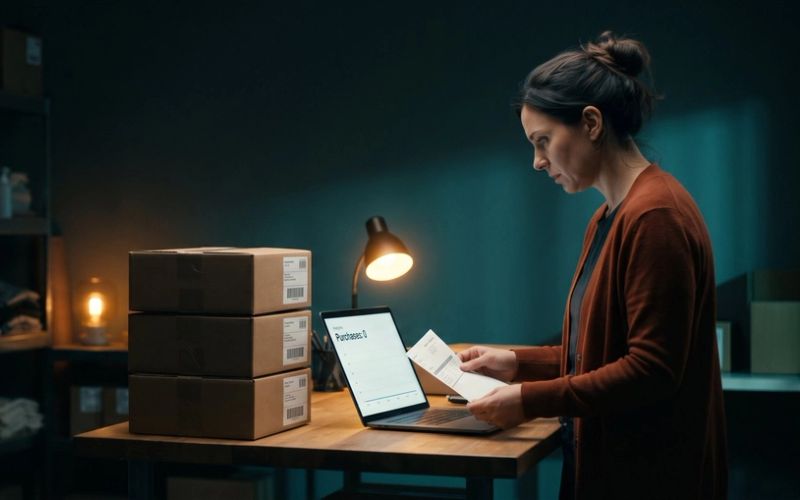
Picture two reports about the same store and the same three months. The first says revenue fell 69% from the year before. The second says sales rose 18.5%. One of them is wrong, and the store is about to set its holiday ad budget with whichever one it opens first.
That is not a made-up example. It comes from an audit published in Search Engine Journal in late October, where Christian Goodrich, who runs organic search at a digital agency, set Google Analytics next to the actual order records at eight online stores and compared the last two holiday seasons. At one store, Google Analytics recorded 94% of the web orders in the fourth quarter of 2024 and 36% in the fourth quarter of 2025. Nothing about the business had collapsed. The counting had.
His stores were in the UK, but nothing that broke at them is specific to the UK. Every cause he found can happen on a Shopify store in Ohio, and one cause he did not cover is specific to Shopify and came due for every non-Plus store this August. Black Friday is four weeks away, so this is the week to find out how much of your store Google Analytics can actually see.
Google Analytics Is a Sample of Your Sales. Your Store Is the Count.
Think of Google Analytics as an exit poll and your Shopify orders as the vote count. An exit poll is genuinely useful. It tells you who showed up, where they came from and what they did on the way in, which the final tally never will. But nobody calls an election from the exit poll once the ballots are counted, and nobody should set a budget from Google Analytics revenue when the store has the real number sitting one tab over.
The two are built differently, and Shopify says so plainly in its own help pages: Google "can only count visitors with JavaScript and cookies activated," some visitors block it with browser extensions, and the two systems may not even agree on what time zone a day starts in. Your store records an order because money changed hands. Google Analytics records a purchase only when a small piece of code runs in the shopper's browser on the confirmation page, is allowed to run, and gets its message out before the shopper closes the tab. Every one of those steps can fail quietly.
So the useful division of labor is simple. Orders and revenue come from the store. Google Analytics explains behavior: which pages people read, where they dropped off, which channels send browsers versus buyers. Ad platforms report what they claim, which is a third thing again. We covered the gap between Google Analytics and Google Ads in GA4 Says 40 Conversions. Google Ads Says 61. Both Are Right. This one is the gap underneath both of them: between Google Analytics and the register.
Google Analytics Purchases Divided by Shopify Orders Is the Only Tracking Number You Need
Goodrich calls it the capture rate, and it is the most useful number in this whole subject because a non-technical owner can work it out on a Monday morning.
Capture rate = purchases Google Analytics recorded, divided by web orders your store recorded, for the same week.
If your store took 200 web orders last week and Google Analytics recorded 150 purchases, your capture rate is 75%. That is not a grade. A store that gets 75% every single week has a perfectly usable Google Analytics. It just has to remember that the totals run about a quarter low, and use the tool for trends instead of totals.
Two details make the number honest:
- Count only web orders on the store side. Take out anything that never passed through your online checkout: in-person sales, draft and manual orders you keyed in yourself, wholesale orders, subscription renewals that charge automatically, and marketplace orders. Leave out orders placed inside AI apps too. As we wrote in Shopify Turned On Checkout Inside Meta and Google's AI, those never load your checkout page, so Google Analytics was never going to see them.
- Count distinct order numbers on the Google Analytics side. Goodrich's advice is to count unique transaction IDs on purchase events rather than lean on the "transactions" metric, which also counts refunds.
Then look at the shape over eight or ten weeks, not one week on its own.
Three shapes mean something is broken: a sudden step down that does not recover, a week near zero while orders carried on, or any week above 100%. More purchases than orders is not a great week. It is a double count.
A Steady Tracking Gap Is Normal. A Gap That Jumps Is a Broken Tag.
Start by accepting that some gap is permanent. In the audit, one store's Google Analytics recorded 76% of its web orders in both holiday seasons, and another landed between 72% and 84% every week of the quarter. That is what ordinary tracking loss looks like: a similar share of shoppers each week who block trackers, decline cookies or browse in a privacy-heavy browser.
For a US store that shows no cookie banner, the steady gap comes from ad blockers, browser privacy features and shoppers who close the tab before the confirmation page finishes loading. US opt-out signals, like the Global Privacy Control setting some browsers send, mostly limit advertising tags rather than analytics. The result is the same either way: a consistent shortfall you plan around, not a problem you can fix.
The thing to fear is movement. A gap that holds steady at 25% tells you about your shoppers. A gap that jumps from 20% to 60% overnight tells you something changed on your site, and the next three sections are the usual suspects.
Your Cookie Banner Can Run Out of Page Views in the Middle of Black Friday.
This was the most surprising finding in the audit, and the hardest to spot. At two stores, Google Analytics sessions vanished in blocks of days, and every block ended on the same date each month: the 14th at one store, the 20th at the other.
The cause was the cookie banner. Both stores had moved to a new consent tool, and each plan covered a set number of page views a month. When the allowance ran out, the banner stopped showing until the next billing date, and the tracking that depended on it went dark with it. At one store, Google Analytics recorded up to 68% of orders in weeks the banner stayed up and between 10% and 22% in weeks it switched off. At the other, the allowance ran out on December 1, in the busiest billing cycle of the year, and tracking did not recover until December 15.
Nothing looked broken. Some data kept arriving, so the dashboards never went blank. The missing days just read like a slump in sales.
Plenty of US stores show no banner at all, and if that is you, skip ahead. But if you sell to Europe or the UK, or you chose to show a banner across the US, open your consent app today and find two things: what its monthly limit is, and who gets the email when you approach it. Then size the plan for November traffic, not September's, and make sure that warning reaches whoever runs your marketing, not only your developer.
Shopify Replaced Your Thank-You Page in August. Any Purchase Tag Pasted Into It Stopped Working.
This one is not in the audit, because it is a Shopify change and it is recent. For years, a common way to send purchases to Google Analytics was to paste tracking code into a box in your checkout settings called Additional Scripts, which ran on the thank-you page after every order. Plenty of stores also loaded Google Tag Manager there.
Shopify has been retiring that box. It became view-only on August 28, 2025, and Shopify's help center now states it plainly: August 26, 2026 was the deadline to upgrade the Thank you and Order status pages, and stores that weren't upgraded by that date were upgraded automatically. The new pages don't run the old scripts. Tracking now has to come through an app pixel (such as the Google & YouTube app) or a custom pixel that listens for Shopify's own `checkout_completed` event.
If your purchase tracking lived in that box and nobody rebuilt it, your Google Analytics may have stopped recording purchases in late August. And because page views and add-to-cart events usually come from other code that kept working, nothing looks dead. Your sessions are fine. Your purchases just quietly fell off a cliff, and this Black Friday is the first one since.
Three places to look in your Shopify admin:
- Settings > Checkout. If there is still an upgrade notice for your Thank you and Order status pages, open the upgrade guide. It lists the scripts and apps you had on those pages and which ones were tracking.
- Settings > Customer events. This is where app pixels and custom pixels live now. You should see the Google & YouTube app connected, or a Google Tag Manager custom pixel whose code includes `checkout_completed`. If neither is there, nothing is sending purchases.
- Your capture rate around late August. If it held steady before and dropped in the last week of August, you have found your cause and your date.
Shopify's own recommendation for stores that used Google Tag Manager on the thank-you page is to move to the Google & YouTube app, which Google maintains, and to switch off the old script only once the replacement is confirmed working.
The Google & YouTube App and an Old Tag Can Count One Sale Twice.
The opposite failure looks like good news, which is exactly why nobody investigates it. Google's own help page for the Shopify app puts it directly: "A single user action on your ad or free listing can be counted more than once if you have multiple Google tags set up, or if you had already set up conversion tracking before installing the Google & YouTube app."
The typical Shopify version is a store that installed the Google & YouTube app and also kept an older Google Tag Manager setup or a tag pasted into the theme. Both report the purchase. Google Analytics is supposed to drop duplicates that share an order number, but Google's documentation says it does so for purchases "from the same user," and the audit found that guarantee does not cover every case. At one store, 657 of the 3,365 order numbers recorded in a quarter had more than one purchase event, adding 735 extra purchases.
Here is the part that should worry you. That same store had also lost five weeks of purchases entirely, and across the quarter the two errors nearly canceled out: about 4,100 purchases recorded against about 4,500 real orders. Anyone checking only the quarterly total would have called that healthy. It was two serious problems hiding behind each other, which is why the capture rate has to be weekly.
Two quick checks:
- Place a test order and watch what arrives. If your tags run through the Google & YouTube app or theme code, Google's Tag Assistant shows each event in its "Hits sent" tab, labeled Google Analytics or Google Ads; two Google Analytics purchase hits for one order means two senders. Shopify notes that Tag Assistant can't see custom pixels, so if you use a Google Tag Manager custom pixel, use Shopify's Pixel Helper and the Google Analytics realtime report instead.
- Build one report in Google Analytics. In Explore, add Transaction ID as a row and event count for the purchase event as the value. Any order number above one is a double count.
While you are in there, look at sessions too. A fourth store in the audit went from 300 to 900 sessions a day to over 23,000 in a single day this September, almost all of them direct desktop visits lasting about a second, while its Search Console clicks did not move. That was bots. Bots don't buy anything, so they don't touch your capture rate, but they do drag your Google Analytics conversion rate down and make a perfectly good week look like your site stopped converting.
Cutting Ads on a Broken Tag Kills the Campaign That Was Working.
All of this comes down to one routine, and it takes less time than the meeting you would otherwise spend arguing about the numbers.
- Export weekly web orders from Shopify for September through today, and the same weeks last year if you have them. Filter to your online store sales channel so in-person, wholesale and marketplace orders drop out.
- Pull purchases from Google Analytics for the same weeks, counted as distinct order numbers. Check that your Google Analytics property and your Shopify store use the same time zone first, or every week will be off by a few hours of orders.
- Divide, week by week, and look for the three warning shapes: a step down, a near-zero week, or a week over 100%.
- Use Search Console as an early warning. It counts a click whenever Google sends someone to your site, whatever your tags are doing. Divide Google Analytics' Google organic sessions by Search Console clicks each week. In the audit, during one week of a store's blackout, Google sent 4,244 clicks and Google Analytics recorded 57 organic sessions. A ratio that suddenly collapses means your tracking broke, not your rankings.
- Place one real test order and confirm exactly one purchase arrives in Google Analytics, using Tag Assistant or, for a custom pixel, Shopify's Pixel Helper.
What this protects you from is a specific bad decision. At another store in the audit, fourth-quarter web orders rose from 5,874 to 7,686, while Google Analytics showed them falling by a third. Google Analytics also showed Google Ads' return falling from about 8x to under 5x. Matched against real store orders, Google Ads' return had actually risen from 4.4x to 7.9x on 20% less spend. An owner who cut Google Ads on the dashboard's word would have cut the channel that was working best.
Until Cyber Monday Is Over, Shopify's Order Count Outranks Google Analytics.
You will not rebuild your tracking in the next four weeks, and you should not try. A holiday season is the worst possible time to change how purchases are measured, because you lose the clean comparison to last year exactly when you need it. So set three rules instead:
- Agree on the source of truth now. Revenue and orders come from Shopify. Google Analytics explains behavior and trends. Ad platforms report what they claim. Write it down, so nobody relitigates it at midnight on Black Friday.
- Put a date on every change. Any new app, checkout tweak, consent setting or tag change gets logged with the day it happened. When a number moves, the first question is what changed that day.
- Judge your ads against store orders. If Meta or Google says one thing and your orders say another, the orders win. This matters more than usual this year, because Meta is changing what its pixel counts on November 12, which we covered in Meta's November 12 Pixel Change Only Counts Customers Who Log In. Your Meta numbers will move for reasons that have nothing to do with your ads.
The real fix is a January project: sending purchases to Google Analytics from your store's own system when the order is created, instead of from the shopper's browser. Google offers a tool for that called the Measurement Protocol, and several Shopify apps handle it for you. Google says it is "intended to supplement, not replace" the normal tracking tag, so the browser tag stays for behavior and the server sends the purchase. Goodrich's practical advice is to start it in a separate Google Analytics property so nothing gets counted twice while you compare. Either way, it is not something to switch on the week before Thanksgiving.
When the season is over, the capture rate keeps earning its keep. It is the same instinct behind Your Conversion Rate Went Up. Your Store Made Less Money.: check every dashboard number against the one your bank account reads before you make a decision with it.
If you'd rather have someone run this check on your store, your tags and your ad accounts before the holiday rush, it's the first thing our ecommerce team does with a new store. And if you're doing it yourself, a spreadsheet and the five steps above are all it takes.