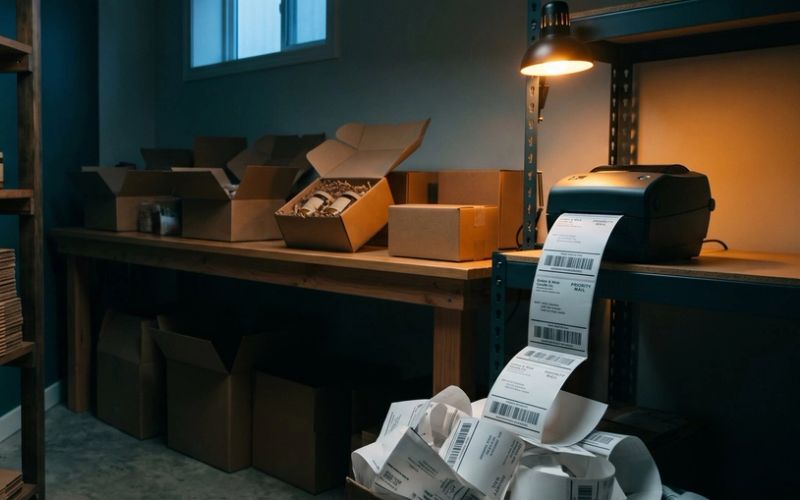

Black Friday is November 27 this year, and somewhere in the next few days most small online store owners will sit down and decide how many emails to send that week. The usual answer is some version of "more." A store that sends two emails a week in October sends one or two a day from Thanksgiving through Cyber Monday, and it sends every one of them to the whole list, including the subscribers who have not opened anything since spring.
The frequency is mostly fine. Shoppers expect to hear from stores that week, and the brands that go quiet get buried under the ones that don't. The mistake is sending that frequency to everyone. The people who open your emails will happily take one a day. The people who stopped opening months ago are the ones who click "report spam" when your sixth email in four days lands, and in Gmail, their clicks decide whether the people who do want your emails ever see them.
So the honest answer to "how often should I email my list during Black Friday" is not a single number. It is three numbers, one for each kind of subscriber, and a plan for getting there without the sudden jump that the inbox providers penalize.
One Send Schedule for the Whole List Is the Mistake, Not the Number of Emails
Start by splitting your list into three groups. Every email platform a small store is likely to use, from Klaviyo to Shopify Email, can build these as segments in a few minutes.
Engaged subscribers opened or clicked an email in the last 60 days, or bought from you in the last 90. They are the people who read your sale emails, and they can take one a day for the whole week, with a second email on the two biggest days.
Occasional subscribers last opened or clicked somewhere between two and six months ago. They are still reachable, but they are not reading everything. Give them the sale's big moments: early access, the gift guide, the launch, the last 48 hours and Cyber Monday. That works out to about every other day.
Quiet subscribers have not opened or clicked in six months or more. Send them two emails for the entire week, the Black Friday launch and the Cyber Monday last call, and nothing else.
That split is not about being polite. It is about how Gmail now decides what shoppers see. Since late 2025, Gmail's Promotions tab sorts by relevance by default instead of by time (shoppers can switch it back to newest first, but most never do), so an email from a sender people tend to ignore sits below emails from senders they open, even if yours arrived five minutes ago. And Gmail's "Manage subscriptions" view, which rolled out in July 2025, lists every sender a person gets mail from, sorted by how many emails each one sent recently, with an unsubscribe button next to each name. During Black Friday week, a store sending two emails a day to people who never open them is building its way to the top of that list.
Yahoo says the quiet part out loud in its own sender guidance: "Honor the frequency of the list's intent. Don't start sending daily emails to subscribers of your weekly or monthly mailing." Your engaged subscribers have shown you their intent by opening. Your quiet subscribers have shown you theirs too.
Google Warns Against Doubling Your Email Volume Overnight. Black Friday Is When Stores Do It.
Here is the part almost nobody planning a Black Friday calendar has read. Google's own email sender guidelines, the page that sets the rules for reaching Gmail inboxes, has a section on increasing sending volume. It recommends that senders "start with a low sending volume to engaged users, and slowly increase the volume over time," and it warns: "Avoid introducing sudden volume spikes if you do not have a history of sending large volumes. For example, immediately doubling previously sent volumes suddenly could result in rate limiting or reputation drops."
Immediately doubling your volume is a fair description of what a typical store does on Black Friday.
Volume is frequency multiplied by audience, and most owners only think about the first half. Take a store with 8,000 subscribers: 3,000 engaged, 2,000 occasional and 3,000 quiet. On a normal send day it emails all 8,000 once. If it sends two emails to everyone on Black Friday, that day carries 16,000 messages, double its usual day, aimed partly at 3,000 people who have not opened anything in half a year. Follow the three-group plan instead and Black Friday carries 11,000: two emails to the engaged group, one to the occasional group, one to the quiet group.
The other half of Google's advice is the useful half: raise volume to engaged subscribers first, and raise it gradually. That is why the frequency increase should start this week, not on Black Friday. If your engaged group starts getting an email every day or two from November 20, the early access announcement, a best sellers email, a gift guide, then by the time the sale opens, daily email from you is already their normal. The spike Google warns about never happens, because you spent the week before building up to it with the people most likely to welcome it.
Send More Than 5,000 Emails to Gmail in One Day and Google Labels You a Bulk Sender for Good
Many small stores have never thought of themselves as bulk senders, and on an ordinary day most of them are not. Google defines a bulk sender as anyone who sends close to 5,000 or more messages to personal Gmail accounts within 24 hours. The detail that matters for Black Friday is in Google's FAQ: "Senders who meet the above criteria at least once are permanently considered bulk senders." Bulk sender status, Google says, "doesn't have an expiration date."
Do the arithmetic for your own list. A store with 4,000 Gmail addresses on it sends 4,000 Gmail messages per campaign. That is under the line on a normal day. Two campaigns on Black Friday make it 8,000, and the store becomes a bulk sender for good on the busiest sales day of its year.
Being a bulk sender is not a penalty. It means a stricter set of requirements applies to you, and Google started stepping up enforcement on senders who miss them in November 2025. Messages that fail can be marked as spam or rejected outright. So before the week starts, check three things.
Your sending domain is authenticated. Bulk senders need SPF, DKIM and DMARC set up for the domain their emails come from, with the From address aligned to it. If you send through Klaviyo, Shopify Email or another platform from your own domain, this lives in the platform's sending domain settings and a few records at your domain provider. If you have never touched those settings, your emails may be going out from the platform's shared domain, which is worth fixing before the week, not during it.
One-click unsubscribe works. Marketing emails from bulk senders must support one-click unsubscribe in the email header and show a visible unsubscribe link in the body. Google expects unsubscribes to be honored within 48 hours, and Yahoo sets the same two-day window. The major platforms handle this automatically, but it costs two minutes to confirm: send a test campaign to a Gmail address and check that an unsubscribe option appears at the top of the message, next to the sender's name.
You can see your spam rate. That is the next section, and it is the number that actually sets your limit.
Spam Complaints Set Your Ceiling. Unsubscribes Are the Safe Way Out.
Most owners watch the unsubscribe count after every campaign and wince at it. It is the wrong number to wince at.
Gmail and Yahoo both require senders to keep their spam rate, the share of delivered emails that people mark as spam, below 0.3%. Google goes further and says to keep it below 0.1%, and "avoid ever reaching a spam rate of 0.30% or higher." Yahoo adds a detail worth knowing: it calculates the rate on mail delivered to the inbox, not on everything you sent.
Put that in plain numbers. On a campaign that lands in 10,000 inboxes, Google's target allows 10 spam complaints, and the hard limit is 30. Thirty people, on one email, out of ten thousand. During Black Friday week, when shoppers are getting dozens of sale emails a day and clearing them out fast, 30 annoyed people is not a big crowd to find.
Compare that with unsubscribes. Email marketers who run programs for large online stores generally treat an unsubscribe rate of 0.2% to 0.5% per email as normal, and start worrying only when sends run consistently above 1%. That is a practitioner rule of thumb, not a platform rule, but the logic behind it is sound. An unsubscribe costs you one subscriber who was probably not going to buy. A spam complaint costs you some of your standing with Gmail, which affects every email you send to everyone.
That changes how you should treat the unsubscribe link during Black Friday week. Every person who wants out and cannot find the link quickly is a likely spam complaint. So put the unsubscribe link where it is easy to see, and if your platform supports it, add a second option beside it: "Too many emails this week? Get only the big announcements until December." A shopper who picks that is still on your list in January. A shopper who hits "report spam" is gone, and took a little of your reputation with them.
Every Email in Black Friday Week Needs Its Own Reason to Exist
Frequency only works when each email gives the reader something the last one did not. Ten copies of "30% off everything, shop now" is how engaged subscribers turn into occasional ones. A week of distinct emails, each with one job, is how a store sends daily without wearing people out.
Here is how the three groups play out across the week, from the Friday before Thanksgiving to the Tuesday after Cyber Monday.
Notice what each email is for. The early access email rewards the people who signed up for first look, which is the list we argued for building back in September in Black Friday Is Won in September, Not November. The best sellers email and the gift guide give the engaged group reasons to open that are not just the discount; the gift guide matters more than most stores think, because so many December buyers are shopping for someone else, which we covered in Holiday Shoppers Are Buying for Someone Else. The 48-hours-left and ends-tonight emails are the close. And Cyber Monday should carry a different offer from Black Friday, not a rerun of it, so the people who already bought on Friday have a reason to come back. How the sale looks inside those emails matters as much as how often they go out; Your Black Friday Sale Can Look Like a Clearance Bin or Like Your Brand covers that side.
Two settings decide whether this schedule actually reaches people the way it looks on paper.
Automated emails count toward the total. Your cart reminders, browse reminders and welcome series keep running during the sale, and Black Friday traffic sets off a lot of them. An engaged subscriber who gets two campaign emails and a cart reminder on Black Friday has received three emails from you that day. If you built browse reminders using our piece on browse abandonment emails, this is the week to check that they have a limit on how often one person can receive them.
Klaviyo's Smart Sending will cancel your second email. Smart Sending skips anyone who received an email from you within a set window, and the default window for email is 16 hours. Leave it on for your automated emails, as we recommended in the browse abandonment piece, so nobody gets a sale announcement and a browse reminder on the same afternoon. But the same setting applies to campaigns, and that is where it quietly breaks a two-email day. If you send a morning and an evening campaign on Black Friday with Smart Sending switched on, most of your engaged group will never get the evening one, because they received the morning one less than 16 hours earlier. Switch Smart Sending off on that second campaign only, and send it to the engaged group alone. Other platforms have similar settings under different names, so check yours before the week, not after.
Open Rates Do Not Pay for Black Friday. Revenue per Email Does.
Once the week starts, resist judging it by open rates. They are inflated by email apps that open messages automatically, and they will drop as frequency rises even when everything is working, because the same people are getting more emails and opening a smaller share of them. Google says it directly on its sender page: it does not track open rates, it cannot verify the open rates third parties report, and low open rates "aren't necessarily an accurate indicator of deliverability or spam classification issues."
Watch three numbers instead, once each morning.
Revenue per recipient for each send. Take the revenue your platform credits to the email and divide it by the number of people it went to. This is the number that tells you whether more email is making more money. If it holds steady while you send more, the extra emails are paying. If it falls by half from one send to the next while volume rises, people are tuning out, and the next email needs a better reason to exist, not a louder subject line.
Unsubscribe rate per send. Expect it to rise a little. Worry if a send to your engaged group goes well over 1%.
Your spam rate in Google Postmaster Tools. Postmaster Tools is Google's free dashboard for senders, and it is the only place you will see the spam rate Gmail is actually measuring. It requires you to verify your domain first and shows data only once you send enough volume, so set it up this week. If the rate starts climbing toward 0.1%, cut the quiet group from the remaining sends first. Never cut the engaged group to fix a problem the quiet group is causing.
If you only take one thing from this section: the store that cuts frequency to everyone after a bad morning loses the people who were buying, while the store that removes its quiet subscribers keeps them.
Black Friday Frequency Needs an End Date. Most Stores Never Set One.
The daily schedule has an expiration date, and it should be on your calendar now. Shoppers forgive a lot of email between Thanksgiving and Cyber Monday because they are looking for the deal. The same frequency in the second week of December, with no sale behind it, is what pushes people to the unsubscribe button and to the top of Gmail's subscriptions list. Drop back to your normal schedule on December 1, and send the occasional and quiet groups nothing more until you have something worth their attention.
The week after Black Friday is also the right time to clean up. Anyone who got all of that week's emails and opened none of them is telling you something. Move them into a reactivation sequence or suppress them, and stop paying to keep them, a subject we covered in depth in Half Your Email List Has Never Opened Anything. The next stretch where your list earns its keep is the week after Christmas, when gift card balances are live, and Should Your Store Run an After-Christmas Sale? lays out how to plan it before you leave for the holidays. If you are thinking about texting your list instead of sending one more email, read Email Is Free to Send. Every Text You Send Costs You Something. first.
We plan Black Friday email calendars with online stores every year, and setting up the segments, the sending domain and the schedule is the kind of thing we can take off your plate. If you would rather do it yourself, block one afternoon this week. Build the three groups, check your sending domain, set up Postmaster Tools, and write the eleven emails. Then send the most to the people who open, and let the rest hear from you twice.