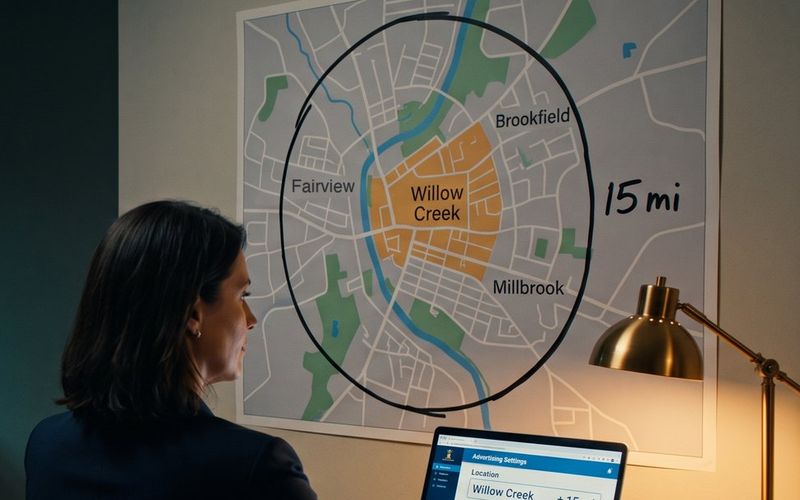
Most settings in a Meta ad account are a guess. You pick an objective you half understand, you set a budget that feels right, you choose a placement and hope. Location is the one place where you are the expert in the room. You know exactly who you can serve. You know the drive time that turns a good job into a bad one. You know which suburb is worth the trip and which one is not.
So you drew your service area, and you moved on. That was reasonable. It was also the last time you looked at that part of the ad set.
Underneath the map, in the same module, Meta had already made a decision on your behalf. There is a second setting there, and on most local campaigns it arrives switched on. Its job is to find people outside the area you just drew.
Locations Is a Real Control. That Is Why Nobody Checks It Twice.
Start with the good news, because it matters for the rest of this.
Meta is not quietly ignoring your service area. Locations is what Meta classifies as an audience control, which is a specific technical category, not marketing language. Even inside Advantage+ audience, where the whole premise is that the system treats your inputs as suggestions and looks past them, location is one of the few things the AI is forbidden to cross. Meta says so plainly on its own product page: you can set strict criteria the AI should not expand beyond, and the list is minimum age, location, language and custom audience exclusions.
If you have read that your creative is your targeting now, this is the important corollary that usually goes unsaid. As the audience box has lost its power, location has quietly become one of the last hard controls you still have. It should be getting more of your attention every year, not less.
Which brings us to the sentence that this entire article hangs on. In Meta's own help documentation, describing the Locations setting:
"Because Locations is an audience control, we won't target beyond your locations unless Reach more people likely to respond to your ads is selected."
Read the second half of that sentence again. There is an exception, it has a name, and almost nobody running a local campaign has heard of it.
The Box Underneath Is Already Checked
Here is how Meta describes that exception in the same document: "If you selected a city or region, you may also see the option Reach more people likely to respond to your ads checked by default."
Checked by default. Not offered. Not recommended. Checked, before you arrived, on the assumption you would want it.
Meta has a separate help page explaining what the setting actually does, and it is worth going through slowly, because the list is more surprising than the name suggests. With the box ticked, Meta will look for additional people who have shown interest in your city or region. Everyone it adds lives in the same country, which is the only real guardrail. Within that, it qualifies people by:
Recently visiting or living in that city or region. Searching for terms and Marketplace listings related to it. Interacting with ads or Pages related to it. Living in towns or cities close to it. And having friends who live there.
That last one deserves a second look, because it is doing something different from the others. A person who has never been to your town, has never searched for anything about it, and has no plans to visit can still be added to your local audience on the strength of knowing somebody who lives there.
None of this is hidden, and Meta is not being coy about who it is for. On the same page, listing the businesses this setting suits, Meta names professional services directly: real estate, law, B2B services, consulting, grooming, health and fitness. The stated benefit is reaching people who "may not be living or traveling in targeted cities and regions."
For a consultancy that works remotely, that is genuinely useful. For a real estate agent chasing out-of-state buyers, it might be the best setting in the account. For a dentist, a roofer, a physical therapist, or anybody whose customer has to physically arrive, Meta has just described the problem rather than the feature.
Likely to Respond Is Not Likely to Book
The name of the setting is doing a lot of quiet work, and it is worth pulling apart, because "likely to respond" and "likely to become a customer" are not the same population.
Someone who lives forty minutes outside your service area and has a friend in your town can see your ad, find the offer appealing, and fill in your form. That is a response. Meta counts it, correctly, as a result. It goes into your cost per lead, which is the number most owners watch, and it makes that number look fine or even good.
What it cannot do is become a booked job. And because it was cheaper to acquire than a lead from the middle of your service area, the system that is optimizing for cheap results will go find you more like it.
Joel at Hook Agency, who works with over a hundred home service contractors, describes the mechanism about as clearly as it can be put. Contractors default to a wide radius because a bigger audience feels like more leads. What actually happens, in his words: "when you target too broad a radius, Facebook will find leads wherever they're cheapest, even if they're hours outside of your service area."
He frames the tradeoff as a question worth asking out loud. Would you rather pay fifty dollars for a lead two hours away, or thirty dollars for one fifteen minutes from your shop? Put like that it is not close, but a cost-per-lead column will never ask you the question. It shows you one number and lets you assume the leads behind it are interchangeable.
This is the same trap as cheap leads from an instant form, arriving from a different direction. In both cases the platform delivers exactly what you asked for at an attractive price, and the gap only shows up later, in the ratio of leads to actual work on the calendar.
You Cannot Tell a Resident From a Visitor Anymore
There is a second thing about location targeting that has changed, and this one changed quietly enough that plenty of experienced advertisers still believe the old version is true.
Meta used to give you a dropdown under your chosen location with four options. People living in or recently in this location. People living in this location. People recently in this location. People traveling in this location. If you were a dentist, you picked residents. If you ran a hotel, you picked travelers. It was a clean control and it did exactly what it said.
That dropdown is gone. It was removed in 2023 with no announcement, and what remains is the merged option: Meta reaches people who live in, have recently spent time in, or go often to your selected area, as a single bucket you cannot separate.
For a business selling to visitors, this costs nothing. For everyone whose customer needs to live nearby, it means a portion of your delivery is going to people passing through, and there is no longer a setting that says otherwise. That is not a defect you can fix. It is a condition you have to account for, and the way you account for it is by tightening everything you still do control.
Meta Tells You in Writing That Some of It Will Leak
One more piece, and this one is Meta being genuinely straightforward.
Location targeting does not work by GPS certainty. It works by inference from a stack of signals, and Meta says so on its own help page: "Due to signal variations, complete accuracy cannot be guaranteed. You might see some ad impressions, or receive messages or leads from outside your location settings."
That is a useful sentence to have read before it happens to you, because the natural reaction to one out-of-area lead is to assume something is broken and start pulling levers. Usually nothing is broken. Signal-based targeting has a margin of error, and a stray impression is inside it.
The thing to watch is not the incident. It is the pattern. One lead from three counties over is noise. A steady trickle of them, month after month, is a setting.
What to Actually Do About It
None of this requires a rebuild. It is a fifteen-minute pass through one module, in this order.
Find the box and decide about it deliberately. Open your ad set, go to Audience, and edit Locations. If you have a city or region selected, look for "Reach more people likely to respond to your ads" and check whether it is ticked. If your customer has to physically show up, untick it. Meta lists this exact case in its own documentation as a reason to turn the feature off. If you sell remotely, leave it on, but leave it on because you chose to.
Set the radius to the area you actually serve. Not the area you would like to serve, and not a wider ring drawn to make the audience size look healthier. Joel's working number for most contractors is ten to fifteen miles, with open targeting and no interest or behavior layers on top. If you target a city rather than a pin, Meta offers a Current city only option that keeps delivery inside the city limits.
Understand how exclusions actually behave, because this one is genuinely counterintuitive. Meta decides based on both a person's current location and their home location. Someone who lives inside your target area will still see your ad while they are visiting an area you excluded. Only when both their home and their current location are excluded do they drop out entirely. Exclusions are weaker than they look, which is another argument for getting the inclusion right in the first place.
Then run the check that closes the loop. Pull the geographic breakdown in Ads Manager and look at where your money actually went, city by city. This is the step almost nobody does, and it is the only one that tells you the truth rather than the intention. Everything above this line is a theory about your delivery. The breakdown is a record of it.
Finally, judge it on the right number. Cost per lead will not show you this problem, because the out-of-area leads are the cheap ones holding your average down. Cost per booked job will. If those two numbers have been drifting apart, the gap between them is worth more of your attention than anything happening in your creative.
If your ads have been producing leads that never turn into work, this is one of the first places we look in an account, and it is usually not the only leak we find. It is the kind of thing our Meta ads team fixes in the first week. The wider local playbook, if you want the rest of it, is in you're not an online store, and the same class of mistake shows up on the search side too, which we covered in most Google Ads advice wasn't written for a local business.
The Settings That Cost You Money Never Asked Your Opinion
It is worth noticing what kind of mistake this is, because it is not the kind anybody warns you about.
Nobody loses money here through a bad decision. There was no decision. The expensive settings in an ad account are rarely the ones you agonized over, because the ones you agonized over got your attention and your judgment. The expensive ones are the defaults, sitting one click below the thing you were actually looking at, quietly doing what they were designed to do on behalf of somebody whose interests are close to yours but not identical to them.
Meta is optimizing across millions of advertisers. On that average, reaching a slightly wider audience probably does produce a slightly better cost per result. You are not the average. You are one business with one van, one calendar, and a hard limit on how far you are willing to drive.
Go look at the box. It takes a minute, and it is your minute to spend.
We check it on every local account we take over, usually before we touch the creative, because it costs nothing to change and it decides who the rest of your budget reaches. If you would rather not spend an evening in ad set settings, it is the kind of thing we handle. If you would rather do it yourself, open your Locations module tonight and look at what is already ticked.