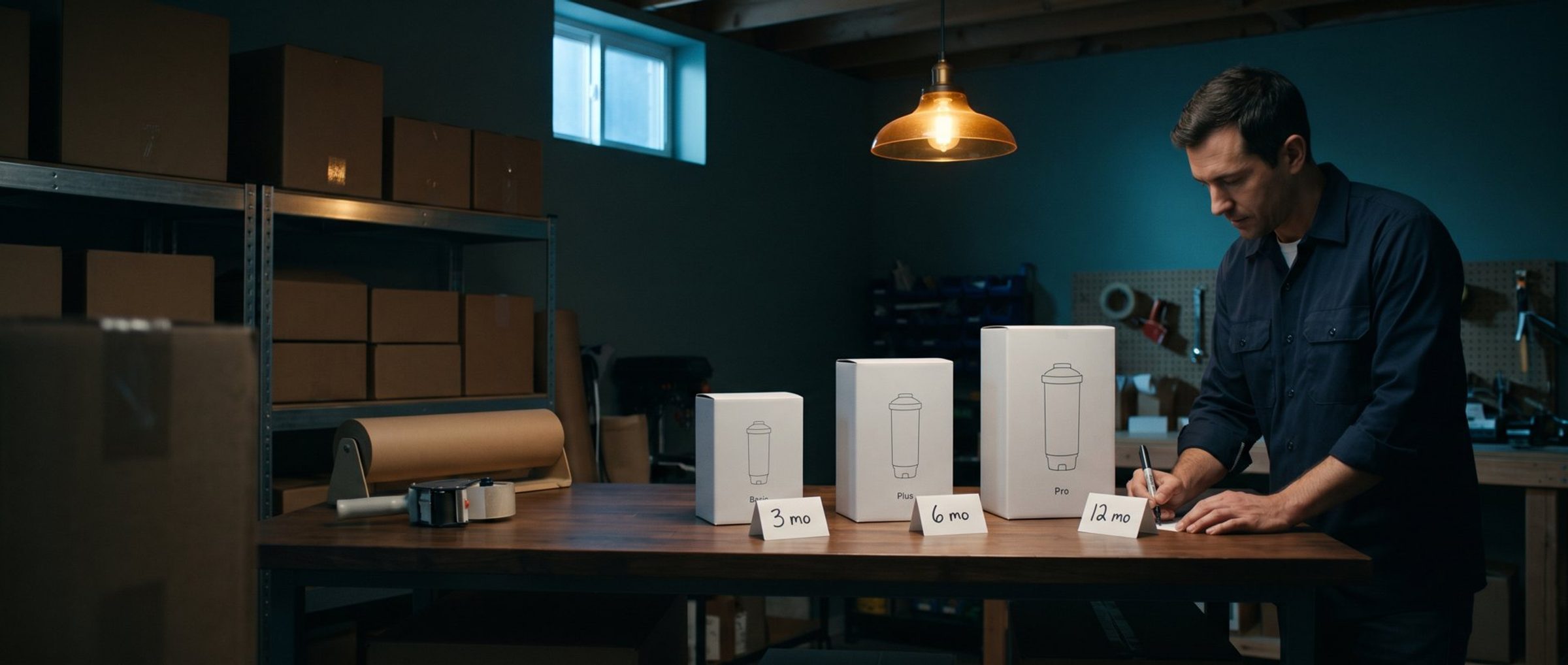
Picture a small store that sells countertop water filters. It makes three of them: Basic at $79, Plus at $129 and Pro at $199. They look almost identical in the photos. Same white housing, same chrome spout, same smiling family in the kitchen shot.
A shopper lands on the Plus page from an ad. The page lists a 600-gallon filter capacity and a 0.75 gallon-per-minute flow rate. She has no idea whether that is a lot. So she taps back to the collection, opens Basic, tries to remember what Plus said, opens Pro, forgets what Basic said, and does what most people do at that point. She opens a new search to find someone who will just tell her which one to buy.
That someone is rarely you. It is a review site, a Reddit thread, or an Amazon listing with a competitor's filter sitting right next to yours. You paid for the click, and she left your store to make the decision you could have helped her make.
This is fixable in an afternoon, and the fix is old-fashioned: one table that puts your own versions side by side and says, in plain words, what the difference is.
Shoppers Who Can't Tell Your Versions Apart Leave to Decide Somewhere Else
Most stores with more than one version of a product spread the information across separate product pages. Each page is fine on its own. The trouble is that nobody shops one page on its own when there are three versions. They are trying to choose, and choosing means holding two or three sets of numbers in their head at once.
The Baymard Institute, which runs large-scale usability testing on ecommerce sites, has watched this happen for years. Its researchers found that visiting several product pages to compare specs is slow and frustrating, and that many shoppers simply give up partway and skip products that would have suited them. On a desktop, some people cope by opening each product in its own browser tab. On a phone, Baymard observed that people rarely use multiple tabs while they shop. So the phone shopper, who is most of your traffic and judges your store on a small screen, has no workaround at all. She either memorizes your specs or she leaves.
When she leaves, she does not stop shopping. She takes the decision somewhere that will make it for her. Review roundups titled "best countertop water filter" are built to catch exactly this shopper, and they are happy to send her to whoever pays them a commission.
It is worth separating this from a related problem we have written about before. Sometimes the shopper cannot choose because the right answer depends on her: her skin type, her water hardness, the size of her kitchen. That is a job for a few good questions, and a product finder handles it well. The water filter shopper has a different problem. She knows her situation. What she cannot see is how your three products differ. That is not a question you need to ask her. It is a fact you need to show her.
A Comparison Table Earns Its Place When Versions Differ on Specs, Not on Looks
A comparison table is not a universal upgrade. Put one on the wrong products and it adds a wall of cells nobody reads.
Nielsen Norman Group, the usability research firm, draws the line in a useful place. When people face a long list of options, they narrow it with one hard rule, such as nothing over $150, and filters are the right tool for that. When they are down to a handful, usually fewer than five to seven, they switch to weighing trade-offs: a heavier laptop is fine if the battery lasts longer. That second kind of decision is exactly what a table is built for. NN/g also names the cases where a table is wasted: products bought mainly for how they look (clothing, decor, furniture), cheap or easily replaced items where nobody deliberates, products people buy several of rather than choosing one, and one-of-a-kind items with nothing to line up.
Turn that into three questions about your own range:
- Will the shopper buy one version, not several? A water filter, a mattress, a stand mixer, a set of hair clippers: yes. Socks, candles, prints: no.
- Do the versions differ in ways a photo cannot show? Capacity, power, coverage, lifespan, what is included in the box. If the only difference is color or pattern, the photos already do the work.
- Is the price high enough that people stop and think? A $12 item gets bought on impulse. A $129 item gets researched.
Three yeses, and you need a table. If the honest answer to the second question is "it depends on who is buying," you need a finder instead, or both. If you get mostly noes, spend the afternoon on your product photos and leave the table alone.
Big Stores Build a Compare Button. Your Phone Shoppers Won't Touch It.
If you search for how to add product comparison to your store, most of what comes back is a compare-checkbox app: tick the products, press compare, and the store builds a table on the fly. Electronics retailers with thousands of laptops need exactly that, and it works for them. Baymard found that 67% of participants on spec-heavy sites used a comparison feature during its testing, and some added items to the cart straight from the comparison page without opening a single product page.
Then Baymard ran the same kind of test on phones. Of 38 mobile participants who visited two sites with comparison features, three used the feature on one site, and nobody used it on the other, including shoppers who were actively looking for a way to compare. A phone in portrait mode shows one full column of a comparison grid at a time, so the tool loses the one thing it exists to do. Baymard's own conclusion is that the evidence does not support building new comparison tools for mobile.
That does not mean phone shoppers do not want to compare. It means the big-store tool is the wrong shape for a small store. You do not have 400 products and a shopper who needs to pick any four of them. You have three versions of one thing, and you already know which three belong together. So skip the app and build one fixed table yourself, the kind NN/g calls static. It suits five options or fewer, and you control every word in it.
Then build it for a thumb:
- Keep every cell short enough that three columns fit across a phone. "6 months" fits. "Filter capacity of approximately 600 gallons" does not. Short cells are the whole trick; they are what let three versions sit side by side on a small screen.
- Pin the version names and prices to the top as people scroll. Both Baymard and NN/g flag this. Short-term memory is short, and nobody should have to scroll back up to remember which column was Pro.
- Shade or rule every other row so the eye can follow a line across without losing its place.
- If four versions will not fit, show two at a time with a simple switch between pairs, rather than a grid that scrolls sideways.
Your Support Inbox Already Wrote the Rows of Your Comparison Table
NN/g makes a point that surprises most owners: the biggest problem with comparison tables is usually not the design. It is the content. Missing values, rows that mean nothing to a normal person, and specs that read the same in every column all turn a helpful table into homework.
Choosing rows is a research job, and you already have the research. Open three places:
- Your support inbox. Every email that starts "what's the difference between..." is a row waiting to be written.
- Your reviews and returns. Look for the reviews that say "I wish I'd bought the bigger one" and the returns tagged as the wrong item. Those name the exact difference people missed.
- Your own sales pitch. When a friend asks which one to get, what do you actually tell them? That sentence is usually the most important row.
Aim for five to eight rows. Then do three things to each one.
Translate the spec into what it means. NN/g praises a battery-pack table that listed capacity in milliamp-hours but added what that meant in phone charges. Do the same with your units. Nobody knows whether 600 gallons is a lot. Everybody knows what "lasts about six months for a family of four" means. Keep the precise spec on the product page for the shoppers who want it. The table is for the decision.
Cut any row that is identical across every version. Baymard watched shoppers spend real time scrolling through specs that were the same everywhere before they found the one difference that mattered. If all three filters have the same warranty, say so once under the table and keep it out of the grid.
Group what is left. Put what it does in one block (what it removes, how long the filter lasts) and what it costs to own in another (price, replacement filters per year). Baymard found grouped rows were easier to scan than one long list.
One last row deserves a special mention: who it suits. "One or two people" against "most families" against "large households" does more selling than any spec, because it lets a shopper find herself in a column instead of doing math.
Finally, store the numbers once. If you are on Shopify, put each spec in a metafield on the product and have both the product page and the table read from it. Some themes include a comparison section that reads from metafields; on others, it takes a small custom section. The day you change a filter supplier and the capacity changes, you update it in one place, and the table never contradicts the product page. A table that disagrees with itself is worse than no table at all.
The Middle Column Outsells the Others. Your Most Expensive Version Is Why.
Once your versions sit side by side, something happens that has nothing to do with the specs. People start choosing by position.
The best-known demonstration comes from Itamar Simonson and Amos Tversky, published in 1992. They showed people pictures and descriptions of 35mm cameras. One group chose between two Minolta models, an X-370 at $170 and a 3000i at $240, and split evenly between them. A second group saw the same two cameras plus a third, a 7000i at $470. In that group, 57% chose the 3000i, now the middle option, and the rest divided roughly evenly between the cheapest and the most expensive. Adding an expensive camera that few people bought pulled the choice toward the middle one.
Researchers call this the compromise effect, and Simonson had described it in 1989: when people are unsure, the option in the middle is the easiest one to justify. It is never the cheapest and never the most extravagant. Simonson and his colleagues later described a real case. Williams-Sonoma sold a bread maker for $279, then added a larger model at $429. The new machine did not sell many units. Sales of the $279 model almost doubled.
For a store owner, that changes what your top version is for. Pro is partly there for the shoppers who want the best. It is also there to make Plus look like the sensible choice. So:
- Put the version you most want to sell in the middle column, and make sure it is the one that genuinely suits most buyers. If most of your customers should be on Plus, Plus goes in the middle.
- Price the gaps on purpose. If Plus costs nearly as much as Pro, people jump to Pro or fall back to Basic and the middle stops working. If Plus costs barely more than Basic, nobody saves money by stepping down.
- If you sell only two versions, think about a real third one. A larger size, a bundle with a year of replacement filters, a premium finish. It has to be a product you are happy to ship. A fake top tier that exists only to be ignored is obvious to shoppers, and it insults them.
- Mark one column "best seller" only if it is true. Shoppers lean on that label because it saves them a decision. If it is not true, it is a false claim on your own product page.
How you set the price itself is a separate decision, and a cheaper price is not automatically a better one. We have written about what a price tells shoppers about the product. The table's job is narrower: make the trade-off between your versions visible so the right one is easy to pick.
A Comparison Table Belongs Next to the Add-to-Cart Button, Not on a Separate Page
A table nobody finds does nothing. Put it in the three places where a shopper hesitates.
On every version's product page, right where she picks. Most of your ad traffic arrives on a single product page, not on a collection. Shopping ads and most Meta product ads send people straight to one item. So each version's page needs a "compare all three" link next to the option selector or just below the add-to-cart button, opening the table without leaving the page. And each column needs its own add-to-cart button, so the shopper who decides in the table can buy from the table.
At the top of the collection page. Shoppers who browse in from your menu should see the table before they see three nearly identical product tiles. A collection page's job is to route people to the right product, as we covered in how homepages and product pages split the work, and for a three-version range the table is the routing.
On the page your ads send people to, when the ad is about the range. If an ad says "find the right filter for your home," land it on the table, not on one product. This is one of the first things we check when we look at an online store's ad account: where the ad sends people, and whether that page answers the question the ad raised.
Your Add-to-Cart Rate Tells You Whether the Table Worked
Do not judge the table by whether you like how it looks. Judge it by what changes in the four weeks after it goes live, against the four weeks before.
- Add-to-cart rate. In Shopify's analytics, the conversion breakdown report counts sessions with cart additions across the whole store. This is the number a table is supposed to move, because it removes the moment where people leave to think. If this range is a big share of your sales, the store-wide number will show it. If it is a small share, lean harder on the next two numbers.
- Which version people choose. Watch the split between Basic, Plus and Pro. A table often shifts the mix, sometimes toward a cheaper version than people were buying before, because it finally shows that Basic suits small households.
- Revenue per visitor, not conversion rate alone. That mix shift is why. More buyers at a lower average price can look like a win on conversion rate and still earn you less, a trap we walked through in why a higher conversion rate can mean less money.
- Returns tagged as the wrong item, and "which one should I get" emails. Both should drop. These are slower signals, but they are the clearest proof the table is answering the question.
One caution for smaller stores. If those pages get a few hundred visits a month, a four-week before-and-after will wobble, and seasonality can swamp the change. Treat a small lift as a direction, not a verdict, and lean on the support inbox and returns as a second opinion. We have explained why a small test result is often luck, and the same caution applies here.
A Comparison Table Is an Afternoon of Work, Not an App You Install
You do not need an app, a developer or a redesign. Do this in order:
- Pick your one range. The product with the most versions that look alike and the most "what's the difference" emails. Start there, not across the whole store.
- Write the rows on paper first. Pull the questions from your inbox, the regrets from your reviews and the reasons from your returns. Five to eight rows, each translated into what it means for the buyer, including a "who it suits" row.
- Cut the identical rows and group the rest. What it does, then what it costs to own.
- Check the middle column. Is the version most people should buy sitting there, and do the price gaps make sense?
- Build it short enough for a phone and put it on every version's page, next to where the shopper chooses, with an add-to-cart button in each column.
- Write down this month's add-to-cart rate and version split before it goes live, so you have something honest to compare against.
Most stores with three versions of a product are losing a share of shoppers at the exact moment they were ready to buy, not because the products are wrong but because the store never said how they differ. If you would rather have someone look at where your store is losing those shoppers, we do this for online stores every week and are happy to help. Either way, build the table. Your shoppers are already comparing. The only question is whether they do it on your page.