
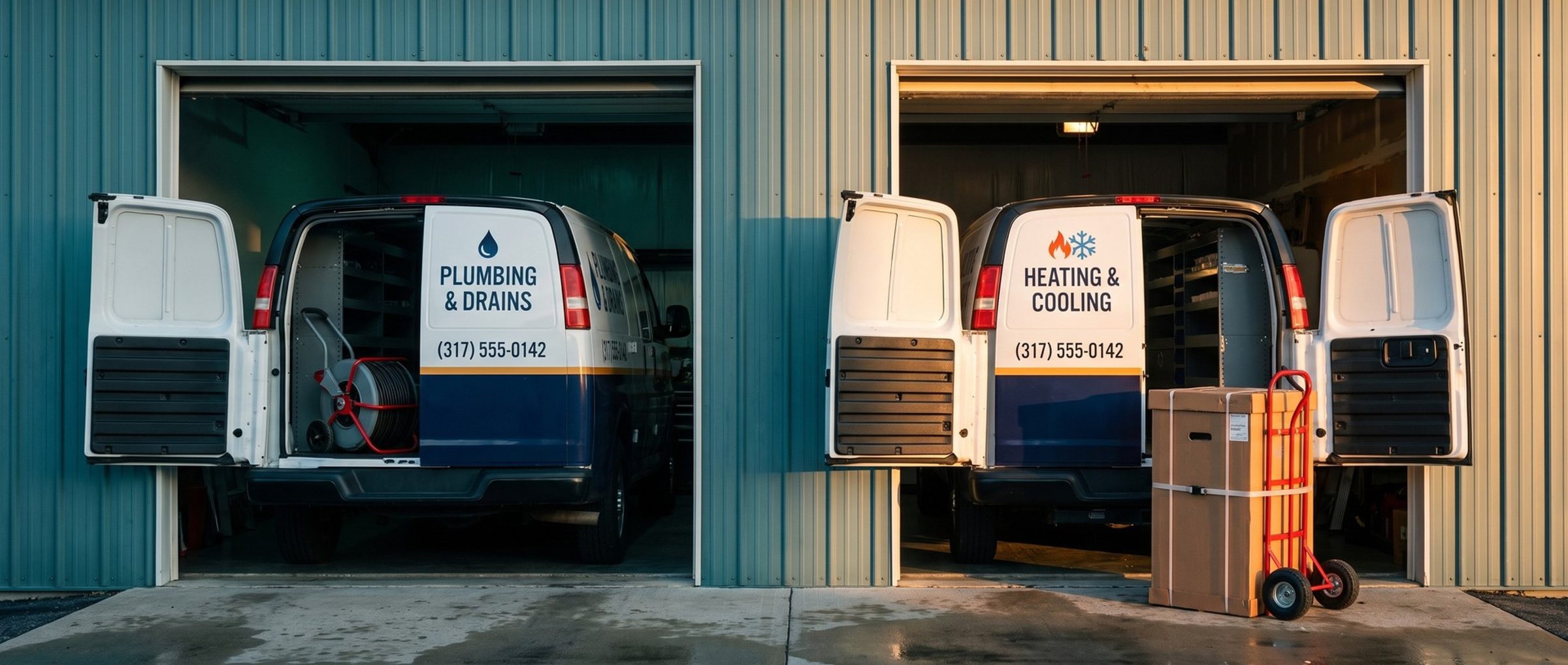
Most HVAC companies don't only do HVAC. In our example market, Indianapolis, 17 of the 26 local companies running HVAC ads also sell plumbing or electrical work, and 107 of the 301 contractor ads we could read were about something other than heating and cooling: drains, water heaters, panels, remodeling.
That matters the day a multi-trade shop turns on Performance Max. Put everything in one campaign and a drain clog, a water heater swap and a furnace install all share one goal, one budget and one target cost per lead. Performance Max will chase whichever of those it can book most cheaply, and that may not be the furnace.
Below: what Performance Max does, the point at which an HVAC account has earned it, and a setup that keeps it selling furnaces and air conditioners rather than the cheapest job on the menu.
Performance Max Runs Across All of Google at Once. An Exact-Match "Furnace Repair" Keyword Still Wins Its Search.
Performance Max is Google's everything campaign. One budget and one goal reach YouTube, Display, Search, Discover, Gmail and Maps together, and Google's systems pick the placement for each impression. You give it a goal, a budget, your ads and some hints about your customers, and Google decides where and when to show them.
That's a lot of reach to hand over, which is why it comes late in the rollout. An HVAC account typically gets there in its sixth or seventh month. The calendar isn't the trigger, though. The trigger is about 30 booked furnace and AC jobs a month flowing steadily through both Search stages from Chapter 6. Before that, Performance Max has too little to learn from and too many places to spend.
It doesn't replace Search. Google says a Search campaign with an exact match keyword gets priority over Performance Max when a search matches that keyword. Your exact match "furnace repair" keeps the furnace repair search. Google does name one leak: when your furnace campaign is held back by its budget, Performance Max may now and then pick up exact furnace searches it would otherwise lose. Keep your Search campaigns funded before you add a campaign that can fill the gap for them.
Watch the Search numbers after launch, too. In our experience, if exact match bookings fall the same weeks Performance Max bookings rise, it's usually taking credit for jobs Search would have booked anyway, often because a Search campaign ran short on budget. The account total, not either campaign's report, tells you whether anything new arrived.
What Performance Max adds is everything around the edges: the homeowner on YouTube watching a video about noisy furnaces, the Maps search for "heating and cooling near me," the Gmail promotions tab in October.
17 of 26 Indianapolis HVAC Advertisers Also Sell Plumbing or Electrical. One Campaign Can't Hold One Goal for All of It.
A Performance Max campaign has one goal and, once you add one, one target. If your shop does heating, cooling and plumbing, one campaign means the drain clog and the furnace install are measured the same way. Google can happily book you ten cheap drain calls instead of one expensive furnace estimate, because by the only measure you gave it, ten beats one.
The fix is one Performance Max campaign per trade, starting with heating and cooling. Each gets its own budget, its own conversion goal and, later, its own target.
Google itself draws the same line. Its help page on moving Local Services Ads into Google Ads lists HVAC and plumbing among the home services in the first phase, starting August 2026. The same page says trade-by-trade target costs are going away inside a single campaign, and that advertisers who want separate bidding rules for different businesses can set up separate campaigns. Google's own example: "separate campaigns for plumbing and HVAC." Chapter 12 covers what that move means for Local Services Ads.
Two settings at launch:
- Goal: conversions, not conversion value. Bid toward booked jobs first. Value-based bidding needs reliable values on every conversion, which many HVAC accounts don't have yet.
- No target cost at first. Give it several weeks of learning, then pull its real cost per booked furnace or AC job and make that the first target, just as broad match took its number from exact match in Chapter 7.
Locations stay on Presence, the same service area you set in Chapter 9.
A shop that only does heating and cooling isn't off the hook. Repair calls and system replacements are different jobs with very different values, as Chapter 3 showed. One campaign is a fine start for an HVAC-only shop, but once it's booking steadily, watch which kind of job it fills up on. If it's all $89 diagnostic visits and no replacement estimates, give replacements a campaign of their own.
Final URL Expansion Comes On by Default. Left On, It Can Send a Furnace Search to Your Water Heater Page.
Every asset group gets a final URL, typically the furnace repair page. When expansion is on, Google may route the click to some other page on your domain if its systems decide that page suits the search better. It ships switched on, and Google's own documentation admits the swap occasionally lands people on pages you never meant to advertise.
On a multi-trade website, the unintended pages are right there. A furnace search can land on a water heater page or a general "services" page. Neither one answers the homeowner, and both waste the click.
You have two choices. Switch expansion off and send each ad to the page you chose. Or leave it on and exclude the pages that should never receive a heating and cooling ad: plumbing, electrical, careers, blog posts. For a new Performance Max campaign in a multi-trade shop, start with it off. Once the campaign is booking jobs, you can test it with the exclusions in place.
Your Company Name Belongs in the Brand Campaign. Brand Exclusions Keep Performance Max From Buying It Again.
Searches for your company's name are usually the cheapest, easiest conversions in the account. People typing your name already chose you. Left alone, Performance Max can find those searches and take credit for them, which makes its results look far better than the new business it actually found.
Google's answer is brand exclusions. An exclusion covers your name, its common misspellings and related brands, and Google suggests using it when your own name already has its own Search campaign. That's the setup from Chapter 9: brand searches in their own small campaign, excluded from Performance Max.
Negative keywords work in Performance Max too, with a limit worth knowing. Google applies them to Search and Shopping inventory only, not to YouTube or Display. You can add them to the campaign or at the account level, where they apply to every Search and Performance Max campaign at once. The account-level list is the place for the competitor names and job seekers you cleared out in Chapter 5.
Audience Signals Are Hints, Not Fences. Build Them From the Searches That Already Booked HVAC Jobs.
Performance Max asks for audience signals: descriptions of the people you want. It's easy to read those as targeting. They aren't. Google's documentation is direct about it: if someone outside your signals looks likely to book, Performance Max can show them the ad anyway. Signals tell the campaign where to start looking. They don't stop it from looking elsewhere.
That makes the quality of the hints matter more, not less. Build custom segments before you build the campaign:
- Search terms that booked jobs. Pull them from the search terms report in your exact and broad match campaigns. "Furnace not turning on," "ac blowing warm air," "heat pump repair near me": the searches that turned into paid work.
- Purchase intentions. People researching furnaces, air conditioners or heat pumps.
- Competitor websites. The HVAC companies that outbid you; we use up to 20. This describes the kind of person who visits those sites. It isn't remarketing to their visitors.
Add your own first-party lists where you have them: past customers, maintenance plan members. Keep search themes, the optional phrases you can add to steer Performance Max on Search, to heating and cooling only. A search theme like "home services" invites the drain clog back in.
Google Will Make an HVAC Video From Your Assets if You Don't. Give It Real Trucks, Real Techs and Real Jobs.
Performance Max can show your ads as video on YouTube. If you don't provide a video, Google's AI generates one from your other assets, and Google lists that feature as on by default. An auto-made video stitches your logo, a headline and whatever images you uploaded into something that looks like it was auto-made.
Supply the assets yourself:
- Video. Thirty seconds of a real tech arriving, explaining a furnace problem to a homeowner and finishing the job beats any template. Shoot it on a phone if you have to.
- Photos. Your trucks, your techs in uniform, real installs. No stock photos of smiling models on a couch; homeowners have seen those on every HVAC site in town.
- Headlines and descriptions. Move in the best-performing lines from your Search ads, especially the ones built from your reviews in Chapter 8. Skip the AI asset generation in the setup flow; it tends to write the same generic copy for every HVAC company.
The same rule from Chapter 8 applies. Only claim what's true, and only show work you actually did.
Next: Google's "Air Conditioners" Shopper Audience Won't Run in Search Campaigns. Demand Gen Is Where to Find It.
Performance Max now runs as a second truck: heating and cooling in a campaign of their own, landing on the right pages, kept off your brand name, guided by searches that already booked jobs and showing real work. Chapter 9 set the launch defaults, Chapter 8 the ads, Chapter 7 the bids, Chapter 6 the two Search stages, Chapter 5 the keywords, Chapter 4 the ad groups, Chapter 3 the job values, Chapter 2 the order to buy searches in, and Chapter 1 the tracking. Chapter 11 covers Demand Gen.
The full rollout, from tracking to seasonal budgets, maintenance plans and new-system ads, is on the guide's home page.
For HVAC companies on our Google Ads management, Performance Max arrives only after Search is booking steadily, with heating and cooling split from any other trade and the company's own trucks in the photos. Running your own? Before you build it, list every trade your website sells, and decide which ones should never share a campaign with a furnace.


