Picture a day spa in a strip mall outside Phoenix. Clean rooms, good staff, a parking lot, and a sign over the door. The owner uploads a photo of the treatment room to Ads Manager, clicks the button that offers to generate new versions, and Meta hands back something gorgeous: a woman wrapped in a white towel on a stone terrace, palm trees overhead, a still lake glowing behind her in the evening light.
It is the best-looking ad the spa has ever run. It is also a picture of a business that does not exist. There is no terrace. There is no lake. There is a strip mall, and the customer who books because of that photo is going to walk in expecting the lake.
Nothing about this is a glitch. The tool did exactly what it was built to do. And that is the thing worth understanding before you use any of it, because Meta's AI creative tools are now good, fast, free, and sitting one click away inside every small business's ad account.
Meta Will Make Ten Versions of Your Ad Before Your Coffee Cools
Here is what Meta can now generate for you while you build an ad, all of it inside Ads Manager under the Advantage+ creative section and labeled "(AI)":
Image generation. Upload one image and Meta produces a batch of new versions. It comes in two modes, which we will get to in a minute, because the difference between them is the most important thing in this article.
Text generation. Write your primary text and headline, and Meta will offer up to five rewritten versions of each. You tick the ones you want and leave the rest.
Text overlays. Meta can write words directly onto the generated image, and it can rephrase the words already on yours.
Video generation and animation. Meta can turn several still photos into a short multi-clip video with text and music, or add movement such as panning and zooming to a single image.
Touch-ups and expansion. Meta can invent new pixels around an image or a video so that a square photo fills a tall Stories placement.
Translations. It can translate the text, the voice, and the words on the image into other languages.
Meta's numbers say plenty of businesses are already pressing these buttons. On its April 2026 earnings call, the company said more than 8 million advertisers had used at least one of its generative AI creative tools. In a Meta-produced walkthrough of the image tool, Meta says campaigns that included AI-generated images saw an 11% lift in click-through rate and an 8% lift in conversion rate in its own experiment, and it has said its video generator showed conversion rates more than 3% higher in tests. Those are Meta's claims about Meta's product, measured by Meta against comparisons it has not published. They are worth knowing. They are not worth betting your brand on.
One distinction before we go further. Everything above is a set of tools you choose from while building the ad: Meta generates, you pick, and nothing runs unless you select it. That is different from the automatic "enhancements" Meta applies after launch, which change your ad for each viewer without asking. We covered those, and how to find the ones switched on by default, in You Approved One Ad. Meta Is Running Several. This piece is about the generator you use on purpose.
Meta's Generator Has Read Your Ad Copy. It Has Never Seen Your Shop.
To understand why the spa got a lake, you have to understand what the generator actually knows. It knows your image. It knows the words in your ad. Depending on the feature, it may have looked at your website. That is the entire file it has on you.
It does not know that your roofing crew wears navy shirts, that your bakery's display case is small and crowded, or that your boutique sits on a busy street with no view of anything. Wherever your input leaves a gap, the generator fills it with the most typical version of your category it has seen. Spa means palm trees and water. Contractor means a smiling man in a hard hat in front of a large, new house. Coffee means a sunlit marble counter. The model is not lying on purpose. It is averaging.
The averaging can also go wrong at the level of meaning. Lauren Petrullo, who runs an email marketing agency, demonstrated Meta's image generator live in her own account on the Perpetual Traffic podcast. Her ad compared a cold outreach email to a dating profile: put the same effort into one that you would into the other. The generator read the word "dating" and ran with it. It produced a set of dating-app images, complete with generated text that urged viewers to boost their dating profile's response rate. The ad was for an email service. She had to correct it by typing new instructions into the prompt box.
That is a funny mistake on a marketing agency's ad. On a local service business's ad, the same averaging is not funny, because your customers do not buy a picture. They buy the visit. A product brand selling a T-shirt online can survive a generated background, because the shirt that arrives is still the shirt in the ad. A spa, a restaurant, a contractor, or a clinic sells the room, the people, and the result. When the generator invents those, it has changed the thing the customer is paying for.
Meta's Product Images Button Keeps Your Product. Full Images Replaces It.
Meta's image generator offers two modes, and they carry very different risks.
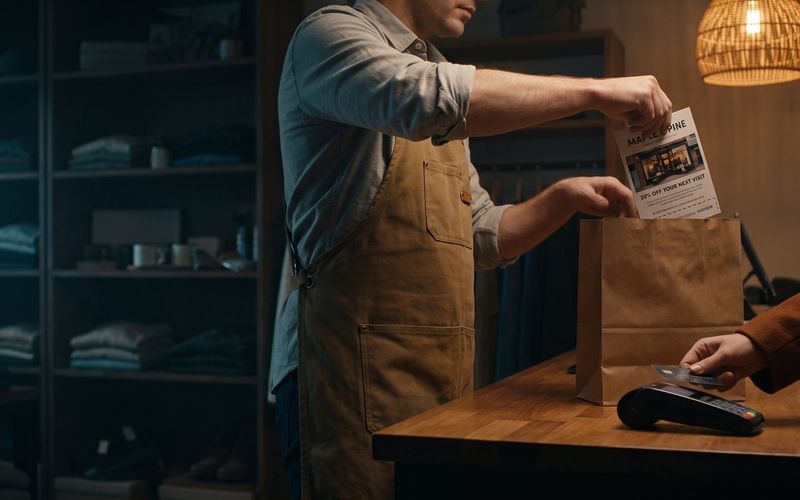
Product images keeps the object in your photo and changes what is around it. Meta's help page says the object "can be a product or a person." Upload a clean shot of a candle and you get the same candle on a kitchen windowsill, on a bathroom shelf, and on a wooden table in warm light. The candle is still your candle. Only the room is new.
Full images treats your photo as inspiration and generates entirely new pictures, often with new text laid over them. Petrullo's dating-app batch came from this mode. She described the results as so different from each other that they looked like the work of four separate freelance designers. Some were illustrations, some looked like stock photos, and none of them looked like her brand.
So a simple rule follows. Product images is the safe end of the scale, because the thing being sold stays real. Full images is the risky end, because nothing in the frame has to be real at all.
There is a second catch inside Product images, and it matters if you are using the tool to get more variety. Swapping the person in a photo, or the background behind a product, feels like making a new ad. To Meta's delivery system it mostly is not. Meta's newer ad engine groups ads that look alike and shows them to the same pocket of people, so ten versions of one photo with different backdrops behave more like one ad than ten. Petrullo made the same point while demonstrating the person-swap feature: useful for testing a small change, not different enough to reach a new audience. If you need new customers, you need a new idea, not a new backdrop. We made the full case for that in Stop Hunting for Your One Winning Meta Ad.
A Generated Background Is Fair Game. A Generated Version of Your Product Is a Lie.
Meta does not check the generated images against your business. You do. The company's own terms for these tools are blunt about it: the output "may be inaccurate, incomplete, misleading, offensive, and/or inappropriate," and "you are solely responsible for evaluating the Output and determining its accuracy."
Big brands have already been caught by this. In June 2026, REI pulled an Instagram ad after an AI feature Meta had turned on for the account produced a bike with two sets of handlebars. The following month, Business Insider collected similar reports from other advertisers: a pajama dress turned into a shirt and pants, men added to an ad for a women's networking group, and a bookstore's products rendered with garbled text so they looked like knockoffs of themselves. When asked, Meta pointed to its terms. Reviewing the output is your job.
So before any generated image goes into an ad, run it past six questions. It takes about a minute per image once you have done it a few times.
1. Is the product exactly right? Same color, same shape, same label, same number of parts. Generators love to tidy things up, add a lid, or give a handlebar a twin.
2. Is the place real? If the image shows a room, a view, a storefront, or a neighborhood, it has to be yours, or at least not something a customer would expect to find when they arrive.
3. Are the people believable as yours? A generated person standing in your shop implies that they work there or shop there. If your team is three people in navy shirts, a crowd of models in white coats is a claim.
4. Is the result honest? Generated "after" shots, flawless lawns, gleaming kitchens, and perfect skin all show an outcome. If your typical customer will not get that outcome, the image is making a promise for you.
5. Is the offer yours? Generated overlays can invent prices, discounts, and phrases. Read every number on the image as if a customer will screenshot it and bring it to the counter, because one eventually will.
6. Does every word on the image say what you would say? Check spelling, claims, and tone, and check that the overlay still matches the copy above the image.
An image that fails any one of these does not get used, no matter how good it looks. The useful way to think about it: the generator is allowed to change the room. It is never allowed to change the thing you sell. We wrote about where that line sits for product photography in general in You Already Have the Photos. AI Should Be Editing Them, Not Inventing New Ones. Everything there applies here too. Meta has simply put the generator inside the ad account.
The Image Meta Made for You Only Works on Meta
Here is the part almost nobody reads. Meta's terms for its generative ad tools say you may use what the tools produce "anywhere on Meta Company Products," and then: "Use or publication of Output outside of Meta's platforms is unauthorized and a violation of these Terms."
In plain English, the beautiful image Meta generated for your Facebook ad is not yours to put on your website, your Google Ads, your email newsletter, your printed flyer, or the sign in your window. Meta keeps its rights to the output. You get permission to run it on Meta. That alone changes the math for a small business, because the usual reason to make a great image is to use it everywhere.
The same terms add one more line worth reading twice: "Output may not be unique across users." The generator is not building something just for you. Another business can end up with an image that looks a lot like yours.
Two more rules travel with these tools.
The label. Meta says it will automatically apply an "AI info" label when you use features such as background generation, image generation, or animation to create or significantly change an image or video, and it shows you a notice during the build when that label is going to appear. Its earlier policy put the label next to "Sponsored" when the AI added a photorealistic person. As of June 2026, these labels also appear under "About this ad," and Meta says it has started detecting images made with outside AI tools through industry-standard signals. Do not assume a generated image will run unmarked.
The restrictions. Meta says advertisers in certain verticals "such as Financial Services and Pharma/Health," and ads in its special categories for housing, employment, credit, social issues, elections and politics, "may not have immediate access to all generative AI features." If you run a clinic, a mortgage office, or a recruiting campaign and the buttons are missing, that is why. Honestly, those are the businesses that should be most careful with generated imagery anyway.
Your Competitor Gets the Same Meta Generator You Do
Think about what happens when every business in your category presses the same button on the same day. The generator averages toward the typical version of your category, so it hands every spa the same terrace and every roofer the same smiling man in front of the same new house. Ads that were supposed to make you stand out start to look like everyone else's, and a customer scrolling past three of them in a row cannot tell whose lake is whose.
That is the strategic problem underneath the practical one. Generated variety is cheap, and anything cheap that everyone has stops being an advantage. What competitors cannot press a button for is the thing your business has that theirs does not: your actual crew, your actual results, your actual customers, your voice.
The practitioners who use these tools most heavily seem to land in the same place. After a demo in which she generated a dozen new images in about thirty seconds, Petrullo said that none of them beat the original image her own team had designed. She keeps generating because testing is cheap, but she treats the output as variations around a strong original, not as a replacement for having one. That is the right way to hold it. The generator is a multiplier. Multiply a good idea and you get more of a good idea. Multiply a stock idea and you get a stack of stock.
Meta's Generator Pays Off on a Product Photo, Not a Service
None of this means you should leave the buttons alone. Used in the right place, they save real time. Here is where they earn their keep for a small business:
A physical product on a clean background. This is the tool's home turf. A candle, a bottle, a pair of shoes, or a bag of coffee shot cleanly can be placed in a dozen believable settings with Product images, and the thing the customer receives is the thing they saw. For an online store, that is cheap, honest variety. If your products are the kind where small details matter, read AI Can Shoot Your Product Now for where that breaks.
Headline and primary text drafts. Treat the five generated versions as a brainstorm, not a finished product. Some will be generic, and one may give you an angle you had not tried. Keep the ones you would have been happy to write yourself, and edit the rest or delete them. Generated copy tends to arrive as one dense block with no clear next step, so check that each version still ends by telling the reader what to do.
Filling the tall placements. If you only have a square photo, letting Meta extend it to fit Stories and Reels is a reasonable trade, as long as you look at the result. Expansion has been known to add arms, hands, or furniture that was never there.
Translations, if you serve a bilingual market. A Spanish-speaking customer whose phone is set to Spanish will notice an ad in their own language. Have someone fluent read it before it runs.
And here is where to keep the generator away, or at least confined to Product images on a real photo:
Any business that sells a place. Spas, restaurants, venues, rentals, hotels, and gyms. The room is the product.
Any business that sells people or results. Contractors, cleaners, salons, dentists, and coaches. A generated crew or a generated after shot is a claim about work you have not done.
Any regulated service. Health, finance, legal, and housing, where Meta is already limiting the tools and where a misleading image costs more than a bad week of ads.
Meta's AI Will Put a Product You Don't Sell in Your Ad. Ten Minutes of Review Catches It.
Here is the routine we would use for any ad built with Meta's generator. It takes about ten minutes, and it is cheaper than a single customer asking where the lake is.
Start from a real photo. Use your product, your room, or your crew, shot cleanly and well lit. The better the original, the less the generator has to guess.
Prefer Product images. Reach for Full images only when you are deliberately exploring a new look, and treat everything it produces as a sketch until it passes the check.
Select by hand. Nothing runs unless you select it, so select only what passes all six questions. Use Skip freely.
Read the AI-label notice. If Meta tells you a label will appear, decide whether you are comfortable with that before you publish, not after a customer comments on it.
Check Advanced preview before launch. Meta says some enhancements can only be turned off there and do not show in the ad creative section. Look at every placement, and turn off anything that changes the image after you have approved it.
Decide whether Meta can test new features on you. There is an account-level switch that lets Meta try creative features still in testing on eligible campaigns. We showed where it lives in You Approved One Ad. Meta Is Running Several. If you would rather approve new tools before they touch your ads, turn it off.
Keep a record. Screenshot what actually ran. If a customer, a regulator, or your own team ever asks what the ad showed, you will have the answer.
Meta's AI tools are real help, and they are only getting more capable. Meta has already told advertisers it is testing tools that learn a brand's look and generate complete ads. That makes the review step more important, not less, because a generator that is better at looking like your brand is also better at making a convincing picture of something you do not sell.
If you would rather have someone else run that check, building ads from your real photos and real results and keeping Meta's generator on a short leash, that is what we do for small businesses every day through our Facebook and Instagram ads management. And if you would rather do it yourself, the six questions above are the whole job. Ask them every time.