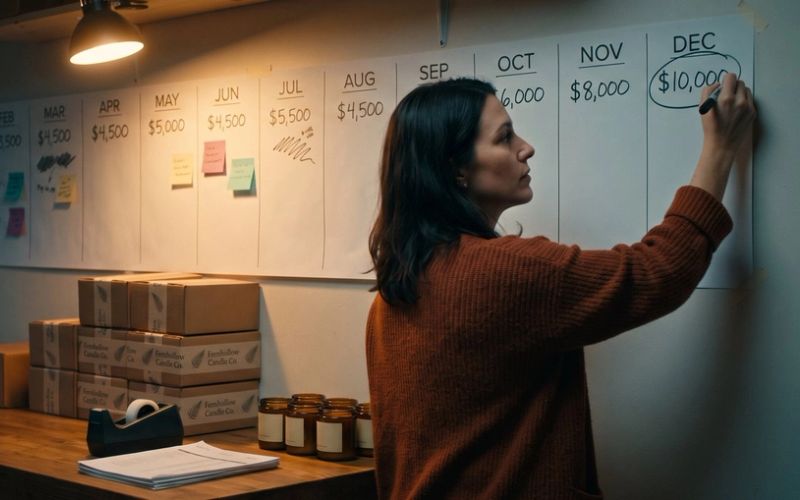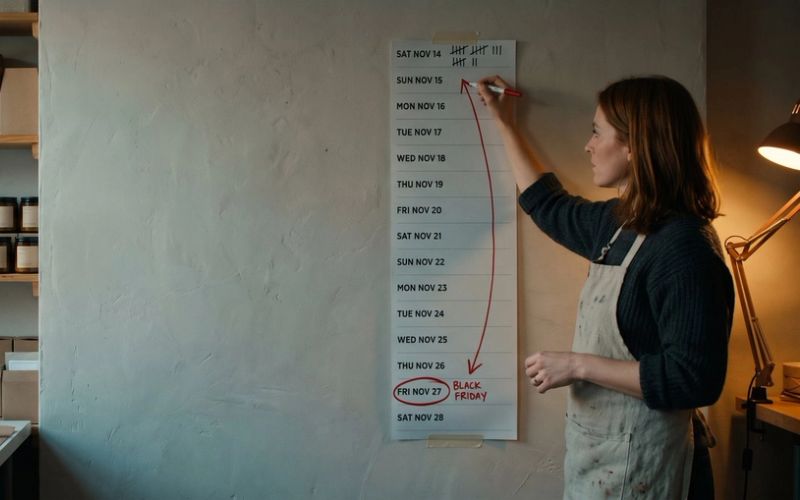

The short answer: most orders Shopify flags as high risk deserve a five-minute check, not an automatic cancel. Shopify's own help pages tell you to confirm with the customer on medium-risk orders and to look at the whole recommendation rather than any single warning sign. They also warn that legitimate gift buyers ship to an address that doesn't match their card. That describes a big share of the orders you'll get between now and Christmas. Cancel them on reflex and you throw away customers you already paid your ads to find, and no report in your store will ever show it.
Fraud is real, and a store that ships every stolen-card order will eventually lose its ability to take payments. But the protection has a cost of its own, and it lands on honest customers. The goal is not to stop checking orders. It's to stop treating "flagged" as "guilty."
This article covers where real orders quietly die, why holiday orders trip the alarms more than any other orders of the year, what Shopify's risk labels actually mean, and the checks to run on your store before Black Friday.
A Canceled Order Never Shows Up as a Lost Sale
A legitimate order can die in three places, and none of them leaves a mark on your sales report.
At the customer's bank. The card issuer declines the payment because the purchase looks unusual for that cardholder: a bigger amount than normal, a store they've never bought from, a shipping address in another state. Stripe lists unusual spending patterns, mismatched billing details and strict fraud algorithms among the common causes. The shopper sees "payment declined." You see nothing at all, or at best an abandoned checkout.
At checkout, before an order exists. Shopify Payments blocks some high-risk checkout attempts outright. Those attempts never become orders, so they never get a risk score you can review. Shopify files them in a view most owners have never opened: Orders > Abandoned checkouts > Blocked. More on that list below, because some of the people on it are customers you can still win back today.
In your own admin. You, a staff member, an app or an automated workflow cancels an order that was real. That one does show up as a canceled order, but nobody labels it "a good customer we turned away." It just looks like fraud you stopped.
How big is this? The best-known estimate comes from Datos Insights, in a 2024 report published with Visa Acceptance Solutions. It put the average false decline rate at 1.51 percent of online sales, meaning valid purchases rejected as fraud. Treat that as a direction, not your number. The survey covered 200 US and UK merchants, and every one of them sold at least $100 million a year. Nobody publishes a clean figure for small stores, which is part of the problem: most owners have never measured theirs.
What happens to the customer afterward is better documented. In a March 2020 survey of more than a thousand US online shoppers by Sapio Research, 33 percent said they would never shop again with a store that wrongly declined them, and about a quarter said they would probably post something negative on social media about it. The survey is six years old. The instinct it measured is not.
You Already Paid for That Customer. The Cancel Button Throws the Ad Money Away.
Here's the part that changes how the cancel button should feel if you run ads.
Say your Meta and Google ads bring in new customers at about $35 each, and your average first order is $90. A shopper clicks an ad on Monday, browses, comes back Thursday and places a $90 order. Shopify flags it as medium risk because the gift is shipping to her sister in another state. You cancel it to be safe.
You didn't save $90. You spent $35 bringing that customer to the checkout and then sent her away with nothing. If she was the kind of customer who comes back two or three times a year, you also gave up every order after the first one, which for most stores is where the profit lives.
It gets worse in the ad account. Your ads counted that purchase the moment the order confirmation page loaded. Canceling the order in Shopify doesn't reach back into Meta or Google and take the sale out of their reports. Google Ads can accept a correction if someone uploads one, and Meta's reporting does not subtract canceled orders on its own. So your reported return looks better than your bank account, and the ad platforms keep learning from a "buyer" who never got a package. If you haven't worked out what each order has to earn for the ads to pay, start with Your Ads Report a 3x Return. At a 30% Margin, Every One of Those Orders Lost Money.
That doesn't mean you should ship everything. A real fraud order costs you the product, the shipping, the money back to the cardholder and a chargeback fee, and too many of them can get your payment processing shut off. The point is that both mistakes cost money. Most owners only count one of them.
Black Friday Orders Look Like Fraud on Paper
Fraud scoring looks for orders that don't match normal behavior. The trouble is that "normal" disappears for six weeks every year. Look at what a typical holiday order involves.
The shipping address doesn't match the card. This is the classic fraud signal, and it's also the definition of a gift. Shopify's own help page on reviewing shipping details says exactly this: legitimate shoppers sending a gift or buying for someone else might have different addresses. During the holidays that "might" covers a large share of your orders.
The buyer is brand new. Your ads are reaching more strangers than at any other time of year. A first-time customer has no order history at your store, so there's no good track record to outweigh the warning signs.
The cart is bigger than usual. People buy for four relatives at once, or finally buy the expensive item because it's on sale. Their bank sees a purchase that's large for them at a store they've never used.
The first card fails and they try a second. Shopify lists "the customer tried to use more than one credit card" as a fraud indicator. It's also what happens when a holiday shopper hits a credit limit or their bank declines a big purchase on its own.
Several orders come from one network. A family ordering from the same house, or coworkers ordering from the office on the same afternoon, look like a pattern to software. Shopify can even put an IP address on a temporary blocklist after many orders or failed payments from it in a short time.
Meanwhile the real fraudsters are busy too. Card testing, where software runs stolen card numbers through small checkouts to see which ones work, goes after stores whenever volume is high enough to hide in. Shopify warns that a surge of declined transactions from an attack can raise your decline rate for legitimate customers even after the attack stops. So the same weeks bring the most honest orders that look suspicious and the most suspicious traffic that isn't honest. That is precisely when a blunt filter does the most damage.
High Risk Means Check the Order, Not Cancel It
Start with what Shopify actually tells you. For eligible orders, its fraud analysis gives a low, medium or high risk of a fraud chargeback, based on machine learning trained on transactions across all Shopify stores. The order page then shows one of three next steps: You can fulfill this order, Confirm with the customer before fulfilling, or Consider canceling this order. Medium and high-risk orders get a warning symbol on your Orders page.
Read those words again. A medium-risk order comes with an instruction to confirm, not to cancel. Even on a high-risk order, Shopify lists verifying the order as an option alongside canceling it. And Shopify says plainly not to decide from one indicator or from the number of indicators. A red icon next to "billing and shipping address don't match" is not a verdict.
Checking an order takes about five minutes, and Shopify's own fraud prevention guide lays out the steps:
- Call the phone number on the order. Shopify calls this always a good idea. Fraudsters often use fake numbers. A real customer can tell you what they ordered, who it's for and where it's going without hesitating.
- Search the email address. A real person's email tends to have a history. One that appears in fraud reports, or was created yesterday from random letters, tells you something too.
- Map the two addresses. A billing address in Ohio and a shipping address at the sister's place in Indiana is a gift. A billing address in Ohio and a shipping address at a freight forwarder overseas is a different conversation.
- Look for repeat patterns. Several orders with different names and billing addresses in different states, all shipping to one address, is a real warning sign. Shopify calls this one out specifically.
If the order checks out, ship it. If the customer doesn't answer and the warning signs stack up, cancel it and move on. You can't verify every order in a busy week, but you can verify the medium and high-risk ones, and in most small stores that's a handful a day.
Now check what's canceling orders while you sleep. Shopify Flow, the free automation tool on most plans, comes with fraud templates that act on their own. One is called Cancel and restock high-risk orders: it cancels any order Shopify scores as high risk, restocks the items and tags the customer. Another cancels orders from customers who have returned products five or more times in the last six months. A fraud app you installed two years ago may have its own auto-cancel rules too. Open Apps > Flow and the settings of any fraud app, and make sure you know exactly which orders they cancel without asking you. A workflow set up after one bad chargeback in March is still running when the holiday gift orders arrive.
A Shop Pay Order Flagged High Risk Can Still Ship Safely
Some flagged orders don't need a phone call at all, because the risk isn't yours.
Shopify Protect is free for US stores that use Shopify Payments and have Shop Pay turned on. If an eligible, protected order later gets a fraudulent or unrecognized chargeback, Shopify pays you back the chargeback amount and the chargeback fee, and handles the dispute for you. Shop Pay orders placed through Facebook, Instagram or Google count too.
The protection comes with rules, and a missed rule means no coverage:
- The order must contain only physical items that ship. One digital product or one local pickup item in the order and it isn't protected.
- You must fulfill it with tracking from a supported carrier within 7 days, and the carrier must show it in transit within 10 days. USPS, UPS, FedEx and DHL Express are all on Shopify's list.
- Don't change the shipping address after checkout. Shopify says an address change voids the coverage. If a customer emails to update the address, that order goes back to being your risk.
- Only the first order of a subscription is covered, and orders split into Shop Pay pay-later payments aren't eligible.
- The order must show a Shopify Protect status. You can filter your Orders page by protection status to see them.
So before you cancel a high-risk order, look at how it was paid. A protected Shop Pay order that you ship on time with tracking costs you nothing if it turns out to be fraud. Canceling it just turns away a customer for no reason.
Your Blocked Checkouts Are a List of Customers to Call
Back to that view most owners never open. When Shopify Payments blocks a checkout for high fraud risk, the attempt shows up in Orders > Abandoned checkouts, under the Blocked tab, with "Blocked due to high risk of fraud" in its timeline. No payment was taken and no order exists.
Most of what's in there may well be fraud. Card-testing bots, for one, are kept out of the abandoned checkout list entirely, so the attempts that do appear came from something that looked more like a person. Scan the list once a day in a busy week. Look for names you recognize, repeat customers, or a shopper who emailed you to say checkout wouldn't let them pay. Shopify's advice for a customer you know: create a draft order and send them an invoice, which lets them pay outside the checkout that blocked them.
The temporary IP block works the same way. If someone tells you the store won't let them check out after a few failed tries, Shopify says the block usually lifts within a day and can't be removed sooner. Another attempt from the same connection can extend it. Send them a draft order invoice rather than telling them to keep trying.
A one-line reply from you can save a sale that a machine just turned down. A shopper who has already decided to buy is not hard to win back. You just have to know they exist.
Your Own Fraud Settings Decline Customers Who Moved. Your Chargeback Rate Says How Far to Loosen Them.
Some of the strictness in your store came from settings you, or whoever set the store up, turned on.
The AVS and CVV switches. In Shopify Payments settings you can choose to automatically decline any charge that fails postal code verification (AVS) or the security code check (CVV). With these on, a failed check means no order at all. Shopify leaves AVS off by default, because its fraud analysis already uses the address check after the order is created, and warns that turning it on can increase failed transactions. Think of who fails a postal code check: a customer who moved and never updated their card address, or a parent paying with a card billed to a different house. If you turned AVS declines on after a bad month, consider letting the fraud analysis do that job instead. The CVV check is a different matter. A shopper who knows their card's security code is far more likely to be holding the card, so leaving that one on is reasonable.
Third-party fraud apps. Many have a sensitivity setting or their own auto-cancel rules. Look at how many orders the app canceled last holiday season, then ask how many of those you actually confirmed were fraud. If the answer is "I never checked," that's your answer.
Now the other side, because loosening has limits. Shopify says fulfilling high-risk orders can raise your chargebacks, and too many chargebacks can lead to your payment processing being deactivated and removal from Shopify Payments. It also notes that every chargeback counts toward your chargeback rate whether you win the dispute or not. You may have read about Visa tightening its limits this year: its monitoring program dropped the merchant threshold to 1.5 percent of transactions on April 1, 2026. But that program only applies once a business reaches 1,500 fraud reports and disputes in a month, which no small store comes close to. For you, the limit that matters is your payment processor's, and for most Shopify stores that's Shopify Payments.
The balance is not complicated. Verify the flagged orders, ship the ones that check out or are protected, cancel the ones that don't, and keep track of both your chargebacks and your cancellations. A store with zero chargebacks and a pile of canceled holiday orders hasn't won anything. It has just swapped one cost for a quieter one.
Fifteen Minutes in Your Fraud Settings Is Worth More Than Another Black Friday Ad
Do this once this week, before the volume hits:
- Open Apps > Flow and list every workflow that cancels, holds or tags orders. Turn off any automatic cancel on medium-risk orders. Decide whether high-risk orders should be canceled automatically or sent to you for a quick check.
- Open your fraud app settings, if you have one, and note what it cancels on its own and at what sensitivity.
- Open Settings > Payments and check whether automatic AVS declines are on. If they are, decide whether you still want them through the holidays.
- Make sure Shop Pay is on and that you can ship protected orders with tracking within 7 days, even in your busiest week.
- Bookmark Orders > Abandoned checkouts > Blocked and plan to look at it once a day through December.
- Write a short verification email you can send to a flagged customer: what they ordered, a request to confirm the shipping address, and your phone number. Shopify's order page has a Contact customer option when the recommendation is to investigate, which saves you copying addresses.
- Start a simple log: each flagged order, what you decided, and whether a chargeback ever arrived. After one season you'll know whether your filter is catching crooks or customers.
If you're running ads through the holidays, this matters even more. Turning off your ads before Black Friday is its own mistake, as we explain in Should You Cut Your Facebook Ads Before Black Friday?, but paying for holiday traffic and then canceling the orders it brings is a worse one. If your Meta numbers looked odd this week, check Meta's November 12 Pixel Change Only Counts Customers Who Log In before blaming the ads. And if some of your losses are card declines on repeat orders rather than first purchases, that has a fix of its own: Your Subscriber Didn't Cancel. Their Card Expired, and Your Store Let Them Go.
A Customer Your Ads Paid For Is Worth a Five-Minute Phone Call
None of this needs software. It needs someone willing to look at a flagged order for five minutes before deciding it's a crook. That habit protects the store from fraud and from the slower loss of turning good customers away.
We spend our days helping online stores turn ad spend into orders, and a big part of that is making sure the orders the ads win actually ship. If you'd like a second set of eyes on your ecommerce ads and store setup before the holidays, we're happy to help. And if you'd rather work through the checklist yourself, it's all here.