Somewhere in your inbox there is a pitch for push notifications. It goes like this. Email is crowded and half of it lands in the promotions tab. Texts cost you a few cents every time you hit send. Push notifications appear right on the customer's lock screen, nobody filters them, you own the connection outright, and sending one costs nothing whether it reaches a hundred people or a hundred thousand.
Every word of that is true. We are not going to argue with it.
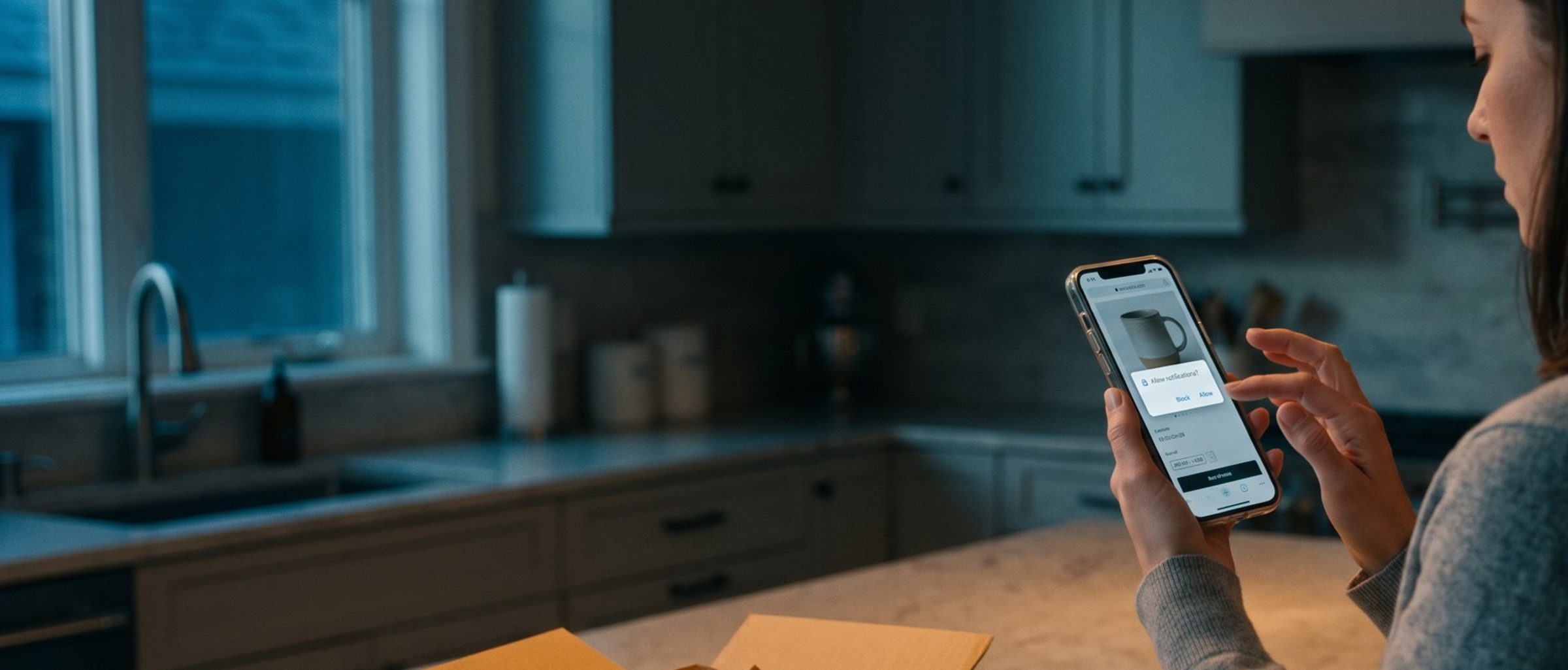
What the pitch leaves out is the part that decides whether push is worth an afternoon of your time: you can only send a push notification to someone who said yes to receiving one. Not someone who bought from you. Not someone on your email list. Someone who saw a permission box from their browser or their phone and tapped Allow. On most small online stores, that is a small group, and it grows slowly.
So the real question for an owner is not "is push a good channel?" It is "how many of my shoppers will I ever be able to reach with it, and what does it cost me to find out?" This article answers both, using the platforms' own rules and published benchmarks rather than the vendor's slide.
Every Push Vendor's Pitch Is True. It Skips How Few Shoppers Tap Allow.
Start with what push genuinely is, because the strengths are real.
A push notification is a short message that appears on a phone's lock screen or in the corner of a computer screen, with your store's name and icon on it. One tap opens a specific page: the product that is back, the cart they left, the order that just shipped. The customer goes from noticing it to looking at the product in a second, which no email, however good, can match.
And the cost structure really is different. Email is cheap but priced by list size. SMS, as we laid out in what every text you send actually costs, is billed per segment and adds up quickly once you send often. Push is usually priced by monthly volume at very low rates, and the free tiers are generous enough for a small store to run for months without paying anything.
Here is where the three channels actually differ, though. It is not cost. It is reach.
- Email collects an address from anyone willing to type one in, usually in exchange for a discount. It follows the customer to every device they own.
- SMS collects a phone number with explicit consent. Also follows the customer everywhere.
- Push collects a permission on one browser, on one device, or inside one app. A shopper who allows push in Chrome on their work laptop is not reachable on their phone. And most push subscribers never give you a name or an address at all; they are an anonymous device that once tapped Allow.
That last point matters more than it looks. An email subscriber is a person you can recognize when they buy, when they return, and when they show up in your ad audiences. A push subscriber is a door into one screen.
Browser Push Is Nearly Free. An App Costs Real Money, and Most Stores Don't Need One Yet.
When people say "push notifications," they mean one of two things, and the difference decides what this costs you.
Browser push (also called web push) comes from your website. A shopper visits your store, their browser shows a small box asking whether your site may send notifications, and if they tap Allow, you can reach them later even when your site is closed. On Shopify you add it with an app. Omnisend's free plan includes 500 web push sends a month. PushOwl, which Brevo now owns, has a free tier of 500 a month and charges $19 for 10,000. You can be live by lunch.
App push comes from your own mobile app, the one a customer downloads from the App Store or Google Play. This is the version the big brands run, and it is the version most of the glowing statistics describe. It requires an actual app. Klaviyo, for example, sends push only through its software development kits for iOS, Android and React Native apps; its help center has no option for a store without one. Building that app through a Shopify app builder starts in the hundreds of dollars a month. Tapcart's entry plan lists at $200 a month billed annually and its next tier at $1,250, before Apple's $99-a-year developer fee and Google Play's $25 one-time fee. Then you have to persuade customers to install it.
For almost every small store, browser push is the only version worth considering first. App push is a different decision entirely, closer to "should we build an app?" than "should we add a channel?", and we will come back to when that answer is yes.
An iPhone Shopper Can't Say Yes to Your Website's Push Notifications
Here is the rule most push apps mention in small print, if at all.
On an iPhone, a website cannot ask for push permission from inside Safari. Apple added web push to iPhones and iPads with iOS 16.4 in 2023, but only for web apps that the shopper has saved to their home screen through the Share menu. Even then, the request has to come from the shopper tapping a button, not from a box that appears on its own. WebKit's own announcement spells this out. No amount of clever prompt design changes it, because the browser simply will not show the request.
How many of your shoppers do you think will save your store to their home screen? Very few, and the ones who do were already loyal.
Android is different. Chrome on Android shows the permission box like any desktop browser, and so do Chrome, Edge and Firefox on a computer, plus Safari on a Mac. So in practice, browser push reaches your Android shoppers and your desktop shoppers, and largely misses your iPhone shoppers.
Before you install anything, look at who visits your store. Shopify's analytics breaks sessions down by device type, and your Google Analytics can split mobile traffic by operating system. If most of your mobile sales come from iPhones, browser push will reach a slice of a slice. That does not make it worthless. It means you should expect a small list and judge it accordingly.
Three Visitors in a Hundred Will Allow Your Push Notifications
Now the number that sets expectations.
PushOwl published benchmarks from 90 Shopify Plus stores, and the average web push opt-in rate was 2.7% of visitors, with most stores between 2.3% and 5%. These are larger stores with the vendor's own setup advice, so treat it as a realistic ceiling for a small store, not a floor.
App push opts in at a much higher rate, but out of a much smaller pool. Airship's 2026 benchmarks, drawn from apps with at least 1,000 active users, put the median opt-in at 53.3% of app users on Android and 48.85% on iOS. Since Android 13, Android phones ask permission the same way iPhones do, so the old gap between the two has nearly closed. Read that carefully: about half of the people who already installed your app. The hard part was getting the install.
Run it on a store with 10,000 visitors a month:
- Email signup form: Klaviyo uses a 3% submit rate as its general baseline for signup forms. That is roughly 300 new email subscribers a month, reachable on every device.
- Browser push at 2.7%: roughly 270 new push subscribers, each tied to one browser on one device, and heavily weighted to Android and desktop.
- App push: depends entirely on installs. If 200 customers install your app, about 100 opt in.
Browser push and email collect at similar rates, which surprises most owners. The difference is what you get for each one. An email subscriber is a person. A push subscriber is a screen. Both lists also shrink: people clear their browsers, switch phones and turn notifications off, and a push subscriber who turns you off is gone for good.
That is why push belongs alongside email, never instead of it. If your signup form only asks for an email, fix that first. It is the bigger lever.
The Browser Gives You One Real Ask. Don't Spend It on Arrival.
Most stores that install a push app leave the default setting on: the permission box appears a few seconds after someone lands, on their first visit, before they have seen a single product. It is the equivalent of a salesperson asking for your phone number as you walk through the door.
That habit costs more than a lost subscriber, for two reasons.
First, Block is close to permanent. Once a shopper taps Block on the browser's own box, your site cannot show it to them again. The only way back is for them to dig into their browser's site settings and change it, which nobody does. Klaviyo makes the same point about app push: someone who turns your notifications off cannot be re-engaged through push at all.
Second, Chrome keeps score. Since Chrome 80, sites with very low acceptance rates are automatically switched to a quieter prompt, a small crossed-out bell in the address bar instead of the box. If most visitors block you on arrival, Chrome starts hiding your request from everyone, including the shoppers who would have said yes. Chrome lifts it once your acceptance rate improves.
The fix is the same one good apps use. Show your own message first, a soft ask, styled like part of your store, that explains what the shopper gets: "Want a heads-up when this is back in stock?" If they tap yes, then trigger the browser's real box. If they tap no, nothing is lost, and you can ask again on a later visit. The common Shopify push apps include one; PushOwl calls it a flyout widget, and others call it an opt-in or pre-permission prompt.
Then ask at a moment when the answer is obviously yes:
- On a sold-out product page, next to the waiting-list form. A shopper who wants that exact item is the warmest yes you will get, and it is the same buyer we wrote about in what your sold-out page is really telling you.
- On the order confirmation page: "Get a notification when your order ships."
- After a second visit or a product viewed twice, when someone is clearly comparing and might appreciate a price-drop alert.
A smaller list of people who asked for a specific thing beats a bigger list of people who tapped Allow to make a box go away.
Back-in-Stock Alerts and Price Drops Earn a Push. Most Other Messages Don't.
A push notification interrupts someone. It lights up their phone in a meeting or slides into the corner of their screen while they work. Every message has to be worth that interruption, or the next one gets them to turn you off.
Five kinds of message reliably are:
- Back in stock. The item they asked about is available, with a direct link to it. This is the single best use of push for a small store.
- Price drop. On a product they viewed or saved. Most push apps can trigger this automatically from your catalog.
- The cart they left. One reminder, an hour or so after they leave, linking straight to the cart. Push complements the abandoned-checkout email in the five automated emails every store needs; it does not replace it, and the shopper should not get both in the same hour.
- Shipping and delivery updates. Shipped, out for delivery, delivered. Useful, expected, and they build trust in the channel.
- A launch or a short sale, for people who opted in to hear about it. Used sparingly. If you launch something every week, this becomes noise.
Notice that these are the same moments where a text message earns its cost: timing is the whole value. Push does those jobs for free on the subscribers it reaches, which is the honest case for it. Let push carry the time-sensitive messages for its subscribers, and save your SMS budget for the customers push cannot reach.
Keep each one short. A title and one line, the product image if your app supports it, one link. Nobody reads a paragraph on a lock screen. And send far less often than you email. Two or three campaign pushes a month, plus the automatic ones a shopper's own actions trigger, is plenty for most small stores. Watch your unsubscribe count after every campaign send. A jump after one message tells you exactly which kind of message to stop sending.
An App Pays Off When Customers Come Back Every Month
So when does a store need its own app, with app push and its roughly 50% opt-in rate?
The math is simple to set up. An app costs you a monthly platform fee, the developer accounts, and the real work of getting customers to install it, usually a discount and constant prompting in emails and on the site. Against that, it gives you a home-screen icon and a push channel that reaches iPhone users properly. That only pays off if customers have a reason to open it again and again.
An app tends to earn its keep when:
- People buy from you on a cycle. Coffee, supplements, pet food, skincare: products that run out, so the same customer returns every few weeks.
- You drop new things often and your regulars want to see them first. Limited releases, small-batch runs, weekly menus.
- You already have a large base of repeat customers. A few thousand people who order several times a year is where the install numbers start to mean something.
An app is usually a poor bet when:
- People buy once, or once a year. Furniture, wedding gifts, a mattress. Nobody keeps an app for a purchase they will make again in 2031.
- Your customer list is in the hundreds, not the thousands. If 200 people install the app and 100 opt in, you are paying hundreds of dollars a month to reach 100 phones you could probably already reach by email.
- Your email and SMS basics aren't running yet. An app does not fix a store whose welcome series and abandoned checkout are still unbuilt.
This is also where the vendor statistics need the most caution. Claims that app users convert or spend far more than website visitors mostly measure who installs an app, not what the app does. The customers who download a store's app were already its most loyal buyers. The app did not make them loyal; their loyalty made them download it. When we help online stores plan their marketing, that is the first distinction we draw: a channel that reaches your best customers looks spectacular in a report, because the customers were already spectacular.
Ninety Days of Free Browser Push Will Tell You Whether to Build an App
You do not have to guess. You can find out what push is worth to your store for nothing:
- Check your device split. If the large majority of your sales come from iPhones, expect a small browser push list, and set your expectations before you start.
- Install a browser push app on its free plan. Turn off the automatic arrival prompt. Turn on a soft ask, and place it on sold-out pages, the order confirmation page, and repeat product views.
- Switch on the automatic messages first: back in stock, price drop, cart reminder, shipping updates. These run without you and they are the ones shoppers actually want.
- Send no more than two or three campaign pushes a month. Note the unsubscribes after each one.
- After 90 days, count three things: how many subscribers you have, how fast the list is growing, and the revenue the push app attributes to its messages, divided by the number of subscribers. That last figure is your revenue per push subscriber. Take it with a grain of salt, since most attribution tools credit a sale to any message the buyer received recently, but it is the right order of magnitude to plan with.
If that revenue per subscriber, multiplied by the list you could realistically build in an app, comfortably covers the app's yearly cost, an app is worth a serious look. If it does not, you have a free channel quietly doing useful work, and you saved yourself a few thousand dollars.
Push notifications are worth having. They are just a small, slow channel that the pitch describes as a big, fast one. If you would rather have someone look at where push, email and SMS should each fit in your store, we do this with online stores every week and are happy to help. Either way, start with the free version and let your own numbers make the call.