You've seen the video ads on LinkedIn. A software company's animated explainer. A CEO talking to camera in a glass conference room. A two-minute brand film with drone shots and a swelling soundtrack. And you've probably scrolled past most of them, which is the first thing worth knowing about LinkedIn video ads before you pay for one.
Here is the short answer. LinkedIn video ads are worth it for a business that sells something worth thousands of dollars to a buyer you can describe by job title, as long as three things are true: the first few seconds show a problem that buyer has, the video is shot wide rather than tall, and you pay for views or impressions instead of letting LinkedIn charge you for every tap on the video. Get those three right and video costs a little more than an image ad up front and pays it back by building an audience of people who already know who you are. Get them wrong and it is the most expensive way on LinkedIn to be ignored.
We've written before about which LinkedIn ad formats are worth paying for, and video got one paragraph there: run it if you can make the simple, human version. This is the long version of that paragraph, with the costs, the billing, and the test data that changes how you should shoot it.
A LinkedIn Video Ad Earns Its Price in the First Ten Seconds or Not at All
Start with what you are actually buying. LinkedIn counts a video view when someone watches two or more continuous seconds while at least half the video is on their screen. That is a very low bar. Two seconds is the time it takes to decide not to watch something. So a view is not attention. It is the absence of an instant scroll.
What you want is the person who keeps watching past that, and LinkedIn's own advice points at the same place: show the most important part of the video in the first 10 seconds, keep the whole thing to about 15 to 30 seconds, and add subtitles. People are scrolling a work feed between meetings, often on a phone, usually with the sound off. Your video gets a few seconds to earn the next few.
That is also where video beats an image. An image gets one look. A video gets a running clock, and every second someone stays, they learn who you are, what you sound like, and whether you understand their world. A buyer who has watched you explain their problem for twenty seconds walks into the sales call already half-familiar with you.
But it is not always the better buy. An image ad still wins in three situations:
- There is nobody to put on camera. If no one at your company can talk comfortably about the customer's problem for 30 seconds, a strong image with a sharp headline beats a stiff video every time.
- The offer is a simple ask. "Download the checklist" or "Get a quote by Friday" does not need a story. An image says it faster.
- You only have budget for one test. Video takes longer to judge because the numbers that matter come from watch time, not clicks. A very small budget learns faster on an image.
Everywhere else, video is worth a test. The question is what to film.
Nobody on LinkedIn Watches a Company Describe Itself
Most LinkedIn video ads that fail are about the company: the founding story, the mission, the team high-fiving in a bright office, a voiceover promising "innovative solutions." It is a perfectly nice film that nobody asked to see, and it costs more to make than anything else in the account.
Think about how a promoted video actually arrives. It does not play before something the viewer chose, the way a YouTube ad does. It lands in their feed between a former colleague's job announcement and a post from someone they follow, looking almost like one more post from their network. A polished commercial in that setting is instantly recognizable as an ad, and people scroll past ads. A person talking plainly about a problem the viewer has right now reads like content, and content gets watched.
So the rule is simple. Open on the buyer's problem, in the buyer's words, in the first three seconds. Your company can appear later. Here is what that looks like for a few small businesses that sell to other businesses:
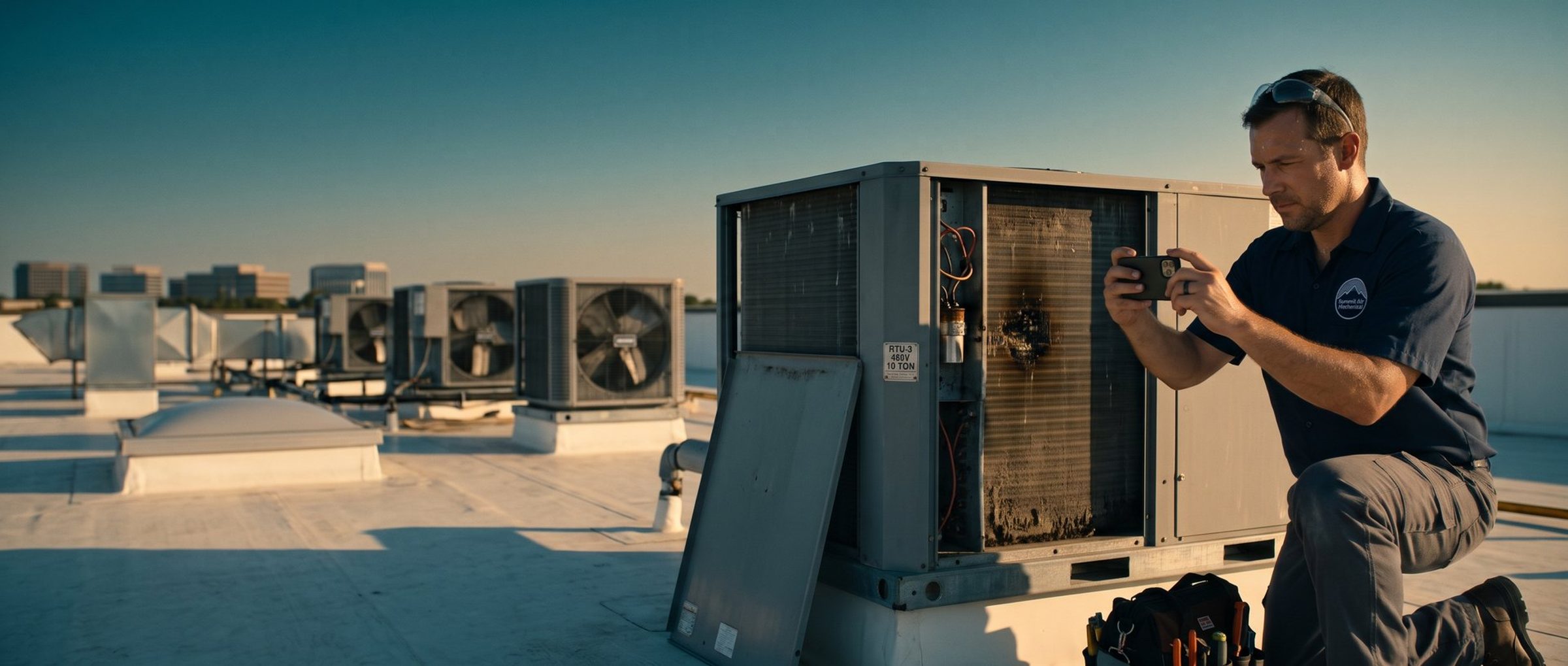
- A commercial HVAC company selling maintenance contracts to property managers. Not "Serving the region since 1998." Instead: a technician on a roof in July, hand on a rooftop unit that quit at 2 p.m. with a full building underneath it, saying "This is the call nobody wants on the hottest day of the year. Here's how most of them could have been caught in April."
- An IT services firm selling to offices of 20 to 100 people. Open on the office manager's real Monday: the shared drive is down, the printer is offline, and the person who "knows computers" is on vacation.
- An accounting firm selling to owner-run companies. Open on the owner at 11 p.m. in March, digging for receipts.
Notice what all three have in common. None of them needs a production crew. They need someone who knows the customer, a clear point, and decent sound.
The opposite mistake is just as common: someone grabs a phone, walks the shop floor for five minutes narrating, and posts it because "authentic content works." It doesn't, if the frame shakes, the audio echoes, and the point arrives at minute three. Phone footage works on LinkedIn only as a choice: a person who talks well, sound you can hear clearly, a steady frame, and one point. Skip any of those and it looks like you tried to save money, because you did. If you want the craft side of this, we've broken down why the best talking-head video ads are planned line by line and why every video ad has to work with the sound off first. Both apply here without changes.
The Person Who Signs the Check Needs a Different Video
LinkedIn's targeting is the whole reason to pay its prices. You can aim a campaign at facility managers at companies with 50 to 500 employees in three states, and the platform knows who those people are because they told it. That precision is wasted if every one of those people sees the same general-purpose video.
A business purchase usually has more than one person signing off, and they care about different things. Take the HVAC company. The facility manager wants to know the contract will stop the 2 p.m. emergency calls and that your technicians show up when they say they will. The property owner or the controller wants to know what the contract costs against what a dead rooftop unit costs, and whether it pays for itself. Same contract, two completely different videos.
So make one video per role and promote each to the audience it was made for. The facility manager's video shows the roof, the checklist and the technician. The finance video shows the math: what an emergency replacement costs, what a season of maintenance costs, and how often one prevents the other. Running each in its own campaign also gives each its own results, so you learn which buyer responds.
The trap is doing too much of this at once. Ten audiences with ten videos each is a hundred ads and a budget too thin for any of them to tell you anything. At LinkedIn's prices, a small account rarely gets a clean A/B test result the way the guides describe. Go in order instead:
- Pick the one role that most often decides the deal. For the HVAC company, that is the facility manager, who usually brings the vendor to the owner.
- Write two different messages for that role. For example, "the emergency call you can prevent" and "the inspection you are probably already paying someone to skip."
- Shoot three short videos across those two messages and run them to that one audience.
- Only then move to the next role, with what you learned from the first.
A Seven-Second Loop Stops the Scroll. Your Words Do the Selling.
Not every video ad needs someone talking. One of the most useful video formats on LinkedIn barely counts as video: a short clip of 5 to 7 seconds that loops behind a strong written post, where the text carries the whole message and the moving image just stops the scroll.
It suits businesses whose work is physical but hard to explain on camera. The HVAC company writes the post (the problem, the fix, the proof) and puts a seven-second loop on top: a technician opening a rooftop unit's panel, a coil being cleaned, a crew loading a truck at dawn. Motion catches the eye in a way a still image can't, and then the words do the selling.
A few rules make this format work:
- The clip has to look good. This is an illustration, not a testimonial, so it lives or dies on how clean it looks. Well-shot stock footage of real industrial work beats a shaky phone clip of your own floor. If you shoot your own, set the phone on something steady, light the scene, and film 15 to 20 seconds of one thing happening so you can cut the best seven.
- The text has to stand alone. If the post only makes sense with sound on or after watching, the loop is not doing its job. Keep the opening line under LinkedIn's 150-character preview so the point lands before "see more."
- It is cheap to make. Editing a short clip from stock or existing footage typically runs a few hundred dollars from a freelancer, less if someone on your team can trim it in a free editor.
LinkedIn Recommends Vertical Video. $140,000 of Tests Say Shoot It Wide.
Here is where the common advice runs into the data. Most LinkedIn use happens on phones (LinkedIn ad specialists put it at about 80 percent), and a tall video fills more of a phone screen, so the reasonable assumption is that vertical video performs best. LinkedIn's own spec page agrees and lists 4:5 vertical as its recommended ratio. LinkedIn accepts four shapes for video ads: horizontal 16:9, square 1:1, vertical 4:5, and full vertical 9:16.
Then someone actually tested it. An agency that runs nothing but LinkedIn ads teamed up with a video studio that delivers every ad in all three shapes, and they published the results on the agency's podcast. They ran the identical ad in horizontal, square and vertical across four accounts and more than $140,000 in spend, and compared them. Horizontal won in every cut they made: by audience, by budget, by bid, by objective, and by funnel stage.
- Completion rate: horizontal videos finished at roughly 8 to 15 percent or better. The vertical versions of the same ads finished under 3 percent, some under 1 percent.
- Cost per completed view: horizontal came in about 2 to 2.5 times cheaper across the data set.
- Wasted spend: in one account, about 40 percent of the budget had gone to the square and vertical versions, and those versions delivered roughly a quarter to a fifth of the efficiency of horizontal.
- Square landed in the middle on nearly every measure.
LinkedIn also delivered more of the budget to the horizontal versions on its own, so it was not only viewers preferring them. The testers' guess is that so much square and vertical content now fills the feed that a wide video simply stands out more. Nobody knows for certain why.
Two honest limits on this. First, every ad in the test was professionally produced. The testers said plainly that they had not run the same comparison on phone footage or talking-head videos, and that the result could differ there. Second, four accounts is a strong sample for one agency and a small one for a rule. So treat it as the default to test against, not a law.
The good news is that it is an easy test to run yourself:
- Export the same video in all three shapes. Not three different videos, the same one. Otherwise you are testing the content, not the shape. If your footage is wide, put the horizontal video inside a simple branded frame for the square and vertical slots, with your logo above and a line of text below.
- Put the shape in every ad name (for example "roof-call_16x9"). LinkedIn's export does not include the dimensions, so the name is the only way to sort results later.
- Run all three in the same campaign on even rotation for one to two weeks, so LinkedIn does not pick a favorite before there is any data. Then switch rotation back to optimized.
- Compare cost per 50 percent view and cost per completion, not clicks.
Every Tap on Your Video Is a Paid Click Unless You Bid for Views
Now the part almost nobody explains, and it is the reason many owners decide LinkedIn video is too expensive.
Most small businesses run their ads on the website visits objective, paying per click to their site. On an image ad, LinkedIn only charges for clicks that go to your landing page. Clicks on your company name, likes, comments, and tapping "see more" are free. Video works differently. LinkedIn's billing rules for website visits campaigns say a chargeable click on a video ad is a click anywhere on the media: the headline, the button, or the video itself. Tapping the video opens your landing page, and you pay for it.
Think about how people use video on a phone. They tap it to turn the sound on, to pause, to make it bigger, or by accident while scrolling. On an image ad, most of those taps would be free. On a video ad, each one can become a paid click to a landing page the person never meant to visit. That same agency traced its video clicks running about 10 to 20 percent above equivalent image clicks to exactly this rule.
There are two ways to stop paying for taps:
- Bid by the impression. Pay per thousand times the ad is shown, so how often people tap the video stops mattering. LinkedIn's automated bidding options on most objectives charge by impression too.
- Use the video views objective. It has no chargeable clicks at all. With automated bidding or a cost cap you are charged by impressions, and with manual bidding you can choose to pay per view (two seconds or more, half the video on screen).
Either way, keep checking your effective cost per click: total spend divided by clicks to your site. If switching to impression bidding pushes that number up by more than the 10 to 20 percent premium you were trying to avoid, you have learned that your video is not earning clicks, and paying per click is cheaper again. If you are not sure which objective fits your goal in the first place, we walk through the LinkedIn campaign objectives a small business actually needs.
One more billing detail worth knowing: since August 2024, LinkedIn only counts an impression or a click on an in-feed video ad once the video has actually started to play. A video someone scrolls past before it starts playing doesn't count as an impression.
The Buyer Who Watched Half Your Video Is Worth More Than the One Who Clicked
If you judge a video ad by its clicks, it will usually look worse than your image ads. Video is not mainly a click format. Its job is to get the right people to spend real time with you, and LinkedIn reports exactly how much time they spent.
Switch the reporting columns to video and you get the numbers that matter:
- View rate: views divided by impressions. How often the first two seconds stopped the scroll.
- Views at 25, 50 and 75 percent, and completions (watched 97 to 100 percent). How long people stayed.
- Cost per view. Then work out the one LinkedIn does not show: cost per 50 percent view, which is your spend divided by the number of people who watched at least half.
The most useful number on that list is the 50 percent viewer, because a person who watched half of a 30-second video gave you 15 seconds of real attention. And unlike an anonymous click, LinkedIn remembers them. You can build an audience of everyone who watched 25, 50, 75 or 97 percent of a video, looking back anywhere from 30 days to a year, and show that audience something else.
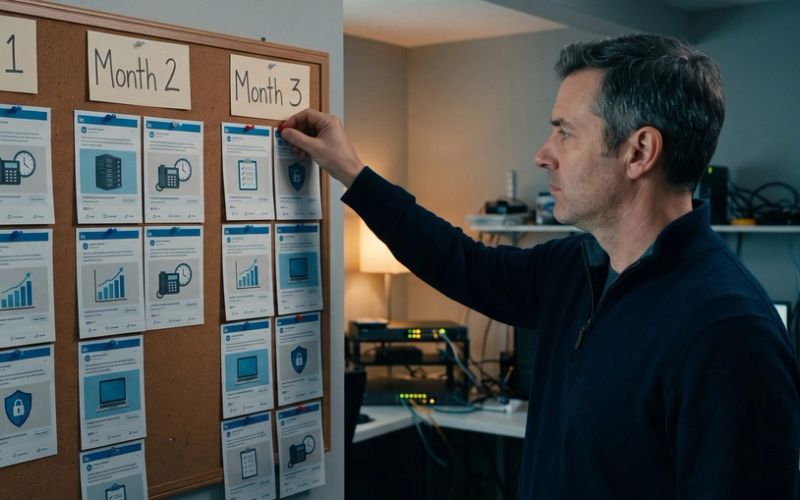
So the video does not need to close anything. It needs to start a sequence. The first video introduces the problem to a cold audience. Everyone who watched at least half gets the second video: the proof. That might be a customer explaining why they switched, a 30-second walkthrough of how the first month works, or the finance video with the actual numbers. Only after that does the audience see a direct ask.
We've gone deep on both halves of this already. How to build retargeting audiences on LinkedIn without much website traffic covers what a video viewer costs compared with every other kind of warm audience, and what to show warm prospects once you have them covers the sequence itself. If the people best placed to be on camera are your founder or your experts, run the video from their profile instead of your company page. Thought Leader Ads from a real person's profile tend to get watched more than the same video from a logo.
A Good LinkedIn Video Costs Less to Make Than One Month of Clicks
The production fear is usually bigger than the production bill. A simple problem-first video, shot on a modern phone with an inexpensive clip-on microphone and edited by a freelancer, typically costs a few hundred dollars. A professionally produced set costs more, but you don't need one to find out whether video works for your business.
Compare that with what you will spend showing it. We recommend a LinkedIn budget of about $5,000 a month to win deals, and around $500 to test a single ad. At LinkedIn's click prices, the video is the cheap part. The expensive mistake is spending that media money on a video nobody watches past two seconds, which is why the first ten seconds deserve more thought than the camera.
If you are starting from zero, here is the order we would go in:
- Film one 20- to 30-second video of whoever knows the customer best, opening on the customer's most expensive problem, with captions.
- Export it wide and tall, name the ads by shape, and run both to your most important buyer role.
- Bid by impression or use video views, so taps aren't charged as clicks.
- Judge it on cost per 50 percent view after two weeks, with the viewer audience building from day one.
- Make the proof video for the people who watched. That is when the sales conversations start.
LinkedIn video is not a brand film budget and it is not a phone pointed at the shop floor. It is a person who understands your buyer's problem, saying so in the first ten seconds, in a frame wide enough to get watched. If you would like help building that kind of sequence, it is a lot of what we do every day in our LinkedIn advertising work for small B2B companies. And if you would rather build it yourself, everything above is exactly how we would start.