
Performance Max is the campaign that runs everywhere Google sells ads from a single setup: Search, YouTube, Maps, Gmail, Discover and the websites in Google's display network. You hand it headlines, descriptions, images, a logo and, ideally, video. It decides which combination to show, to whom, and where.
That last ingredient matters more in senior living than almost anywhere else. Families choose a community by walking through it. A video is the closest thing to that walk a family can get from a phone at 10 p.m., and Performance Max will run one whether you make it or not.
Google Will Assemble a Video From Whatever Photos the Asset Group Holds
Each Performance Max campaign is built from asset groups: bundles of text, images and video that Google mixes into ads for each placement. Video is the piece most communities skip, and skipping it doesn't keep you off YouTube. Google's setup guide says that if you don't upload a video, Google may generate one from your other assets, and that the only way to opt out is to upload your own.
Think about what's in a typical community's asset group. A dining room, a pool or a courtyard, an exterior at golden hour, maybe a resident at an activity, and the logo. Google stitches those into a short clip with your headlines over them. Google's own guidance adds a warning: a campaign using auto-generated video may show people a different offering from the one on the page they land on.
For a single-care-level advertiser, that's a small risk. For a senior living community, it's the pool in a memory care ad. A family looking for a secure place for a mother with dementia sees a resort-style photo, clicks, and lands on a page about locked doors and supervision. Nothing in the ad was false. It just wasn't about what they needed.
Give each care level its own asset group, the same split Chapter 5 used for ad groups. Memory care gets memory care photos, memory care headlines, a link to the memory care page and its own video. Assisted living, independent living and respite stays each get theirs. Google builds ads within an asset group, so a family searching for memory care sees memory care from the first frame to the landing page.
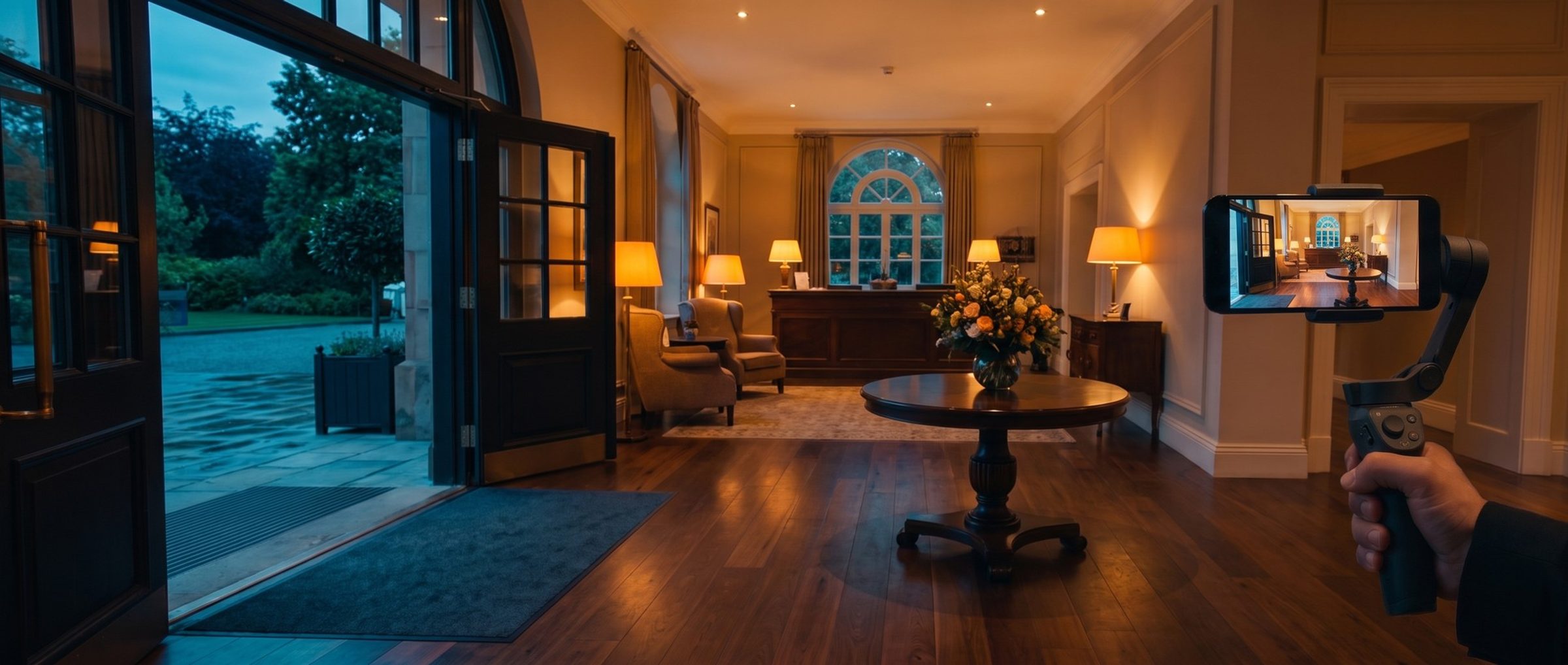
A Phone and One Quiet Morning Are Enough to Film the Walk a Family Takes
Chapter 8 showed where families actually decide: on the tour. In the example market's reviews, families wrote about the person who showed them around, whether they felt rushed, what lunch was like and how the residents looked. The video should cover that same ground, in the same order a family would.
Five stops cover most communities:
- The front door and the front desk: who greets you, and what the first thirty seconds feel like.
- The dining room at lunch: a full room at mealtime says more than any menu.
- One real apartment: furnished, with the light on, the size honest.
- The courtyard or garden: where residents actually spend an afternoon.
- The memory care wing's doors: for a memory care asset group, the secured entrance and the space beyond it.
A recent phone and a steady hand are enough. Shoot horizontal for YouTube and a vertical version for phone placements, and add captions, since most people watch with the sound off. Google accepts up to five videos per asset group, so a two-minute walkthrough and a few short cuts from it can all go in.
Be careful with people. Film staff who've agreed to it. Get written consent before any resident appears on camera, and in memory care, film the spaces rather than the faces, since some residents can't meaningfully consent. Who appears in a housing ad also carries fair housing questions of its own; Chapter 15 covers them.
Film an ordinary day. Families notice when a tour has been staged. One daughter in a dementia forum wrote that the tours she took "seem to be when the activities were more fun, like balloon toss or bowling, so yea everyone was smiling." A video of a real Tuesday lunch, with the normal noise and a few empty chairs, earns more trust than a party that only happens when prospects visit. The same family will check it in person anyway.
Several of the example market's communities already host 360-degree virtual tours on their websites, including one built as a 3D walkthrough. Those are a strong start. They aren't a video ad, but they show the instinct is already there.
Performance Max Gets Its Turn After Search Is Booking Tours Every Week
In our rollout, Performance Max comes after Search has settled, usually around months six and seven. By then Isolation has found the searches that book tours, Exploration is running on its target, and the account has a steady flow of real tour conversions.
That flow is what Performance Max learns from. Point it at the tour conversion from Chapter 1, not at every call and form fill. A campaign told that any phone call is a win will find people who call, including job seekers, vendors and families asking for a price they'll never pay. A campaign told to find booked tours looks for people who book tours.
Launch without a target CPA and let it spend a few weeks learning before you set one. Then set it the way Chapter 7 set Exploration's, from what a tour has actually cost.
Judge it the same way you judge Search. Once a month, compare Performance Max's cost per tour with Isolation's and Exploration's, and run its tours through the same check Chapter 7 described: did the family actually come through the door, and did anyone move in? A campaign that books cheap tours nobody attends isn't cheap. If its tours hold up against the sales office's records for two or three months, give it more budget. If they don't, the problem is usually the goal or the signals, not the video.
Carry your best Search headlines over. The lines that earned clicks in Chapter 8's testing are proven; they belong in the asset group's text alongside the video. And skip Google's offer to write extra assets for you, for the same reason as in Chapter 9: in a housing category with state rules on what an ad can claim, write every line yourself.
Your Community's Own Name Is the Easiest Search Performance Max Can Take Credit For
A new Performance Max campaign is free to show your ad when someone types your community's exact name. Those searches convert beautifully, because the family already knows who you are. That makes the campaign look brilliant while taking credit for tours your brand campaign would have booked anyway.
The volume isn't small. In the example market, Keyword Planner shows name searches like these each month:
- "the village of river oaks": 2,400
- "holly hall retirement community": 2,400
- "the hallmark houston": 1,900
- "the village at sugar land": 1,300
- "silverado hermann park memory care community": 880
Google's brand exclusions stop that. Add your community's name as an excluded brand in the Performance Max campaign, and the campaign won't serve on searches for it across Search, Shopping and YouTube search. Your separate brand campaign keeps those searches, at brand-campaign prices, where you can see exactly what they cost.
After you add the exclusion, check the brand campaign's top impression share for a week or two. As Chapter 7 put it, families searching your name should see you at the top nearly every time. If that number drops, something else is competing for your name, whether a referral site or another community, and that's worth knowing before you judge Performance Max.
Include the names families still use. In the example market's reviews, families kept calling several communities by names they'd dropped after a sale or a rebrand. If your community used to be called something else, exclude that name too. Set all of this before launch, not after the first report makes the campaign look better than it is.
Under the Housing Rule, the Audience Signal Comes From Searches and Sites
Performance Max accepts audience signals: suggestions about who your best prospects are. They're hints, not fences. Google's help page notes the campaign can reach past them whenever it expects someone outside the signal to book.
Chapter 9's housing rules still apply, so age and ZIP code are out as signals. Two kinds of signal remain, and both are strong for senior living:
- Searches: a custom segment built from the searches that booked tours in Isolation. "memory care near me" and your city's version of it tell Google more than any demographic could.
- Websites: a custom segment built from the websites of competing communities in your market, which describes people who are already comparing places like yours.
Start the website list with the local communities you'd meet in auction insights from Chapter 7, the ones within the same drive a family would make. Leave out the national operators whose sites mostly serve other cities; their visitors are shopping somewhere else. Keep the searches list short and specific, taken from what actually booked tours, not from what you hoped would.
Your resident and inquiry list is the other obvious signal, and it comes with limits. Every policy-compliant account can use a customer list for observation and to exclude people, such as current residents who shouldn't see move-in ads. Aiming ads at that list is a different matter: Google holds it back until an account is at least 90 days old and has spent over $50,000 in its lifetime, a bar many single-building communities never clear.
Memory care adds one more question. Google's health rules block customer lists and remarketing for ads about health conditions, and they cover disability content even when it's aimed at a caregiver. Google doesn't name dementia or memory care in that policy. Our reading is that a memory care page about dementia supervision may still be treated as health content, so plan that asset group around search and website signals rather than a list.
Next: Reaching Families in the Quiet Months With Demand Gen
Performance Max finds families who are already searching and browsing. Chapter 11 turns to Demand Gen, which tries to reach them before they search at all.
All fifteen chapters are in Google Ads for Senior Living, including the housing rules chapter behind this one's targeting limits. If you'd like us to build and run Performance Max for your community, see our Google Ads management.


