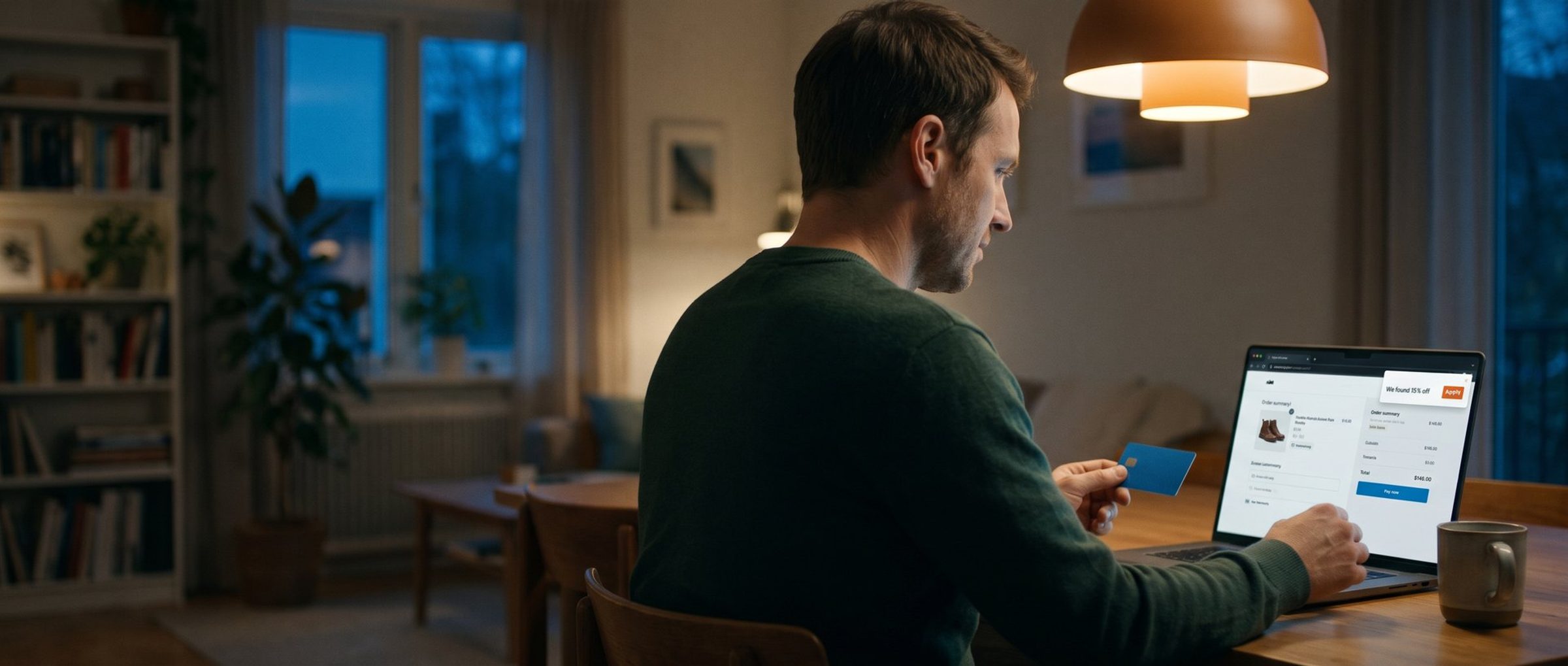
A shopper has three things in her cart, her card is out, and she is one click from paying full price. Then a little box slides in from the corner of her browser: "We found 15% off. Apply it?" She clicks yes, because of course she does. The order goes through at 85 cents on the dollar.
You paid to get her there. Maybe it was a Google Shopping click, maybe a Meta ad, maybe two years of email. She had already decided to buy. And somewhere in the last thirty seconds, a discount you never chose to give her came out of your margin.
That is a leaked discount code. It is one of the most common money leaks in a small online store, and one of the least watched, because it does not look like a loss. It looks like a sale. The order lands, the revenue report goes up, and the code that was meant for one group of people quietly turns into a price cut for everyone who happens to have the right browser extension installed.
The good news: you can see it in your own order data in about twenty minutes, and most of the fix is a handful of settings you already have.
A Coupon Extension Is a Stranger Standing at Your Register
Picture a stranger standing next to your cash register, handing every customer in line a coupon they never asked for. You would walk over and ask him to leave. Online, that stranger is a browser extension, and most store owners have never seen him, because he only shows up on the customer's screen.
Codes get from your hands into a stranger's in three main ways.
Coupon extensions. Tools like PayPal's Honey, Capital One Shopping, RetailMeNot, Rakuten and Coupert sit in the shopper's browser, wake up at checkout and try codes for them. Where do the codes come from? Partly from the shoppers themselves. When someone types a code into your checkout, the extension can record it and offer it to its other users. The YouTube investigator MegaLag, whose reporting on Honey has drawn tens of millions of views and helped set off a string of lawsuits, showed in December 2025 that Honey sends a code to its servers the moment a shopper types it, before the pop-up asking whether they want to share it. Honey's own privacy policy says it collects the coupons and promo codes its users find.
Coupon sites. Search "[your store name] coupon code" and you will likely find pages listing your codes, sometimes with a "verified today" badge. They pull codes from newsletters, creator posts, social media and other shoppers.
Your own customers. Someone gets a generous code, texts it to a friend, posts it in a group chat or a deals forum, and it travels from there.
You do not have to sign up for any of this. In MegaLag's analysis of Honey's own store database, about 35,000 stores had an affiliate relationship with Honey. Another 146,000 or so were in the database with no relationship at all. If your store has had a few hundred customers with the extension installed, there is a fair chance it is on the list.
None of this is going away. Honey's Chrome listing still showed about 12 million users in October 2026, and it is one of dozens of these tools. To be fair to Honey, tracking data cited in MegaLag's August 2026 follow-up shows its user-submitted codes fell from about 29,000 to about 3,000 after the scandal. The behavior has not disappeared, though. Smaller extensions and coupon sites still collect codes the same way, so the practical question is not which tool to be angry at. It is which of your codes can survive being seen by a stranger.
The Codes That Leak Are the Ones You Meant to Keep Private
A sitewide sale code that ends up on a coupon site costs you very little, because you meant everyone to have it anyway. The expensive leaks are the codes you built for a specific person and a specific reason. Each one was a trade, and a leak breaks the trade.
The welcome code. You offer 10 or 15 percent in exchange for an email address. That is a fair deal: you give up a little margin and get a way to sell to that person for years. When the code leaks, a shopper gets the discount and you get nothing in return. If you ask a question on your signup form to learn what new subscribers want (we wrote about what that question can do), a leaked code skips the form entirely.
Friends-and-family and staff codes. These are usually your deepest discounts, 30, 40, sometimes 50 percent, because they were never supposed to reach a paying stranger. They are also the most likely to be typed by someone who has a coupon extension installed. A cousin with Honey uses the family code once, and from then on it can turn up for strangers at your checkout.
Customer-service make-good codes. A package arrives broken, you apologize with "$25 off your next order." If that code has no minimum order and no usage limit, it does not just leak. It becomes a free product for anyone who keeps their cart at $25 or under. Vendors in this space tell stories of make-good codes wiping out entire orders. You do not need their stories to see the risk. You only need to look at whether your own make-good codes have a minimum and a limit.
Creator and podcast codes. These leak in the most expensive way of all, because you pay twice. When a creator's code gets picked up by an extension, every stranger who applies it gets the discount, and the creator gets credited with the sale, so you also pay their commission. Worse, you lose the one thing the code was for: knowing whether that creator actually sells for you. A code that looks like your best-performing partnership may be your best-performing coupon site.
Most stores are wide open to all four. Seguno, which sells a Shopify app for generating unique codes, ran a risk check across about 26,000 stores and 117 million codes. By its count, 98 percent had codes with a very long expiration date or none at all, about three-quarters had codes with no product limits, and more than two-thirds had codes with no limit on which customers could use them. That is a vendor's own data, gathered to sell its product. It still matches what we see when we open a store's discount list for the first time: a long tail of codes from campaigns nobody remembers, still live.
Shopify's Discount Report Already Shows You the Leak
You do not need an app to find out whether this is happening to you. Shopify already has the report. In your admin, go to Analytics, then Reports, and open Sales by discount codes. Set the date range to the last 90 days. You will see every code that was used, how many orders it was used on, and the total discount it gave away.
Now read it the way an auditor would. You are looking for codes whose use does not match the size of the group you gave them to.
- A private code with more orders than people. If the staff code went to eight employees and shows 140 orders, it has escaped.
- A welcome code that outnumbers your new subscribers. Pull the number of new email signups for the same 90 days from your email platform. If the welcome code was used far more often than you gained subscribers, strangers are using it.
- A creator code that sells beyond the creator's reach. If a creator with a small audience is suddenly your top code, check whether the orders came from their audience or from somewhere else.
- A first-order code on repeat customers. Filter the orders that used your new-customer code and look at how many came from people who had ordered before.
- A code you forgot. Anything from a campaign that ended months ago is either a leak or a code that should have expired.
Then do two quick checks from the shopper's side. Search Google for your store name plus "coupon code" and "promo code," and note which of your codes appear on coupon sites. Then open a browser you do not normally use, install one or two of the popular coupon extensions, add something to your cart and walk through your own checkout. You will see exactly what your customers see, including which codes the extension offers them.
Here is what a leak can be worth, with illustrative numbers. Say your average order is $80 and your welcome code is 15 percent off, or $12 an order. Over 90 days the code was used 400 times, but your email platform shows only 250 new subscribers in the same period. Those extra 150 orders were placed by people who never signed up. Some of them would not have bought without a discount. Many were already at the checkout. If even 100 of them would have paid full price, that is $1,200 in a quarter on one code, or close to $5,000 a year, for a store doing about $40,000 in orders a quarter. And that is before you look at the staff code.
A Code Locked to One Customer Has Nothing to Leak
Once you know which codes are leaking, the fix is mostly settings you already have. When you create or edit a discount in Shopify, look at these, in this order:
Who can use it. Under customer eligibility, a code can be restricted to specific customers or to customer segments. A welcome code limited to a segment of people who have never ordered (Shopify's own example is a segment of customers whose number of orders equals zero) stops working for your repeat customers. It will not stop a brand-new stranger who found it on a coupon site, which is why the welcome code is the best candidate for the unique codes further down. A staff code limited to a list of named customers will not work for anyone else, no matter where it ends up.
How many times. "Limit to one per customer" ties the code to the shopper's email address or phone number. "Limit number of times this discount can be used in total" puts a hard ceiling on it. Discount usage is unlimited by default, so a code you never touched is a code with no ceiling.
When it ends. Give every code an end date. A Black Friday code should end on Cyber Monday, not live on a coupon site until 2029.
How much it can take. Put a minimum order amount on any dollar-off code, so "$25 off" cannot become "free." Limit codes to the products or collections you meant to discount, so a code built to move last season's stock does not quietly apply to your best seller.
What it combines with. When discounts are set to combine, Shopify accepts as many as five codes off products or the order total, plus a shipping code, on one checkout. Leave combinations off unless you have a reason to turn them on, and test any combination you allow by actually stacking the codes at checkout.
The strongest fix of all is a unique code: one code per customer, used once. Most email platforms can generate a unique code for each subscriber in a welcome or win-back email, and there are Shopify apps that generate thousands at once. A unique, single-use code has nothing to leak. If an extension records it, the next shopper who tries it gets an error.
When you find a code that has already leaked, do not just delete it. Somebody legitimate may be holding it, such as the customer service customer, the subscriber who signed up last week, or the employee. Create a replacement with the right settings, send it to the people who should have it, then end the old code. That way the only people who lose the discount are the ones who were never meant to have it.
Your Sitewide Sale Code Was Always Going to End Up on Coupon Sites
Not every code needs to be locked down, and pretending otherwise just makes your promotions harder to run.
Some codes are meant to be public. A sitewide sale code in your ads, on your homepage banner or in a social post is going to be on coupon sites within hours, and that is fine, as long as you priced it to be public. If you would be comfortable giving that discount to every visitor during the sale, a leak costs you nothing. The mistake is using a private-sized discount in a public place. (If your sales rely on a code every time, that is a different problem, and we wrote about building an offer instead of a discount.) Watch Google too: Google Ads can now pull promotions it finds on your website into your ads automatically, which makes a code public in a new place. We covered how to check that setting.
Creator codes need to be typed, so make them narrow. A podcast host cannot read out a 12-character random string. So give every creator their own memorable code, never a shared one, with a use cap and an end date that matches the campaign. When a creator's code passes the cap, you will know, and you can decide whether that was their audience or an extension.
Blocking extensions is a real option, and it costs money. A handful of apps in the Shopify App Store now stop coupon extensions from applying codes at your checkout, and the blocking plans on regular Shopify start around $49 a month. When a blocker is on, the extension usually tells the shopper it found no codes, and some vendors argue that this also stops shoppers from leaving your checkout to hunt for one. That is worth paying for if your discount report shows real leakage. It is not worth paying for before you have looked. For most small stores, the settings above close the biggest holes for free.
Judge each code by what it earned. One simple test, described by Seguno from a customer of theirs, Caddis Eyewear, is discount efficiency: take the net sales a code brought in and divide by the total discount it gave away. Caddis wants at least 3 to 1 before it keeps or scales a code. Your bar may differ, but run the number. A leaked code usually fails it badly, because the discount keeps growing while the sales it brings in were mostly coming anyway.
A Black Friday Code on a Coupon Site Keeps Discounting Long After the Sale Ends
Black Friday is November 27 this year. It is the weekend you send out the most codes to the most people, and the weekend every coupon site and extension is busiest collecting them. If you set your codes up properly in the next few weeks, the rest of the year takes care of itself. If you do not, your Black Friday code can still be discounting orders in March.
Here is a short list to do before the sale goes out:
- Run the 90-day Sales by discount codes report and list every code that is still active.
- End every code from a campaign that is over. If you are unsure whether anyone still needs one, replace it with a unique code for the people who do.
- Decide which Black Friday codes are public and which are private. The public one goes in your ads and on your banner at a discount you are happy to give anyone. Early access for your email list goes out as unique codes, or as a code limited to your subscriber segment. We covered building that early-access list and how to present the sale itself in earlier posts.
- Set an end date, a usage limit and product limits on every code, including the public one.
- Check every dollar-off code for a minimum order.
- The week after the sale, run the report again. Any private code with more orders than people gets replaced before December.
If the pop-up still appears on your checkout after all this, that is fine. It will offer the codes you meant to be public, at the discount you chose. That is the whole goal. You are not trying to stop people from saving money. You are trying to make sure every discount you give was a decision, not a leak. A good checkout already does enough to talk people out of buying (we listed the usual culprits here). It should not also be handing out discounts you never approved.
This is the kind of quiet margin problem we find in most stores the first time we look under the hood, alongside the ad accounts and the product feed. If you would like a second set of eyes on your discounts and promotions before the holidays, we help online stores with exactly this, and we are happy to take a look. And if you would rather do it yourself, the report and the settings above are the whole method.