
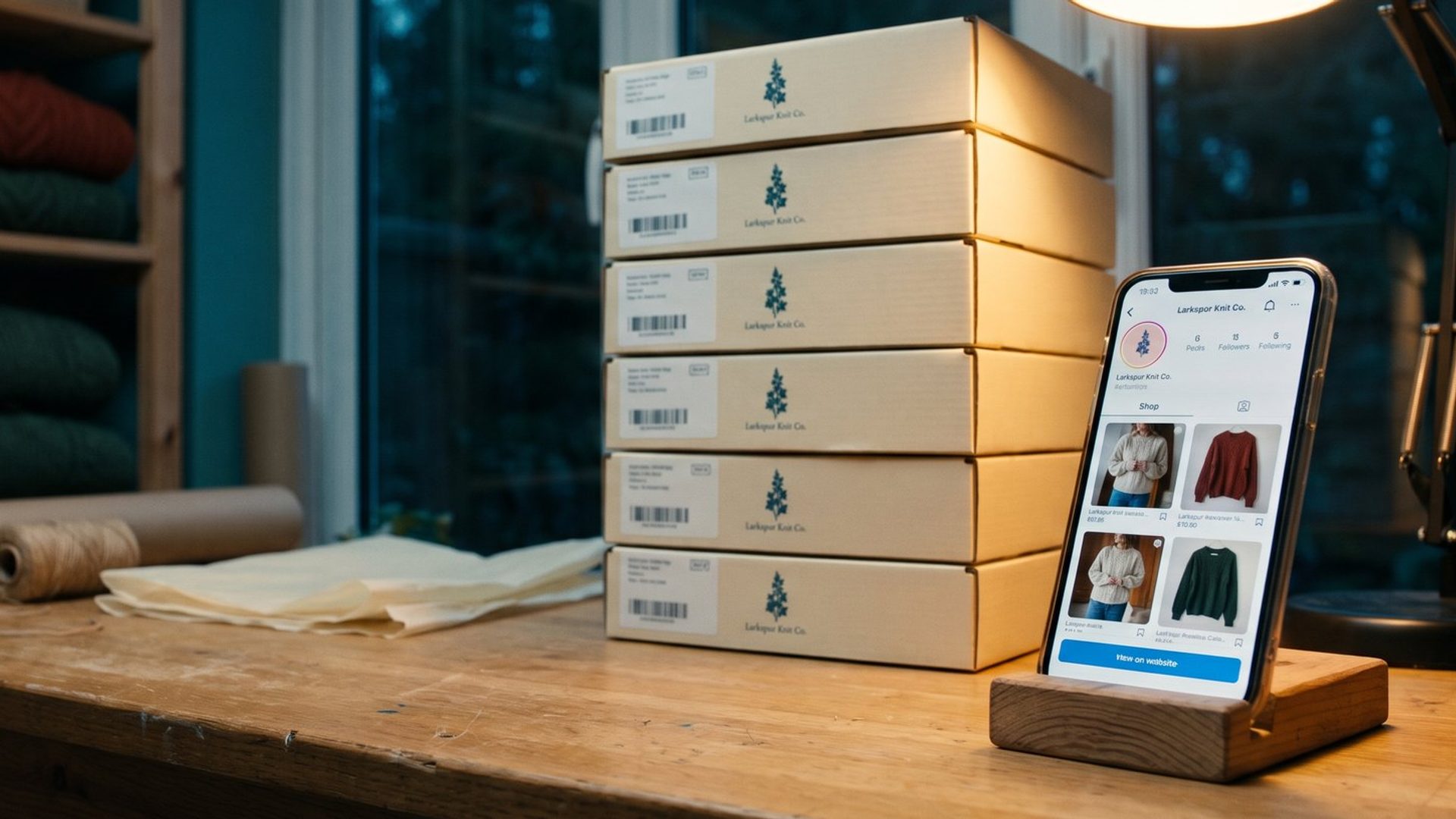
Ask a room of store owners whether you can still sell on Facebook and Instagram, and a good share will tell you Meta shut that down last year. They heard about it in a newsletter, or saw the payouts stop in Commerce Manager, and filed the whole thing under "gone." Some of them deleted the shop. Some of them stopped tagging products in their posts. A few turned off the Facebook and Instagram channel in Shopify altogether and kept the pixel running on its own.
What Meta actually shut down was narrower. In September 2025 it stopped taking payments inside Facebook and Instagram. The shop itself, the product pages, the collections, the tags on your posts and the ads that send people into your shop are all still there, and Meta still decides, ad by ad, whether a shopper lands in your shop or on your website. The only thing that moved is where the shopper pays.
So, should your store still have a Facebook and Instagram shop? Yes, if you sell physical products and you will keep the catalog behind it accurate. It costs nothing to run, Meta uses it whether you are watching or not, and the sale now finishes on your own site, where you can count it. The rest of this piece covers what changed, what the shop still does for a store, and how to tell whether yours is earning anything.
Meta Turned Off Checkout in 2025. The Shop Stayed Open.
The confusion is understandable, because Meta reversed itself in the space of two years.
In 2023, Meta told sellers that every shop on Facebook and Instagram would have to use checkout inside the apps, and that shops sending people to an outside website had until April 24, 2024 to switch. Stores that wanted the shop had to let Meta run the payment, the order record and the returns.
Then, in mid-2025, it went the other way. Meta began moving shops to website checkout that June and said most would be updated by the end of August. Its help page now reads: "As of September 2025, Shops on Facebook and Instagram now use website checkout."
Along with checkout, Meta switched off everything that came with handling the order. Its help center lists what went away: payouts ("You can no longer conduct transactions in your Shops on Facebook and Instagram"), order management, returns, chargeback and dispute handling, and the shop's messaging inbox. If you sold through Meta's checkout before, you now manage all of that in your own store, which is where most small stores wanted it anyway.
Two details explain why so many owners think the whole thing ended:
- Shops that never finished the update went dark. Meta's wording is that a shop that used in-app checkout "has been updated or your shop is invisible." If yours vanished, it may simply be waiting on a checkout link and shipping settings.
- Old tutorials still teach the old version. An Instagram-for-business tutorial on Shopify's own YouTube channel, posted in 2025 and watched more than 140,000 times, still tells owners that tagging a product "allows customers to buy your product without even leaving Instagram." That stopped being true months after it was published.
Your Facebook and Instagram Shop Is Now a Storefront Window With a Door to Your Site.
Here is what a shop does today, in Meta's own words: "Your shop still has rich discovery and consideration surfaces like the home page, collections and product pages, but customers are now directed to your own website to complete the purchase."
Picture it as the front window of a store on a busy street. A shopper scrolling Instagram taps into your shop and browses a home page, a few collections and product pages with your photos, prices and descriptions, all without waiting for your website to load on a weak phone signal. When they decide to buy, they tap through to your site and check out there, with your shipping options, your payment methods, your upsells and your email signup.
For most small stores that's a better deal than the old one: your own checkout, your complete order record, your returns policy. The cost is one extra step between browsing and paying.
The part owners underestimate is that the shop is built entirely from your catalog. Whatever sits in your Meta catalog (titles, prices, photos, variants, stock) is what the shopper sees. If you connected Shopify two years ago and never looked again, the window may be showing a discontinued product or a price from last spring. The shopper doesn't know that's a sync problem. They think it's your store.
Shopify's help center describes its Facebook and Instagram channel as running "one product catalog for Facebook Shop, Instagram Shopping, and Facebook Marketing." That's the point to hold on to. The same catalog feeds the shop, the product tags and your catalog ads, so fixing it once improves all three.
Some Ad Clicks Still Land in Your Shop Instead of Your Site. Meta Decides Which.
This is the part of the shop most owners have never seen, and it matters more than the shop page on your profile.
When you run a Sales campaign that sends people to your website, Meta shows a Destination section on each ad, with a Main destination and a set of Personalized destinations under it. One of those is Shops. With it on, Meta sends each person who taps your ad to whichever place it predicts they're more likely to buy from: your website or your shop. Meta's help center is explicit that the checkout change did not end this: "Shops ads continue to send people to the destination that Meta has determined is more likely to lead to a conversion, whether that's your website or your shop."
Two practical consequences follow:
- The old "Website and shop" option is gone. Meta discontinued that conversion location because every purchase now happens on your site. If you want Meta to keep using your shop as a destination, pick Website as the conversion location and make sure Shops is switched on under personalized destinations. Meta says draft campaigns made before the change were updated to that setup automatically, so it may be on in your account without anyone choosing it.
- You can't send an ad only to the shop. Owners keep asking for this. One on r/shopify put it plainly over the summer: "I can send users to both my Shopify website and FB + Insta shop with Meta Ads, but I can't seem to find a way for it to be ONLY FB + Insta shop." Meta keeps that decision for itself.
Meta has more than one way of keeping a tap inside the app. Product browsing, which Meta switched on for running ads in late October, is a close cousin of the Shops destination: a catalog page Meta builds around the product in your ad. We covered when to leave it on and when to turn it off in Meta Switched On Product Browsing in Your Running Ads, and the format that puts a mini storefront right inside the ad in Meta Collection Ads Build You a Storefront Inside the Feed. The same rule runs through all three: the page the shopper sees inside Meta is built from your catalog, so the catalog has to be right.
Product Tags Are the Free Half of the Shop. Most Stores Never Use Them.
The other thing a shop gives you is the ability to tag products in your regular posts, Reels and Stories. A tag turns an organic post into something a shopper can tap to see the product, its price and a link through to buy it. It costs nothing, and it works on posts you're making anyway.
Plenty of stores have never switched it on. One owner on r/ecommerce wrote it up in October as a newly discovered "free feature that could help you sell more."
Tags are worth having, but they are not a sales channel by themselves. Another owner on the same forum, who runs a trail running brand, posts every day and gets 30 to 100 likes a post and more than ten messages a day, wrote this week that "it doesnt really show in sales," on a store doing about $2,000 a month. Followers who like your posts are not the same people as buyers, and a tag only helps the ones already close to buying. Tag every product post because it's free and shortens the path. Turning an audience into revenue still takes ads aimed at people ready to buy and an email list you own. If you're deciding how much of that ad money should go to Instagram, we covered how Meta splits it in Do Instagram Ads Work for a Small Business?.
The Meta Purchases Column Reads Zero Now. Count Shop Sales in Your Store Instead.
Here is where most stores get the wrong answer about whether the shop is working.
Before the change, Ads Manager reported sales made inside Meta's checkout in two columns, "Meta purchases" and "Meta purchase conversion value." Those columns still exist, and Meta's help page says what happened to them: "purchases now only happen on your website. This means that Meta purchases and their conversion values display as 0 after the update." If you, or whoever set up your reports, are still looking at those columns, the shop will look dead even when it's selling.
Meta now points to three other numbers:
- Website purchases: every purchase on your site that Meta attributes to your ads, wherever the shopper browsed first.
- Shops-assisted purchases: in Meta's words, "Purchases on your website which are attributed to an ad that sent the user to your Shop, within the ad's attribution window." This is the shop's own line in the report.
- Direct website purchases: purchases from people your ad sent straight to the site.
There's a catch in the second one. Meta warns that "you may see your Shops-assisted purchases increase, because all your purchases now take place on your website." The number got bigger because of where the sale is counted, not because the shop got better. Compare it against its own trend after September 2025, never against the months before.
And all three are Meta grading its own work. The check that matters is in your store. In Shopify, the marketing Attribution report credits each order to the marketing channel that brought the shopper, using the attribution model you choose rather than Meta's, and orders placed through Meta's apps carry their own sales channel names (Facebook & Instagram, or Meta AI and Muse). Put a month of the orders Shopify credits to Facebook and Instagram next to Meta's Shops-assisted purchases for the same month. If Meta reports 30 and your store shows 18, you've learned more about the shop than either number alone could tell you. We walk through the same habit for Google Analytics in Google Analytics Missed Most of One Store's Holiday Orders.
Even the store's own channel label can move without warning. A niche apparel owner on r/shopify wrote in May that "about 25-33% of my orders usually come from Facebook & Instagram Shop," then found a week with zero orders from that channel and wondered whether Meta's recent changes to shop options were the cause. Nobody in the thread could say for sure. That's the reason to watch your total orders and your orders from Meta traffic together, week over week, instead of trusting any single label.
Meta Shops Only Sell Physical Products From a Verified Website. Services and Downloads Are Out.
A shop isn't for every business, and Meta's rules settle most of the question for you.
Meta's catalog requirements say "Shops are for selling physical goods." Its commerce eligibility rules add that you must be located in a supported country, have "an authentic and established presence," and provide "a verified domain for your website where products are available for direct purchase," with accurate prices and stock and a clearly displayed refund and return policy. Every product link in your catalog has to point at that product's page on your own verified domain, not at a Facebook page or someone else's site.
So the shop makes sense when:
- You sell physical products that ship, in a supported country, from your own website.
- Your products sell on how they look. Apparel, home goods, beauty, jewelry, gifts and food all browse well in a feed. A replacement filter cartridge or an industrial part does not, and those shoppers mostly arrive by search anyway.
- You already run Meta Sales ads. The shop becomes one more place those ads can send people, at no extra cost.
It doesn't make sense if you sell services, downloads or courses (they aren't eligible), or if nobody will keep the catalog current. A shop showing the wrong price is worse than no shop, because it makes a stranger's first look at your store a broken one.
Shops are free to set up and run. The real cost is keeping the catalog matched to your site. If your store runs on Shopify with the Facebook and Instagram channel syncing products, most of that happens on its own, and the job shrinks to a monthly check. Watch one thing in that sync: Shopify's discounts can show up in your shop as offers. An owner on r/shopify found employee and government-only discounts appearing as offers to everyone in June. We covered how Meta picks up discounts on its own in Meta Can Put a Discount You Never Approved in Your Ad.
Shopify Runs a Checkout Inside Meta AI. It Is On by Default for Eligible Stores.
There's one exception to "the sale finishes on your site," and it isn't Meta's shop.
Shopify now runs its own checkout inside Meta's apps, starting with Muse, Meta's AI shopping assistant, where it is available. Shopify takes the payment, not Meta. You stay the merchant of record and handle fulfillment and returns. It's switched on by default for eligible stores, including stores that sell to the United States, and Shopify charges no extra fee beyond normal payment processing.
Three things about it matter for this article:
- Those orders show up as their own channel. Shopify labels them Meta AI and Muse, separate from Facebook & Instagram. If you use both, Shopify says your orders from Meta display with two different sales channels. Add them together before you judge Meta.
- Your tracking doesn't see them. Shopify's page says Google Analytics and custom pixels "won't fire in Meta's direct checkout." Your store's admin is the only full record.
- Not everything you sell can be bought there. Subscription-only products, bundles and customizable products aren't supported.
We went through the settings and tracking gaps in Shopify Turned On Checkout Inside Meta and Google's AI. For the shop question, it's enough to know that some Meta sales may be paid for inside Meta after all, through Shopify, under a different channel name.
A Shop With Missing Products Is Worse Than None. Check Yours in Twenty Minutes.
If you haven't opened your shop since the checkout change, here's where to start. Most of it is in Commerce Manager, and the rest is in your Shopify admin and Ads Manager.
- Check that the shop is visible. If Commerce Manager shows it as hidden, decide whether to turn it back on. Meta recommends updating your existing shop rather than creating a new one.
- Add a checkout URL and shipping profiles if Commerce Manager prompts you for them. A shop that hasn't finished the update can't send anyone to your site.
- Look at the shop on your own phone. Open your Instagram profile and your Facebook page, tap into the shop and check the home page, the collections and a few product pages. Missing products, old prices and bad photos are the most common failures, and the r/shopify owner who found an empty Shop tab after every product was approved is not unusual.
- Check the catalog against your site. Variants, prices, sale prices and stock should match. Meta also recommends multiple images per product, size charts where they apply, and that the content IDs your pixel sends match the IDs in the catalog.
- Turn product tags on and tag products in your next week of posts and Reels.
- Open one Sales ad in Ads Manager and look at Destination. Confirm the conversion location is Website and decide on purpose whether Shops is on under personalized destinations.
- Fix the report. Replace Meta purchases with Website purchases and Shops-assisted purchases in your saved columns.
- After a month, compare. Put Meta's Shops-assisted purchases next to the orders Shopify credits to Facebook and Instagram, plus any Meta AI and Muse orders, for the same weeks, and judge the shop on your store's numbers.
A shop that passes all eight is doing its job: catching browsers who aren't ready for your site, feeding your catalog ads a better page to land on and sending buyers to a checkout you control. If yours fails the first three, it isn't really running, whatever the settings say.
If you'd rather have someone check your shop, your catalog and your Meta reporting against what your store actually sold, that's part of the work we do with online stores, and our Meta ads management team watches for settings like the Shops destination every week. Either way, open your shop on your phone before your next sale goes live. It takes two minutes, and it's the first thing a new customer from Instagram sees.