Ask Keyword Planner what "emergency water damage" costs and it gives you two numbers: $20 and $265. The second one is the number restoration owners remember. It scares some of them away from Google Ads entirely and pushes others into an automated setting that spends whatever it likes.
Neither reaction is necessary. That range summarizes what other advertisers paid in the past, somewhere in the country. What you pay depends on your own market, your own ads and pages, and a maximum you type in yourself. Here's how we set those maximums on a new restoration account, which columns show whether they're working, and when Google takes over.
Google Builds That $20 to $265 Range From Past Bids. Your Own Market Sets the Price You Pay.
Keyword Planner's help page explains the two numbers. Google sorts the past top-of-page bids on that search, cheapest to dearest, for the area you chose. Roughly one bid in five on that list came in under $20, and roughly one in five came in over $265. The middle three-fifths landed between them.
The estimate drifts from day to day. When we pulled "emergency water damage" for the whole US on October 30, the top of the range read $300. The next morning it read $264.74. The estimate moved, not the searches.
Location moves it further. In one example market, Sacramento, Keyword Planner gave no price at all for "emergency water damage," because there wasn't enough local bid history to estimate one. And local isn't automatically cheaper. "Water damage restoration near me" topped out near $58 in Sacramento, well under the national figure, while "water damage restoration" and "mold remediation" both topped out higher locally than across the country.
So before you trust any price, point the planner at the counties your trucks actually drive to. Then hold the answer loosely. Our working rule, not Google's, is that the range is good to about 30% either way. It tells you which searches are expensive. It can't tell you what tomorrow's click will cost.
A New Restoration Account Has No Quality History Yet. Its Opening Bids Belong Near the Top of the Range.
The launch campaign from Chapter 6, the exact match one we call Isolation, runs on manual bidding. A water damage click costs no more than the figure you type into the ad group, and Google says the real charge often lands below that figure, depending on who else is bidding that hour.
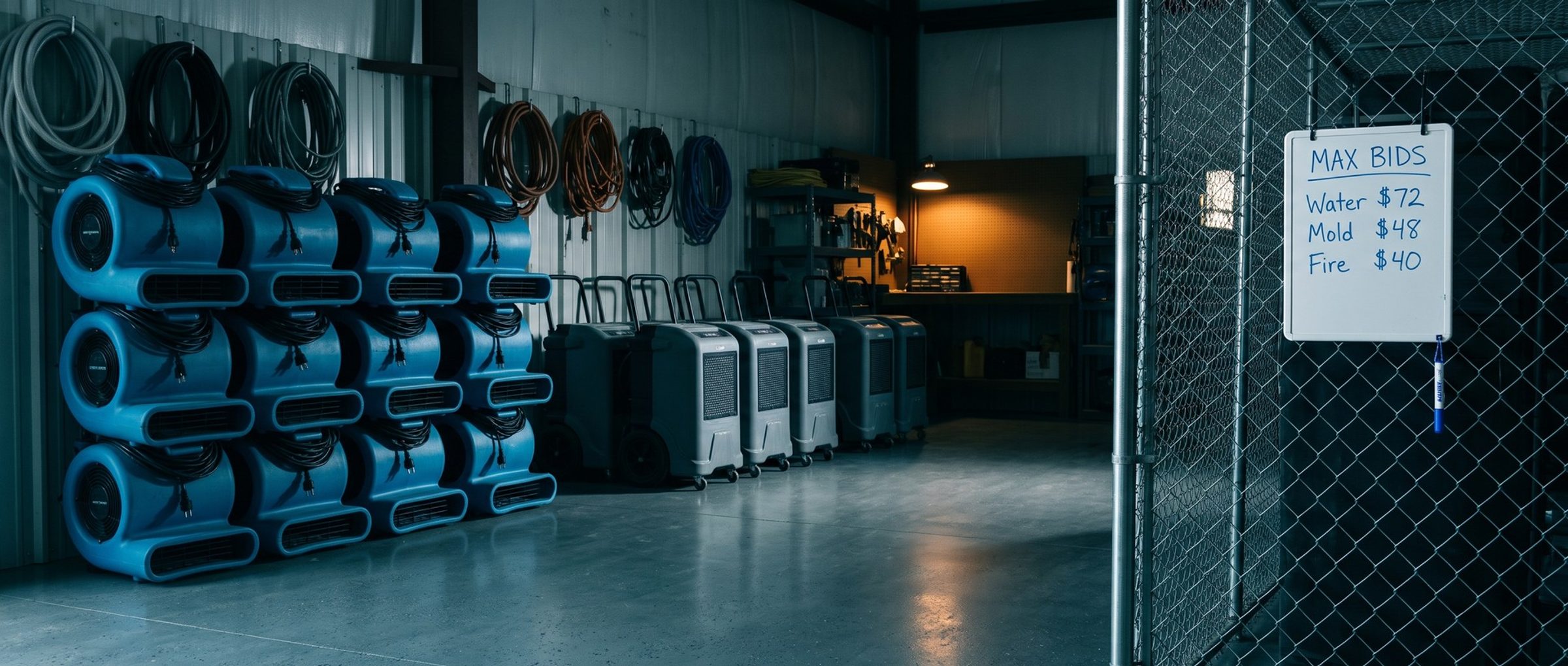
Each service gets its own ceiling. The water damage, mold and fire groups from Chapter 4 don't cost the same, and in the example market the gap was wide: water damage searches topped out between about $58 and $96, while mold searches peaked between about $43 and $54. A single number across all three would overpay on mold or come in short on water.
On a brand-new account, open each group near the top of its local range. Google has no history on your ads, and Quality Score (Chapter 4) has nothing to grade yet. A cautious opening bid on "water damage restoration near me" buys almost no impressions: no clicks, no calls, nothing for the account to learn from. Once a few weeks of results come in and the quality grades start to show, trim the water damage bid by a dollar or two, wait a week, and see whether its spot on the page holds.
One ceiling no bid should ever pass is what a booked job can afford. Chapter 3 worked out what a water damage job is worth and how many clicks it takes to land one. That math turns any click price into a cost per booked job: at $100 a click, the drying job alone barely covers it. Whatever ceiling your own numbers produce, a bid above it is a donation.
A restoration owner on a water mitigation forum described the slow way: "The Google ads took us 1-2 years to finally dial in. And 3-4 different ad guys." Hand-set bids take more effort up front than letting Google decide. They also teach you faster, because every change is one you made on purpose and can trace.
Top Impression Share Under 75 Percent Means Other Ads Hold the Top of the Page on More Than a Quarter of Your Searches.
With the bids in, four columns show whether they're working. Three go in the keyword view; the budget one lives on the campaign row. Add them before you change anything.
The first two are about placement. Search top impression share tells you how often your ad landed among the ads above the unpaid results, out of all the times it was eligible to be there. Absolute top impression share narrows that down to the first ad a homeowner sees, the one right under the search box. Picture 60% top share on "water damage restoration near me": in four of every ten searches where you could have been up top, a homeowner holding a phone saw someone else there instead.
We aim for somewhere between 75 and 90 percent top share, and only on the keywords the Chapter 1 tracking shows turning into signed work authorizations. Under 75, too many of those homeowners call the company above you. Over 90, the extra positions usually cost more than the jobs they bring.
The very first spot is a separate question. Being first on every search is expensive, and on most restoration accounts we don't chase it. The second or third ad, from a company that picks up the phone, books plenty of drying jobs.
Impressions Lost to Rank Need a Higher Bid or a Better Page. Impressions Lost to Budget Need More Money.
The other two columns explain the misses. Lost impression share from rank counts the searches where your Ad Rank wasn't high enough to show. Lost impression share from budget counts the ones you missed because spending had already hit the day's limit, and Google only reports that one for whole campaigns.
The two need opposite fixes. A water damage group losing a third of its searches to rank has plenty of money. It's losing the auction. Before you touch the bid, open its Quality Score and the three grades from Chapter 4. A landing page graded below average can lift rank with a better page, at no extra cost per click. If all three grades look healthy, the bid is simply too low for that market, so raise it.
A campaign losing a third of its searches to budget has the opposite problem. Its ads were good enough to show and stopped when the money ran out, before the day was over. Raising bids there backfires: each click costs more and the money runs out sooner. Either the budget goes up, or the keyword list gets shorter so the same dollars cover the searches that book.
Auction Insights Shows Who Else Bids on Your Water Damage Searches. Some Auctions Aren't Worth Winning.
The auction insights report puts names on the competition, campaign by campaign or down to one keyword. Of the measures it reports, two matter most to a restorer. Overlap rate says what share of your water damage impressions also carried that restorer's ad. Position above rate is how often that rival sat higher when you both showed. A franchise location at 70% overlap and 60% position above is the company most homeowners compare you with, and usually see first.
Expect a crowded list. In the example market, about a third of the local independent restoration and mold firms we looked up had run Google ads in the previous 90 days, alongside the national franchise brands and the lead sellers in Chapter 16. Your list will have different names, but it won't be short.
The same report tells you when a fight isn't worth having. If one franchise's position above rate on "water damage restoration" climbs every time you raise your bid, you're in a price war. Check the cost per signed job on that search. If a water damage search keeps costing more per signed job than the job pays, drop that bid and step out of that auction. Spend the money where you can win at a price that works.
Call Recordings, Not Click Counts, Show Which Water Damage Keyword Earns a Higher Bid.
Bids usually go wrong at the phone. A keyword that rings it often looks like a winner in the account, and the instinct is to bid it up. But a ringing phone isn't a booked job.
Another owner on the same forum said it bluntly: "the amount of calls I get are irrelevant. I can't get refunds on them." Calls like a plumbing-only question, a homeowner asking where to rent a dehumidifier, or someone asking about technician jobs each started with a paid click.
So listen once a week. Pull the recordings for each ad group, or have whoever answers the phone tag every call as a job, a maybe or noise. Then line the tags up against the groups that produced them. A water damage group whose calls turn into drying jobs earns a higher bid. A group whose calls are mostly plumbing questions gets a lower one, plus a look at its search terms (Chapter 6), before it gets another dollar.
The signed jobs themselves come from the Chapter 1 tracking, which ties each work authorization back to its click. The weekly listen explains why those numbers look the way they do.
Target CPA Takes Over the Bids Once the Account Books About 30 Jobs a Month. Until Then, Every Bid Stays Manual.
Hand-set bids are where a restoration account starts, not where it stays. Once the account logs about 30 booked jobs a month, usually two to three months in and sooner on bigger budgets, the Exploration campaign from Chapter 6 begins, and Google's automated bidding aims it at a target cost per booked job.
That setting got a shorter name this year. Google's bidding help page says that from June 2026, the strategy listed as "Maximize conversions with a Target CPA" shows up as just "Target CPA." Same strategy, new label.
Base the target on what Isolation actually achieved, as Chapter 6 explains, not on what you wish a job cost. Google cautions that an unrealistically low target can shrink results: the bidding passes on searches that might have turned into a drying job.
Isolation keeps running after that. Its hand-set bids hold your place on the service searches you already know book jobs, and the same four columns keep showing whether that place is worth the price.
Next: Restoration Ads Rarely Promise an Arrival Time.
Bids decide where your ad shows. Words decide whether a homeowner standing in water calls you or the ad above you. Chapter 8 covers restoration ad copy: what reviews say homeowners value most, and the promise almost no restoration ad makes.
Want the whole plan first? The guide home lists all sixteen chapters. Chapter 6 sets up the exact match campaign these bids belong to.
When a restoration company hands us its account for Google Ads management, month one runs on bids we set by hand for water, mold and fire separately, checked against those four columns every week.