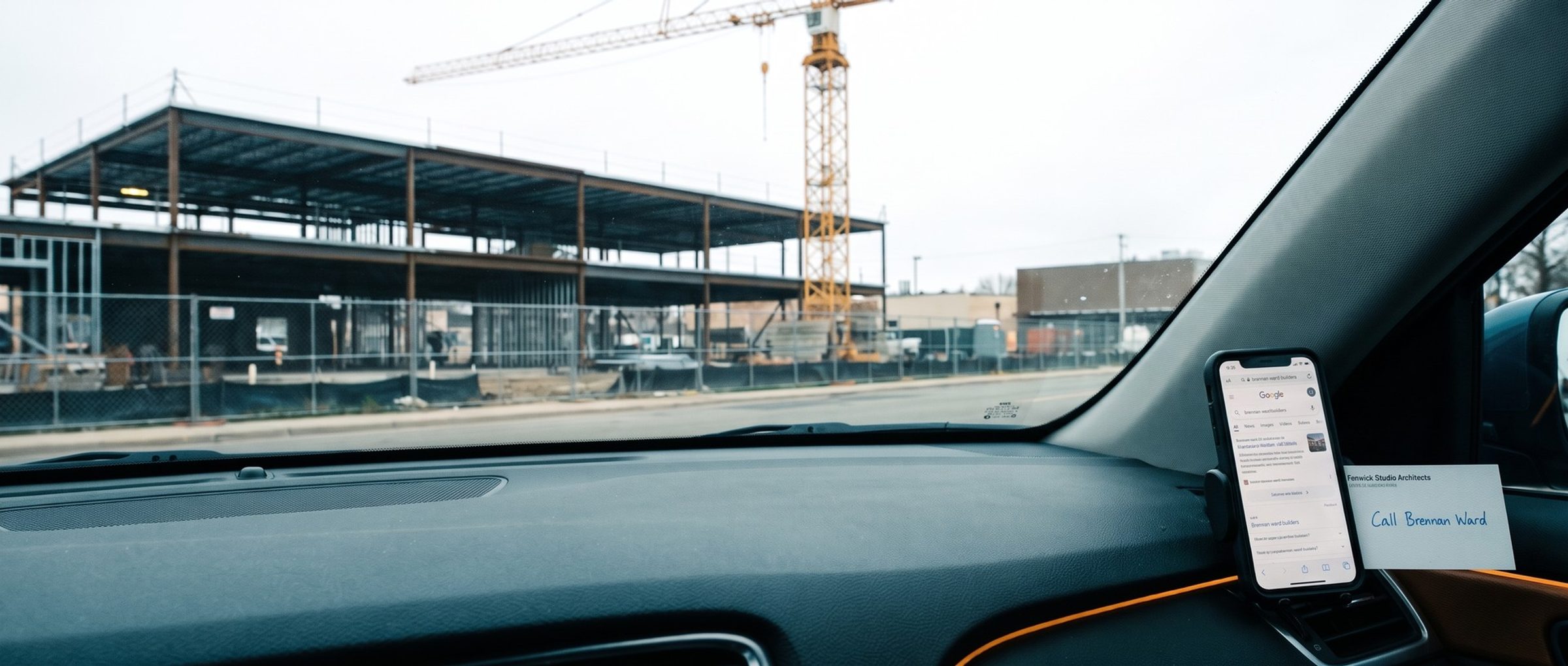
An architect finishing drawings for a medical office tells the owner, "Call Calloway, they built the last two for us." The owner doesn't search for "commercial general contractor." They search for Calloway.
That happens far more often than most builders assume. In one example market, Cincinnati, Keyword Planner shows the names of 14 builders active in the market drawing about 3,040 searches a month between them, counting each firm once. The 18 searches that clearly mean commercial construction, phrases like "commercial general contractor" or "design build firm," drew about 370 in the same market.
This chapter builds the keyword list: how to see who's bidding, what Keyword Planner returns when you seed it with builders' websites, what to do with names (yours and everyone else's), and how to sort the rest into the ad groups from Chapter 4.
Google's Ad Preview Tool Shows Rival Builders' Ads Without Costing Them a Click
Before building a list, see who's already in the auction. The tempting move is to search on Google and click around. Leave the rivals' ads alone. Each click bills a fellow builder, and Google's own preview tool shows much the same results for free.
Google's Ad Preview and Diagnosis tool, inside any Google Ads account, lets you run a search and see much the same ads an owner would get. Google built it so you can check live results without your own test searches showing up as impressions in your account. Run the searches you plan to buy, set to your service area, and note which builders appear and what kinds of work their ads name. For the wording of their ads over time, the Ads Transparency Center is the better tool; Chapter 8 uses it.
In the example market the field is thinner than you might expect: few local commercial builders run Search ads at all, and many of the construction advertisers we found were out-of-town specialists and residential firms (Chapter 7 has the numbers). That's useful to know before you bid.
Keyword Planner Read One Builder's Site as Commercial Real Estate and Another as Home Remodeling
Keyword Planner can start from a website instead of a word. Paste in a rival builder's web address, choose your metro, and the tool proposes the searches it believes that builder's pages answer. Give it your own site and you see your business the way Google reads it.
We did this for 11 of the 12 example builders' sites (one returned nothing). The results were a lesson in why every list needs sorting:
- One general contractor whose site also lists commercial property got back real estate. Its top idea was "commercial property for sale cincinnati," about 720 searches a month in the market, followed by other property-for-sale and commercial real estate searches.
- One build-out firm with a residential renovation page got back home remodeling. About 52% of the volume in its ideas was bathroom, kitchen and other residential searches.
- On every site, clearly commercial ideas were a minority. The highest share was 37% of the idea volume; most sites were under a quarter. Much of the rest was generic: "general contractor," "contractors cincinnati," "construction companies near me." Those searches can come from any kind of owner, commercial or residential.
None of this means the tool is broken. It reads every page on a site, including property listings, residential pages and careers, and suggests searches for all of it. The job is to keep what fits the work you want and set the rest aside. Seed with three or four rivals' sites and your own, put the lists together, and sort.
Two settings make the lists sharper. Pick your own metro or the counties your crews drive to. A nationwide setting inflates the volumes and blurs the bid ranges with markets you'll never build in. And when a rival has a page for one kind of work, a tenant build-out page or a church page, seed with that page alone rather than the whole site. A single service page returns a much tighter list, closer to one ad group's worth of searches.
Your Company's Name Earns a Campaign of Its Own. Rival Builders' Names Belong on the Negative List.
The first thing you'll notice in a rival-seeded list is names. Names are everywhere in it. In the example market, the three biggest builder names drew about 880, 590 and 390 searches a month, each more than every clearly commercial search combined (370).
Those numbers include more than owners. Employees, subcontractors, suppliers and people who drove past a jobsite look builders up by name too. But they say something real about commercial work: many owners arrive with a name already in hand, from an architect, a broker or a past client. Chapter 2 put name searches at the far end of the owner's path.
A builder ends up treating its own name and every other firm's name in opposite ways:
- Your company's name: a campaign of its own. A brand campaign with your company name in exact match is, in our experience, usually some of the cheapest traffic in the account, because your ad is the most relevant answer to that search. It protects the owner who was told about you from landing on someone else first. Keep it separate so its strong results don't hide how the rest of the account is doing. Put in the company name, the name with "construction" or "builders" after it, common misspellings, and any older name the firm used to trade under.
- Every other firm's name: the negative list. Adding a word or phrase as a negative keyword stops your ads from appearing on searches that contain it. The lists you pull from rivals' sites supply the first batch of names. A second wave comes when Exploration opens. Exploration (our own name for it) is the account's first broad match campaign, with Google setting bids toward a cost-per-conversion goal. Builders usually reach it after logging about thirty good conversions in a month, often in month two or three, later in a single-market firm. From then on the search terms report surfaces new builder names every week, so read it daily through broad match's first month and block each name as it appears.
Targeting a competitor's name deliberately is a separate call, one that would get a campaign of its own, and one most commercial builders never need to make. An owner who typed a specific firm's name has usually already been pointed to that firm.
Even a Builder's Name Draws Job Seekers. "Jobs" and "Careers" Go on the Brand Campaign's Blocked List.
A brand campaign has its own noise. In the example market, "messer construction jobs" drew about 40 searches a month and "messer careers" about 20, beside about 880 for the name alone. "Turner construction careers" drew about 40. Every builder that hires will see some version of this.
Give the brand campaign negatives for the people it shouldn't pay for: jobs, careers, hiring, apply, salary, internship, and your plan room or vendor portal if those have names. Chapter 16 covers running hiring ads in their own campaign, where those searches belong.
The account as a whole needs a wider list. These US searches look like construction and aren't owners hiring a builder:
- Work: "construction jobs" draws about 74,000 searches a month, "construction jobs near me" about 49,500.
- Equipment and supplies: "equipment rental near me" about 110,000, "building supply near me" about 18,100.
- Homes: "home builders near me" about 40,500, "kitchen remodel contractor" about 40,500.
- Licensing and school: "general contractor license" about 9,900, "construction management degree" about 22,200.
Words like jobs, rental, supply, license, degree, salary, home, house, kitchen and bathroom make a starting negative list. Add "cheap" and "free" if they come up; they rarely fit commercial work. Expect the list to grow every week once ads run. Every unwanted search you see in the search terms report becomes the next negative, and the first month of broad match usually adds the most.
No Single Ad Speaks to a Warehouse Owner, a Dentist and a Pastor at Once
What survives the sorting goes into the ad groups from Chapter 4: one kind of work per group, five or six close keywords in each. Tenant build-outs in one, medical and dental in another, warehouses and industrial in a third, churches if you build them, design-build for the owners who search the term.
The broad generic searches deserve a watch list rather than an ad group at launch. "General contractor" and "construction companies near me" are large, but they mix homeowners, owners and job seekers. Chapter 6 explains why a new account starts with exact match on the searches that name commercial work, and adds the broad ones later.
Keyword Planner's bid figures help you budget the list, but read them loosely. In our experience actual costs land within about 30% either way of them, and the real figure only shows once the ads run.
The finished list is usually shorter than builders expect: a few dozen keywords across five or six ad groups, plus a brand campaign and a long negative list. That's normal for commercial construction, where the searches are thin and the jobs are large. A thin search can still carry a lot: behind any one of them may sit a six-figure build-out, which is why each gets an ad of its own. Our Google Ads agency builds and checks keyword lists like this for commercial builders before their first dollar goes out.
Next: One Word Changes Which Builders Google Shows
Chapter 6 shows how adding "commercial" to a search changes which builders Google puts in front of an owner, and why exact match keeps a new account on the searches that say it. The full chapter list is on the Google Ads for Construction Companies guide home.