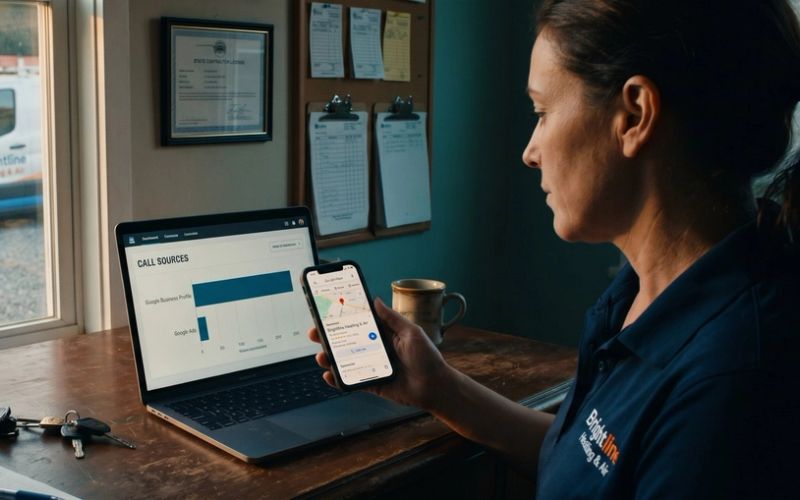
Before you pick a single keyword, write a single ad, or set a single bid, you have to decide what counts as a win. That decision does two jobs at once, and most dental practices only know about the first one.
The first job is the obvious one: measurement. You are spending real money every month, and you need to know which searches, ads and campaigns turn into new patients and which ones just turn into clicks.
The second job is the one that quietly decides whether your account gets better or worse over time. Every conversion you record is a signal Google uses to decide who to show your ads to next. Google's smart bidding learns from exactly what you tell it is success. Tell it the right things and it goes looking for more people who look like your best new patients. Tell it the wrong things and it will cheerfully go find more of the wrong people, and bill you for them.
That is why this is Chapter 1. Everything later in this series, from budgets to bidding to Performance Max, depends on the tracking being right. If you get only one chapter right, get this one.
Start by Finding Every Door Into Your Practice
A conversion is any action a potential patient takes that brings them closer to sitting in your chair. On a dental website there are more of those than most owners realize, and each one has to be found before it can be tracked.
To make this concrete, we looked at three practices that were running Google Ads in Phoenix and Scottsdale in September 2026. None of them are BrandRocket clients. They are simply real dental websites, and each one handles new patients a little differently:
- Arizona Biltmore Dentistry puts one phone number front and center, and the number is run through call tracking software, so the practice can see which calls came from which source. The site also carries a chat and message widget, which is a second way in that is easy to forget.
- Harris Dental sends its "Request My Appointment" buttons to an online booking tool that lives on a separate website, and it offers a free virtual consultation page for cosmetic work. Two different doors, two different things to track.
- S&C Dental has a booking page on its own site, a phone number in the header, and a live chat window.
Three practices, at least seven different ways a new patient can raise a hand. Now do the same walk-through on your own site. Open it on your phone, because that is where most people will meet it, and write down every way someone could reach you: each phone number, each booking button, each form, the chat window, any consultation request, any text-message option. That list is your tracking plan. Anything not on it will be invisible to you and to Google.
Your Patients Are Not All New Patients
Here is the mistake we see most often on dental accounts, and it is specific to dentistry.
A dental website is used by two very different groups of people. One group is new patients deciding where to go. The other is your existing patients, who visit constantly: to fill out forms before their appointment, pay a bill, log in to a patient portal, find your hours, or call to move a cleaning. Both groups click the same buttons and call the same number.
If your tracking counts everything, a large share of your "conversions" are people who were already coming. Google then does what it was built to do. It studies those people and goes looking for more like them, which means your ad budget drifts toward people who already know you instead of the new patients you are paying to find.
Sort every door on your list into one of three groups.
Count as primary conversions. These are the actions that mean a new patient wants an appointment, and they are what Google should optimize toward:
- phone calls from your ads and from your website that last long enough to be real conversations
- completed online bookings (a finished booking, not a click on the booking button)
- appointment request forms and new-patient contact forms
- consultation requests for implants, aligners and cosmetic work
Count as secondary. Google records these so you can see them, but they do not steer your bidding. Use this for softer actions, such as a whitening offer signup, a guide download, or a chat that has not yet become a booking. In a brand-new account with very little data, it can make sense to leave a softer action as primary for the first few weeks just to get signals flowing, then move it to secondary once real bookings arrive.
Do not count at all. These are existing-patient actions: new-patient paperwork pages that people fill out after they have already booked, bill pay, the patient portal login, and "call us to reschedule" links. They matter to your office, but they are not new patients, and they should never teach Google who to find.
The Phone Is Still Where Most Dental Patients Start
Online booking has its place, but for most dental practices the phone is still the most important conversion there is. Someone with a broken tooth on a Tuesday afternoon does not want to fill out a form. They want to talk to a person. So phone tracking deserves the most care.
There are two kinds of calls to track, and you need both:
- Calls from the ad itself. On a phone, your ad can show a call button, so a patient can tap and dial without ever visiting your website. Google tracks these calls directly inside the account.
- Calls from your website. A patient clicks your ad, reads your implant page, and then taps the number on your site. To connect that call back to the ad, the number on your site has to change when someone arrives from an ad.
For website calls you have two options:
- Google's own call tracking is free. A small piece of code swaps the phone number on your site for a Google forwarding number, only for visitors who came from an ad, and it records how long each call lasted. It works well if your site shows one main number.
- A third-party tool such as CallRail or CallTrackingMetrics is worth it if your site shows several numbers (multiple locations, a separate implant line) or if you want to record and listen to calls. Both companies offer setups designed for healthcare, so ask about HIPAA compliance before you turn recording on.
Then decide how long a call has to last before it counts. We start dental accounts at 30 seconds. A shorter setting counts wrong numbers and hang-ups. A much longer one can miss real patients, especially if your phone menu takes 20 seconds to get through or a new patient leaves a voicemail after hours. A voicemail from a new patient is a real lead.
Once calls are flowing, listen to a sample of them every week. You will hear three kinds: new patients booking, existing patients rescheduling, and people who called the wrong office. The listening tells you whether your call conversions mean what you think they mean, and it is the fastest way to spot an ad or keyword that is attracting the wrong callers.
A Click on "Book Now" Is Not a Booking
Online scheduling tools are everywhere in dentistry now, and they create a tracking trap.
Harris Dental's "Request My Appointment" button is a good example of a common setup. The button opens a booking tool that sits on a separate website run by the scheduling company. That is a perfectly good patient experience, but it means the actual booking happens somewhere your website's tracking cannot see.
The tempting shortcut is to count the click on the button. Don't. Plenty of people click "Book Now," look at the available times, and leave. If you count the click, you are telling Google that browsing a calendar is the same as booking an appointment, and it will optimize for people who browse.
What you want to count is the finished booking, usually a confirmation screen or a thank-you page. How you capture it depends on the tool:
- Many dental scheduling tools can send patients back to a thank-you page on your own site once the booking is done. That is the easiest setup to track.
- Some tools can hold your Google Analytics or Google Ads tag themselves, so the booking is recorded where it happens.
- If the booking stays on the other website, you will need cross-domain tracking so Google treats the visit to your site and the booking on theirs as one session.
Ask your scheduling provider which of these it supports before you build anything. It is a five-minute question that saves a month of bad data.
Track the Visit, Not the Patient's Health
Dental websites carry a responsibility a plumber's website does not. Some of what happens on your site is health information, and your tracking should never send it anywhere.
Two sources are worth knowing:
- Google's own guidance for Google Analytics. Google says it does not offer Business Associate Agreements for Google Analytics, that HIPAA-regulated organizations "must refrain from exposing to Google any data that may be considered Protected Health Information," and that "authenticated pages are likely to be HIPAA-covered and customers should not set Google Analytics tags on those pages." Your patient portal is exactly that kind of page.
- The U.S. Department of Health and Human Services. HHS issued guidance on tracking technology on health care websites in December 2022 and updated it in March 2024. In June 2024 a federal court vacated part of it, the part covering public pages that simply describe a condition or service, and HHS withdrew its appeal in August 2024. The rest of the guidance, including what it says about logged-in pages, still stands.
In practice, that points to a simple rule:
- Track the event, not the details. A completed booking or a 30-second phone call is enough for Google Ads.
- Keep ad and analytics tags off your patient portal and off any form that asks about symptoms, medical history or insurance details.
- If a form collects health information, send only the fact that it was submitted.
This is the general picture, not legal advice. Run your setup past whoever handles HIPAA compliance for your practice.
One more consequence: health is a sensitive category in Google's advertising policies, so remarketing to people based on visits to your service pages is off the table no matter what HIPAA allows. That is one more reason the conversions you do track have to be accurate. They are carrying more of the load.
Eight Settings Decide What Google Learns From Every Lead
Google changes its screens often, so rather than a click-by-click tour, here is what each setting should be and why. You will find conversions under Goals, then Conversions, then Summary, and you start with "Create conversion action." Choose "Website" for forms and bookings, and "Phone calls" for calls. Create one conversion action for each door on your primary list.
When Google offers to scan your site and create conversions automatically, choose to add the conversion manually instead. You want to decide what counts, not have it guessed for you.
- Goal category: "Book appointment" for bookings, "Submit lead form" or "Contact" for forms, "Phone call lead" for calls. This keeps reporting organized.
- Primary or secondary: primary for the new-patient actions on your list, secondary for the soft ones.
- Value: if you know roughly what a new patient is worth to your practice, enter a value. If you don't yet, leave it off for now; Chapter 3 walks through working that number out.
- Count: "One." If a patient submits a form twice, that is still one patient.
- Click-through conversion window: Google's default is 30 days. For website forms and bookings, raise it to 90 days, the longest Google allows for Search. Implants, aligners and cosmetic work are big decisions, and a patient who clicks in March and books in May should still count. For calls from ads, the longest window is 60 days.
- Attribution: data-driven, which Google now recommends. It shares credit across the ads and searches that led to the booking instead of handing it all to the last click.
- Enhanced conversions: leave this off. It sends hashed contact details from your forms to Google to improve matching, and Google's customer data policy keeps conversions tied to medical services out of it. Dental care is a medical service.
- Send the booked patient back: a form or a call is a lead; the patient who actually books is the sale. Save the Google click ID in a hidden field on your forms, keep it with the patient's record, and upload booked patients to Google Ads by click ID, with a value, within 90 days of the click. No names, emails or phone numbers go with it, and name the conversion plainly, like "Booked appointment," never the treatment.
Then install the tracking. We install everything through Google Tag Manager, a free Google tool that holds all of your tracking tags in one place, so you are not asking your web developer to paste code into the site every time something changes. Your Google Ads conversion tag goes in Tag Manager, set to fire on the thank-you page or the booking confirmation, and Google's website call tracking is set up there too.
Finally, check your work. Google's Tag Assistant (tagassistant.google.com) lets you load your site and see which tags actually fire. Submit a test form, finish a test booking, and make sure each one registers once and only once. Then place a test call from a phone and confirm it shows up in the call report.
An Account Counting the Wrong Things Is Training Google Backward
If you are taking over an existing account rather than starting fresh, look at what it is counting before you change anything else. On dental accounts we regularly find page views counted as conversions, clicks on the booking button counted as bookings, and every phone call counted regardless of length. Each one inflates the numbers, makes the account look better than it is, and teaches Google to chase the wrong people.
Fixing it is straightforward:
- Remove or downgrade the bad conversion actions to secondary so they stop steering bids.
- Set up the correct ones from your primary list.
- Give the account a few weeks of clean data before judging performance.
If the account has been learning from bad conversions for a long time, it can make sense to treat the clean data as a fresh start rather than comparing it to the old, inflated numbers.
Next, Decide What You Actually Want Google to Find
With tracking in place, you can see what is working, and Google has something real to learn from. The next question is what you actually want from Google Ads: more new patients overall, more implant consultations, more emergency visits, or all three, and where each of those patients is in their decision. That is Chapter 2, Know Your Marketing Goals.
If you would rather have someone set this up for you, this is the first thing we do on every account we manage. Our Google Ads management starts with getting the tracking right, because everything else depends on it. And if you are doing it yourself, the steps above will get you there.