
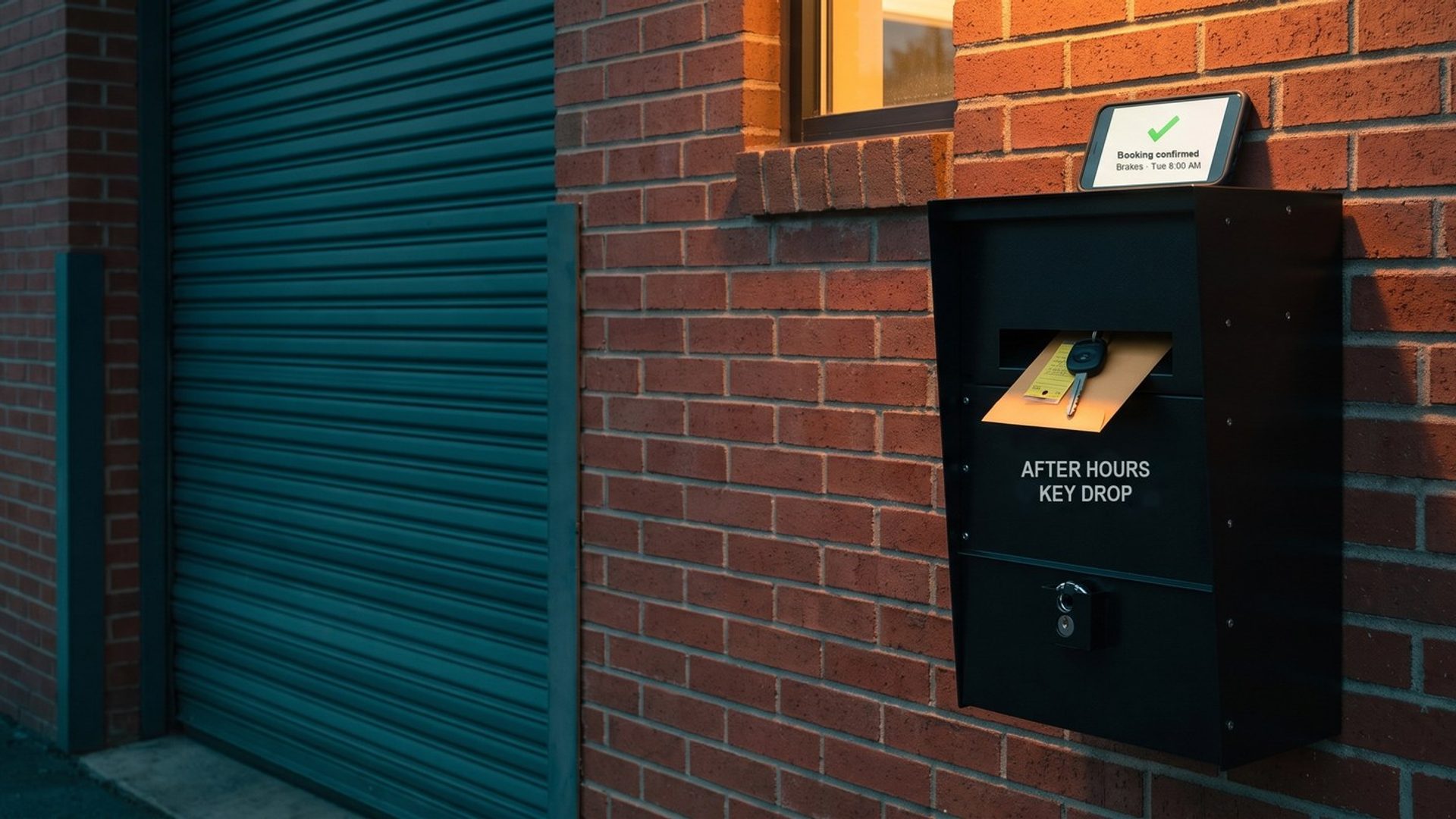
A driver hears grinding every time she brakes. On her lunch break she searches, taps a repair shop's ad, and books "Brakes, Tuesday 8:00 AM" in the scheduling box on the shop's website. Seconds later it sits in the shop's calendar for the advisor and owner to see.
Google Ads, the system that just paid for that click, very often sees nothing at all. As far as the account knows, the search failed. It will bid a little lower on that search tomorrow and a little higher on one that never booked anybody.
This chapter sets up the counting before the first keyword goes live. Our examples come from twelve repair shops, chains and dealers in one example market, Portland, Oregon, eleven of them running Search ads we verified in Google's Ads Transparency Center. Your booking tool and phones will differ; the way the account learns won't.
Every Repair Shop Site We Checked Had at Least Two Ways In. Google Ads Watches Only the Ones You Tag.
A conversion is whatever you tell Google Ads counts as a win. Count a booking and Google hunts for more people who book. Count a page view and it hunts for people who look.
Our first campaign in a repair account is what we call Isolation: exact match on the handful of brake, diagnostic and oil change searches that already fill bays, every bid typed in by a person. With a human at the wheel, sloppy tracking costs little at first. That changes once the account logs about 30 real bookings and calls a month and the second campaign takes over. That campaign, which we call Exploration, has no human choosing bids. It runs broad match with Google's automated bidding, and its only compass is your conversion list. Isolation and Exploration are BrandRocket's names, not Google settings.
We clicked through all twelve example sites as a driver with a squealing belt might, right up to the last button before an appointment. Every one listed a phone number. Eleven took appointments online, eight through a scheduling tool and three through a request form that a service advisor confirms by phone. Two invited customers to call or text. One ran an AI chat assistant.
Then we read the code behind each page. Google Tag Manager, the container most shops use to load tracking, sat on nine of the twelve. Google Ads code turned up on four: a tag ID on two, a third that loads only after the visitor accepts cookies, and a dealer site loading Google's conversion library. A page scan can miss tags, so treat that as a floor. Still, on eight of the twelve we found no Google Ads code at all, Tag Manager or not.
Each way in needs its own conversion action, tested on its own:
- Online booking, from the scheduling tool's confirmation, not from someone opening it.
- Phone calls from the ad and from the website, past a minimum length.
- Quote and appointment request forms, from the submitted form.
- Texts, wherever a "call or text" number is the main way in.
A Booking Widget Tells Its Vendor About the Car. Google Ads Hears Nothing Until You Wire It In.
The usual way to count a booking is simple. The customer finishes, lands on a thank-you page on your site, and a tag on that page tells Google Ads a conversion happened.
Half of our example shops never send the customer to that page. On six of the twelve sites, the scheduler opens as an overlay or a framed window served from the booking company's own domain. Three ran AutoOps, the scheduler Steer now owns; the others ran a phone-and-CRM company's scheduler, a dealer's service scheduler and a marketing platform's customer portal. The driver picks a service, a car and a time on the vendor's server while your page sits still. No thank-you page loads, so the tag waiting for it never fires.
Picture a valet stand run by another company: cars change hands all day, and your office hears about none of them.
The good news is that some vendors will walk the ticket over. AutoOps documents three ways: a custom thank-you URL after a booking, booking events sent to the Google tag already on your site, and events Google Tag Manager can pick up and pass to Google Ads. Tekmetric, the shop software, fires its own Tag Manager event, named bookingTool:success, when its booking tool finishes. None of this switches itself on. A person has to add the script, build the trigger in Tag Manager and connect it to a Google Ads conversion action.
So the first question for your booking vendor is short: when a customer finishes a booking, what tells my website? A thank-you page, an event Tag Manager can hear, or nothing. If the answer is nothing, count the booking another way, from the appointment in your shop software, which the repair order section below covers.
A Wrong Number Isn't a Lead. A Voicemail About a Dead Battery Is, So Calls Count at 30 Seconds.
Drivers with a car that won't start still pick up the phone. Google Ads counts calls in two places. Calls straight from the ad come from a call button or call asset. Calls from your website come through a Google forwarding number, a number Google swaps onto your site for visitors who arrived from an ad, at no extra cost, so each call can be traced to the keyword behind it.
Google lets you decide when a call counts. Its call measurement either judges calls from recordings with Google's AI or counts any call longer than a minimum length you choose. We set that minimum at 30 seconds. That drops wrong numbers and hang-ups and keeps voicemails, which from a stranded driver are real leads.
Five of our twelve sites carried call tracking scripts from an outside company, and on one of them we watched the number change between the plain page and the loaded one. Services like CallRail and CallTrackingMetrics sell call tracking of their own; CallRail, for one, can put the keyword behind each call into its call log. Worth knowing about, not required: Google's own forwarding numbers cover the basic count.
Watch for a split count. One of our example sites showed three different numbers for a single location: one in the header, one in an embedded map listing and one inside the booking widget. Another showed two. Every number on the page that isn't tracked is a door Google can't see.
A Coupon Text Club Isn't a Booking
Google lets you mark each conversion action primary or secondary. Primary actions feed bidding and fill the Conversions column. Secondary actions show up in reports without steering a single bid.
For a repair shop, the primary list is short: a finished online booking, a call past 30 seconds, a submitted appointment or quote request. Everything else is secondary. Two of our example shops run text-to-join coupon clubs ("Text JOIN" for a discount on the next visit). Useful, but not a car in the bay; counted as primary, they'd teach Google to find coupon collectors. The same goes for chat windows opened, email links clicked and directions requested.
Three more settings matter on day one:
- Count. Set bookings and calls to "one." A driver who books, cancels and rebooks the same brake job is still one car. Google sets website actions to "every" unless you change it, so the booking and form actions need a manual switch.
- Conversion window. The click-through window starts at 30 days and can run up to 90 depending on the source. Most repair bookings happen fast, but a driver who clicks in March and books the timing belt job in April should still count. We set forms and bookings longer than the default.
- Attribution. Leave it on data-driven, Google's standard for most actions, so the brake search that started the trip and the shop-name search that finished it each get their share. The old rule-based models are gone; last click remains.
The Repair Order Is the Sale Google Ads Never Sees
Here is where most shop accounts stop, and where the expensive mistake hides. The booking is a lead. The sale happens later, at the counter or by text, when the customer approves the estimate and the repair order closes with a real total. A booking for a brake inspection can end as a pad slap or as pads, rotors, calipers and a fluid flush. Google Ads sees two identical bookings.
None of the shop software we checked sends the repair order total back to Google Ads. Tekmetric's hook stops at the booking event. Several platforms add a "Book Online" button to a Google Business Profile, but we found no documented way, from Tekmetric, Shopmonkey, Mitchell 1 or AutoLeap, to send repair revenue to an ad account.
You can send it yourself, with what Google calls enhanced conversions for leads. The booking captures an email or phone number. When the repair order closes, you upload that same contact detail with the total, and Google ties it to the original click. Importing by click ID still exists, but Google itself now labels it "a legacy feature." Uploads go through Data Manager, Google's import tool, which takes a file, a BigQuery table or a connector, so a regular export of closed repair orders from your shop software will do. Daily is best, because a repair order that lands past day 63 is thrown out.
That doesn't mean you bid on the repair order. Bidding needs one target, and for a repair shop that target is the booking. It shows up a day or two after the search and stacks up fast, while closed repair orders trail behind it. Google's guidance for lead businesses sets the bar at 15 conversions of that one kind a month, ideally landing inside a week of the click. Use the booking as the primary action and upload the repair order as a secondary action carrying its value. Pointing one strategy at both stages is what Google calls "duplicative." Later chapters use those values to judge which services earn their bids.
Tag Assistant Catches the Broken Booking Before Google Ads Learns From It
Spend twenty minutes as a fake customer before the account goes live. Book a test oil change through the widget, ring the tracked number from a cell phone and stay on for more than 30 seconds, then send the request form. Within a day, each test should appear exactly once, under the conversion action meant for it. Google's Tag Assistant shows which tags fired and what they sent, the fastest way to catch a booking event that never reaches Tag Manager.
Then hunt for counts that don't belong. Inherited accounts are often padded with page views, "contact us" visits and doubled bookings, each one a false picture of the customer Google should chase. Demote every one of them before Isolation buys its first click.
Google recommends its Google tag for conversion tracking, and Google Tag Manager is how we install and manage it, because it can listen for a booking widget's events as well as page loads. If you'd rather hand the wiring to someone else, this is part of our Google Ads management setup for every new account.
Next: A Flashing Check Engine Light Is a Question Before It's a Booking
With every booking, call and form counted once and the repair order's value on its way back, Google Ads can tell the searches that fill bays from the ones that don't. Chapter 2 starts at a flashing check engine light, ends at "car diagnostic near me," and explains why a new account pays for the second search first.
More chapters, all sixteen of them, live in Google Ads for Auto Repair, written for independent repair shops in every state.


