
Every ad in this guide so far was written by a person. The headlines in Chapter 8 came from reviews and the landing page, checked against what the company can actually promise. AI Max changes who holds the pen.
AI Max is a set of features Google adds to a Search campaign. One lets Google match your ads to searches you never listed. Another writes new ad text from your website. A third picks a different landing page when Google thinks one fits better. Switched on together, they can reach more homeowners. They can also put words in your ads you never approved, taken from pages you forgot were there.
That's why AI Max comes last in a restoration account, and why it comes with a set of fences.
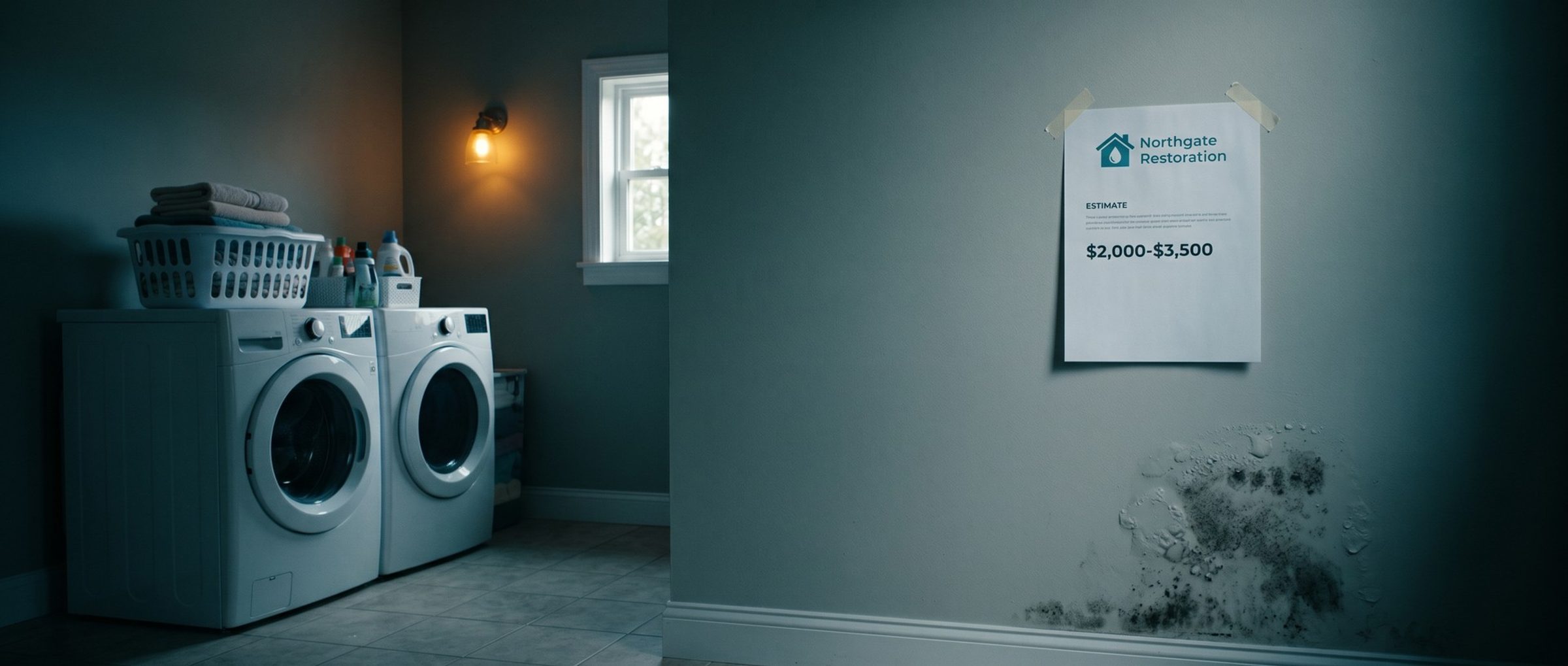
One Restoration Site We Read Lists Mold Removal at $2,000 to $3,500. AI Max Can Lift a Line Like That Into an Ad.
Google's help page lists the raw material for text customization: the domain, its landing pages, the restoration ads already running, and the keywords and assets in each ad group. In practice, every page on a restorer's site can feed a headline, including pages no ad was ever meant to touch.
Think about what's on a typical restoration site. In one example market, Sacramento, we read 12 restoration companies' websites. One published a price: its mold remediation page gives a "typical project range" of $2,000 to $3,500, including air testing afterward. That's a reasonable thing to say on a page that explains what's included. It reads very differently as a bare headline on a water damage ad: "Mold Removal $2,000 to $3,500."
Prices aren't the only risk. Restoration pages carry claims written for a specific context: an arrival time that applies to one county, a note that the company works with insurers, an FAQ answer about what a policy usually covers. Ten of the 12 sites we read said they work with insurance in some form; two said they bill the insurer directly. Lifted out of context and attached to a different service, any of those can turn into a promise the company didn't make.
Before switching anything on, read your own site the way Google will. Open each service page, the FAQ, the blog and any old landing pages from past promotions, and note every price, time promise, insurance claim and service you no longer offer. Fix the pages first. Then write the restrictions for anything that has to stay on the site but shouldn't be in an ad.
None of the 293 Restoration Ads We Read Showed a Price. A Dollar Sign Exclusion Won't Keep AI Max From Writing One.
Restoration ads don't quote prices. Of the 293 recent ads from restoration companies we pulled through Google's Ads Transparency Center (Chapter 8), none showed a dollar figure. It's not hard to see why. Water damage jobs vary enormously, the insurer often pays, and a number in an ad becomes the number the homeowner remembers.
AI Max doesn't know that. If a price sits on your site, text customization may use it. And the obvious fix doesn't work. Google's text guidelines page says you can add up to 25 term exclusions per campaign, words Google won't put in your generated text. But it says plainly that term exclusions can't stop prices from being generated. Its own example: excluding "$" won't stop a headline like "Shoes for less than $50."
What does work, per the same page, is a messaging restriction. Google gives the exact wording: "Don't generate assets with prices." You can add up to 40 restrictions per campaign, written as plain instructions.
For a restoration company, a sensible starting set looks like this:
- Don't generate assets with prices.
- Don't promise an arrival time. Your real one, if you have it, goes in a headline you wrote (Chapter 8).
- Don't say insurance will pay for the job or that there's no cost to the homeowner.
- Don't mention services we don't advertise in this campaign, such as fire restoration in a water damage campaign.
Then check what Google actually generates, in the asset report, before the first week is out. Text guidelines steer the writing; they don't replace reading it.
A Third of the Questions Google Showed Homeowners Were About Cost. The Restoration Company, Not AI Max, Should Decide Whether Ads Quote a Price.
There's a fair argument on the other side. Homeowners want to know what this costs. On the 24 restoration searches we ran in the example market, the People also ask boxes Google displayed held 96 questions, and 34 of them were about price: "How much does it cost to clean up a flooded basement?", "How much should mold remediation cost?"
So a company might decide that being the one restorer willing to talk about cost is worth something. That's a legitimate strategy. But it should be a decision the owner makes, with wording the owner writes: a range that's honest about what changes it, on a page that explains it, in an ad written on purpose. A price that appears because Google found it on a page from 2021 is not a strategy.
There's a practical reason too. A restoration price depends on things nobody knows from a search: how long the water sat, what's behind the drywall, whether the category of water means everything porous has to go. A range written by the owner can explain that. A number lifted by a machine can't, and the homeowner who calls expecting it starts the job already disappointed.
If you do decide to talk about cost, say it in your own headline, keep the "no prices" restriction on for everything Google generates, and let the page carry the detail.
AI Max Stops Honoring Pinned Headlines When It Picks the Landing Page. A Pinned Disclaimer Won't Stay in Its Spot.
AI Max can also swap landing pages. That feature, Final URL expansion, does in a Search campaign roughly what Chapter 10 described for Performance Max: a water damage click can be redirected to a different page on your site, one Google rates as a better match for the search and for that ad group's theme. In AI Max it needs text customization switched on, so the ad text can match the new page.
It comes with a side effect that matters for anyone who pinned a line. Google's page on how AI Max works says that if Final URL expansion is on, pinning of responsive search ad assets will not be respected. Back in Chapter 8, pins were reserved for one job: text that must show up in every water damage ad.
Two protections help. URL exclusions keep the expansion away from pages that should never receive ad traffic, the same careers, blog and payment pages Chapter 10 fenced off. And any line that must always appear should be checked in the ads Google actually serves, not assumed from the setup screen. If a required line can't be guaranteed, leave Final URL expansion off in that campaign.
AI Max Matches Water Damage Ads to Searches You Never Listed. We Switch It On Only Once the Broad Match Campaign Turns a Profit.
The third feature, search term matching, lets Google show your ads on searches beyond your keywords. Functionally, it's another way of doing what broad match does, which is why it sits at the end of the plan. Chapter 6 held broad match back until the account booked about 30 jobs a month. AI Max waits longer still: until the broad match campaign is booking jobs at a cost the company can live with, and Performance Max has had its turn (Chapter 10).
Google's help page adds that the three AI Max features, matching, landing pages and generated text, are built to run on conversion-based Smart Bidding. In other words, AI Max steers by whatever conversions the account reports, so the booked-job tracking from Chapter 1 has to be accurate before any of it switches on.
It's also on by default. Remember that a freshly built Search campaign arrives with AI Max on; the launch checklist in Chapter 9 switched it off for exactly this reason. Turning it back on later should be a deliberate step, in one campaign, with the messaging restrictions and URL exclusions already in place.
Start small. Switch AI Max on in one campaign, the broad match campaign with the most booked jobs, and leave the exact match campaign alone, so there's a clean comparison of what it adds. Once it runs, Google makes it visible. The search terms report adds "AI Max" as a match type, with a column showing why each search matched, and the headlines and landing pages used. Treat that report like the broad match one from Chapter 6. Open it every day for the first weeks, block the plumbing questions, equipment rentals and job hunters it pulls in, and score the campaign on signed work authorizations.
Next: Homeowners Ask Google About Insurance Before They Call.
That completes the core plan: tracking, keywords, pages, bids, ads, settings, and the automated campaigns in the order they earn their place. The last three chapters are bonuses for restoration's own problems, starting with the one homeowners ask about most after price. Chapter 14 covers insurance searches and what an ad can safely say about a claim.
Want the whole plan first? The guide home lists all sixteen chapters. Chapter 12 covers the lead ads that come before this one.
For the restoration companies whose Google Ads management we handle, AI Max waits until every other campaign has paid for itself, and the price restriction and page exclusions are written before it's switched on.