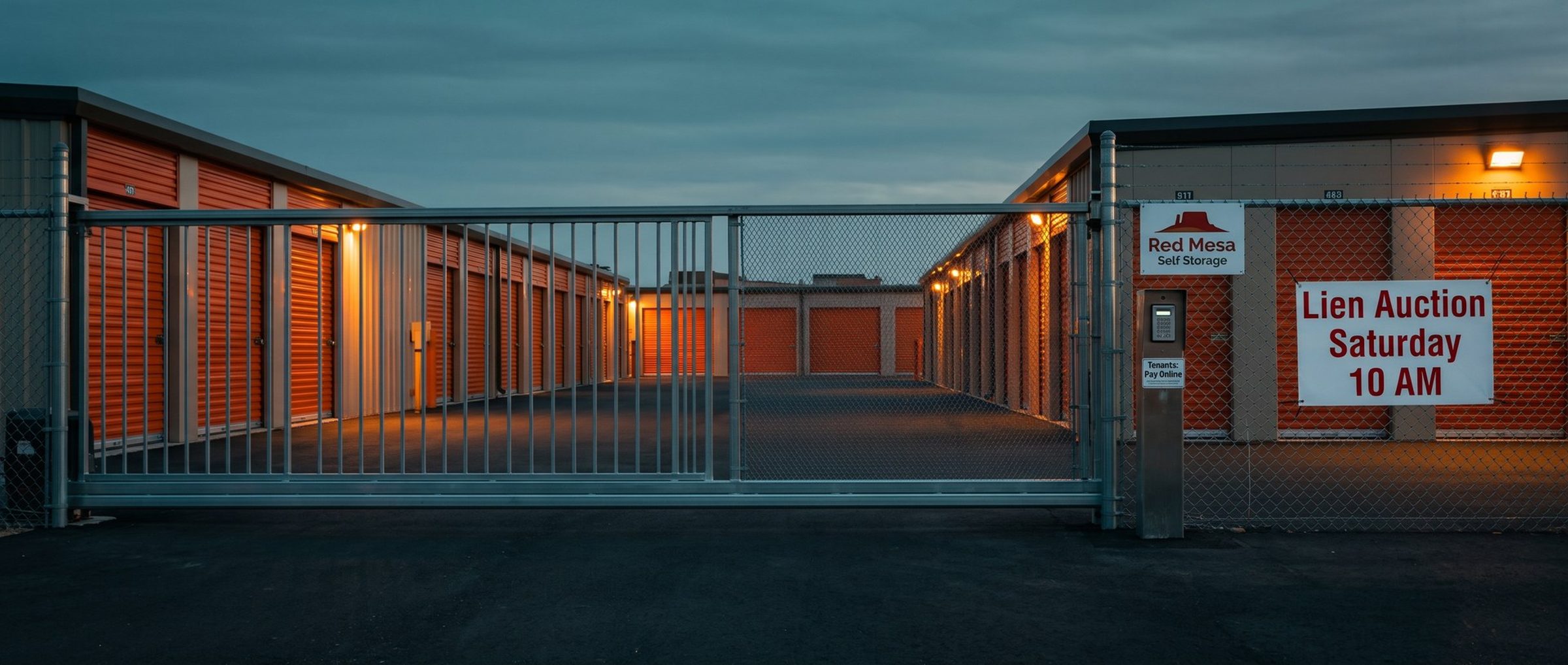
A storage website does two jobs. It rents units to new people, and it serves the people who already rent from you: the bill-pay link, the tenant login, the gate-hours page, the notice of the next lien sale. A renter who searched "climate controlled storage near me" should land on the first kind of page. Performance Max, left on its defaults, can send them to the second.
Performance Max is a single campaign that can place a storage ad almost anywhere Google sells space: the search results, a YouTube video, a Maps listing, a Gmail inbox, a news site. You hand it your goals, your assets and your site, and it chooses where to show ads, who sees them and, with one setting left on, which page the click opens. That freedom is the point, and it's also the risk for a storage facility whose site mixes renter pages with tenant pages. This chapter covers when a storage account is ready for Performance Max, which pages to fence off before launch, and what to feed it so its ads look like your facility.
Performance Max Isn't a Launch Campaign for a Storage Facility. Turn It On After You Know What a Move-In Costs.
Performance Max learns from conversions. A storage account without a steady stream of them gives the campaign nothing to learn from, and it spends while it guesses. Chapter 7 set the first gate: about 30 quality conversions a month (reservations, online rentals and qualified calls) before the Exploration campaign starts, usually around months two or three. Performance Max waits for more than reaching that number once. Our rule is to hold it month after month with Exploration running, so you know which broad-match searches turn into tenants and what a move-in costs. For a single facility, a common pace puts Performance Max around months six or seven. Busier accounts and multi-facility groups get there sooner.
Bring the move-in import from Chapter 1 with you, and the tenant value from Chapter 3, so each move-in carries roughly what a tenant pays over a stay instead of one month's rent. A campaign this automated chases whatever you tell it counts, so it should be learning from reservations that turned into tenants, not from every form fill.
Launching it doesn't hand your best storage searches to Google's automation. When a renter types exactly what an Isolation keyword says, Google's help page gives that Search campaign first claim on the auction, ahead of Performance Max. The search themes you give Performance Max rank level with phrase and broad keywords, below exact. So a renter typing "storage units near me" still meets the Isolation ad at the bid you chose, and Performance Max goes after the searches, videos and map views your Search campaigns never reach.
Six of 12 Storage Sites We Checked Have a Bill-Pay Page. Performance Max Can Send New Renters Straight to It.
Final URL expansion comes switched on whenever a storage account creates a Performance Max campaign. It lets the campaign ignore the unit page you picked and open whichever page of your site it thinks fits the renter's search better. Google's help page admits the catch in plain terms: unless you exclude pages, a storage ad can open one that was never written for a renter. For a storage site, every page that isn't excluded is a candidate, including the ones written for current tenants.
We read the sitemaps and saved pages of the twelve independent and small-portfolio storage sites in our example market, Oklahoma City, in October 2026. Here's what sits on those domains next to the unit pages:
- A bill-pay or online payment page: 6 of 12 sites
- A customer portal for existing tenants: 1
- Privacy and terms pages: 7
- Job or employment pages: 2
- Auction pages: 1 site, with 7 of them
Eleven of the twelve sites also mention paying online somewhere in their page text. None of those pages is wrong to have. Tenants need them. They just aren't pages for someone who has never rented from you, and a search like "storage pay online" could easily read as a match to Google's system.
Before launch, list every page that serves existing tenants or nobody at all, and add it to the campaign's URL exclusions. Google lets you exclude single addresses or write rules that cover a group of them, such as every page in an auctions section. Then check the list again whenever the site adds pages. A storage site picks up pages quietly: a new location, a holiday-hours notice, a page for the next lien sale. Each one is open to Performance Max until it's on the list. If you'd rather not manage it, turn final URL expansion off. With it off, Google's help page says, the campaign sends people only to the pages you gave it.
Which should a single facility choose? With five or six unit pages, a location page and a reservation flow, the list of pages worth landing on is short, and you already know it. Turning expansion off and naming those pages yourself is simpler and loses little. A multi-facility group with dozens of location and unit pages is where expansion can earn its keep, by matching a search to the right location page, but only with the exclusions in place first.
An Auction Page Draws Bidders, Not Renters. Performance Max Can't Tell the Difference on Its Own.
Lien sales are part of running a storage facility. Lien laws in states such as Texas, Florida and New York require the sale to be advertised, and some operators post their auctions on their own site. In our example market, one site carries seven auction pages, from a category page to posts explaining how local storage auctions work. Chapter 5 found the cost of that: when we pointed Keyword Planner at that facility's site, 22% of the ideas it returned were auction searches.
Auction searches are big. Nationally, "storage auctions" draws about 90,500 searches a month and "storage auctions near me" about 60,500. The people typing them want to buy the contents of someone else's unit. Performance Max, given an auction page and the freedom to match searches to pages, has every reason to find them.
Two settings close that door. Exclude every auction page from final URL expansion, the same way as the bill-pay page. And add the auction searches from Chapter 5's negative list to the campaign, since Google's help page lists negative keywords among the controls Performance Max accepts. If you post auctions through a third-party auction site instead of your own, there's no page to exclude, but the negatives still belong. The same goes for searches from existing tenants, such as your facility's name with "pay" or "login": they belong to the tenant pages, not to an ad.
A Renter Who Types Your Facility's Name Was Already Coming. Performance Max Will Still Bill You for the Click.
Back in Chapter 2, searches for your facility's name got a little campaign that does nothing else. Performance Max doesn't know that. Left alone, it can show ads on searches for your name too, and it tends to look very good doing it, because people searching for you by name were going to rent anyway.
A brand exclusion stops that. Unlike a negative keyword, it also catches common misspellings of your facility's name and related brand names, and Google recommends exactly this setup for advertisers whose brand searches already have a campaign of their own. Put your facility's name on the Performance Max brand exclusion list on day one.
The same tool works on competitors. Google's help page names using brand exclusions to keep Performance Max off "a competitor's" brand searches. For a storage account, that's the chain names from Chapter 5: the national brands people search by name. Excluding them keeps Performance Max from spending your budget on renters who already decided to rent from someone else.
Performance Max Puts Storage Ads on YouTube and Across the Web. A Stock Photo of Someone Else's Units Rents Nothing.
Unlike a Search ad, a Performance Max ad often shows as a picture or a video. That's where a small facility can look either real or generic. A stock photo of a gleaming orange hallway could be any of the chains. A photo of your gate, your office, your actual climate hallway and the size of a 10x10 with a person standing in it shows a renter exactly where their things will go.
What to give it:
- Photos from your facility: the entrance and gate keypad, the office, a climate hallway, a drive-up row, an open unit at a few sizes, the moving carts
- A short video: a walk from the gate to a unit, filmed on a phone in good light, is enough. Google can also add auto-generated videos to the campaign, and its help page tells advertisers to make sure what generated videos show matches the landing page.
- Headlines and descriptions from Chapter 8, built on renters' words
- Search themes by unit type, such as climate-controlled storage, drive-up storage and the sizes you have open, matching the ad groups from Chapter 4
- An audience signal built from searches, which Google suggests for custom segments: people who searched storage, moving and the town names from Chapter 6
Treat the audience signal as a suggestion Google is free to ignore. Its help page is clear that the campaign can reach renters beyond the signal when it predicts they'll convert. The real limits on a storage Performance Max campaign are the exclusions and negatives above.
Next: Google Has No Self Storage Audience for Demand Gen. Build One From Storage Searches and "Moving Soon."
Chapter 11 turns to Demand Gen, which shows storage ads on YouTube and in Gmail to people who haven't typed a storage search yet, and what a facility can aim it at when Google offers no storage audience. Each chapter is linked from the Google Ads for Self Storage guide home, and Chapter 9 covers the launch settings Performance Max builds on. Our Google Ads agency team sets up Performance Max for storage operators with the exclusions in place on day one.